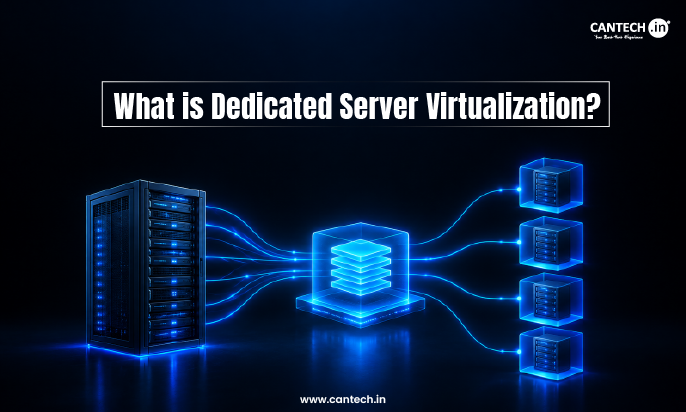
What is Dedicated Server Virtualization?
Dedicated Server Virtualization is a technology that divides a single physical dedicated server into multiple isolated virtual servers, each with its own OS, resources, and configuration, that allows it to utilize the hardware resources more efficiently, save money and manage multiple environments on a single physical machine.
Introduction
There are several ways to make the best of your IT infrastructure. If you realize that your physical servers are underperforming, it is a sign that it is time to consider dedicated server virtualization. Although most of the physical servers are underutilized (only 6-15% of their physical capacity), they require a constant flow of electricity, free space in your data center, and maintenance. Dedicated server virtualization is the way to go for many companies to ensure that they maximize the performance of their physical servers while retaining the benefits of a dedicated server. Businesses that need Virtual Dedicated Server Hosting can also consider virtualized server environments with dedicated resource allocations.
This blog will introduce the concept of dedicated server virtualization, explain its inner workings, review the most popular software that allows users to perform dedicated server virtualization, and compare virtualization to dedicated hosting to define if and when it is beneficial to adopt virtualization technology.
What is Dedicated Server Virtualization?
Dedicated server virtualization is a process of dividing a physical server that is fully owned and hosted by the user into a number of independent isolated virtual machines. This is done with the help of a hypervisor that allows the user to assign different computer programs and operative systems to separated virtual machines and make each of them functioning on its own data without sharing the server’s resources. Unlike shared hosting, with dedicated server virtualization, the user is given full control of the server.
How Server Virtualization Works?
Server virtualization is a technique of using a software layer to separate the physical servers from the operating systems running on them. Here are the steps that show how this technology is being used:
1. The Physical Server Offers the Raw Resources
The servers’ central processing units (CPUs) provide resources to servers hosted on the machine. In addition, there is usually a shared pool of RAM, hard disk, and network interface cards.
2. The Hypervisor is Installed on the host
The hypervisor is a software that creates the environment for running virtual machines. There are two main types of hypervisor: type 1 or bare-metal hypervisor, and type 2 or hosted hypervisor. The former runs directly on the computer hardware and is preferred when deploying production environments because it offers better performance and does not require an underlying operating system, such as VMware ESXi, Microsoft Hyper-V, and Kernel-Based Virtualization (KVM). The latter operates on the operating system and is easier to install, but it is not recommended for production workloads.
3. Physical Resources are divided into virtual pools
The hypervisor splits the physical CPU, memory, and storage resources into virtual machines (VMs). Therefore, it isolates the computer hardware to ensure that the computers running on the system do not affect each other.
4. Virtual Machines are created and provisioned
The hypervisor provides a certain percentage of the computer hardware to VMs. Moreover, a server host can run multiple VMs. For example, the host computer can run different operating systems, such as Windows and Linux, simultaneously.
5. Each virtual machine boots its own guest OS
The guest operating system runs on the host computer through the hypervisor. The process is transparent and invisible to applications running on the computer. It creates an isolated environment with virtualized computer hardware. As such, the application or operating system running on the guest OS believes that it is running on a stand-alone computer.
6. The Virtual Networking ties everything together
The hypervisor enables the virtual machines to connect to the network. Consequently, the virtualization environment allows the administrators to manage traffic and policies at the virtual machine level while keeping the actual computer hardware unchanged.
Popular Virtualization Solutions
There are several notable virtualization platforms in the industry market. These include:
VMware
This is a family of powerful virtualization products such as vSphere which is a type 1 hypervisor with good management capabilities and runs on diverse operating systems. It has a high licensing cost compared to other software.
Want to learn more about VMware and how it works? Read our guide on What is VMware?
XenServer (Citrix Hypervisor)
This is a type 1 hypervisor that is used for resource-intensive tasks and runs on both operating systems. It is freely available and offers excellent performance.
Microsoft Hyper-V
Designed to run on top of Microsoft Windows Server, this virtualization software is perfect for organizations that utilize the Microsoft ecosystem as it supports both Linux and Windows virtualization.
Explore What Is Hyper-V? to learn more about Microsoft’s virtualization technology.
KVM (Kernel-based Virtual Machine)
Being the open-source software from the Linux kernel makes this hypervisor the first choice for many organizations. It runs on the Linux OS. KVM VPS hosting uses KVM-based virtualization to provide isolated virtual server environments with
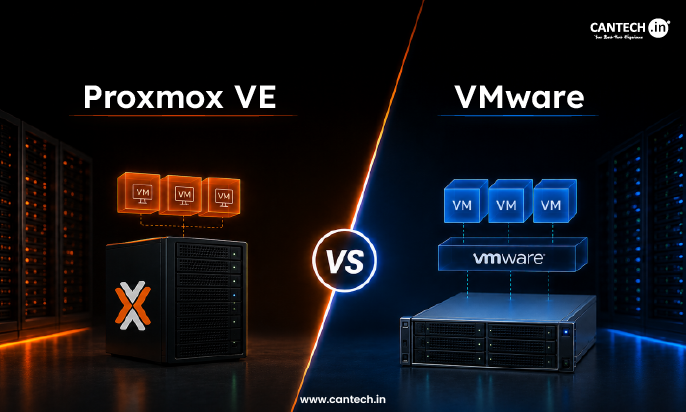
Proxmox VE
This is another open-source virtualization platform that is free to use and comes with a web-based interface. It utilizes KVM and containers, and it is cost-effective with flexible support options, including a paid license.
For a deeper look at Proxmox, read our guide to Proxmox Virtual Environment.
Types of Virtualization Worth Knowing
Aside from the hypervisor type, the virtualization approach can also differ. Some of the most common virtualization types are:
- Full virtualization: Entire virtual hardware is emulated so that the guest OSes can run without modification. This approach is the most common for enterprise-level environments.
- Para-virtualization: The guest OS is modified to know that it is running on a virtual machine and has optimized instructions to communicate with the hypervisor directly and reduce overhead, especially for I/O operations.
- OS-level virtualization: Also known as containerization, this type runs isolated user-space processes within a single host OS instead of running separate VMs. It is generally more efficient in terms of resource usage but offers less isolation compared to full virtualization.
- Hardware-assisted virtualization: Some CPUs have built-in virtualization support (Intel VT-x or AMD-V), which can accelerate virtualization at the lowest level.
Advantages of Dedicated Server Virtualization
The Advantages of Virtualizing a Dedicated Server are numerous, and most businesses usually reap all or some of its advantages:
- Improved resource allocation and utilization: Since multiple VMs can run on a single server.
- Reduced capital expenditures: Minimized expenses on hardware and electricity because of the consolidation of multiple servers into one.
- Improved system scalability: New VMs can be created with relative ease, thus enabling businesses to respond to increased traffic and demands.
- Enhanced processing power and efficiency: Virtualization eliminates the need for a one-to-one correspondence between VMs and servers. Consequently, the utilization rates of processing power and hardware resources are improved.
- Improved disaster recovery: A VM image can be backed up and copied with relative ease and can be deployed as a disaster recovery solution.
- Improved flexibility: Multiple operating systems can be run on a single server, enabling the hosting of legacy applications and heterogeneous systems.
- Improved security: The isolation feature of VMs makes it possible to host applications with diverse security requirements on the same server without compromising security.
- Improved administrative ease: Virtualization enables centralized administration and monitoring of VMs from a single console, thus reducing the administrative overhead significantly.
- Improved provisioning speed: Provisioning new VMs can be done in a matter of minutes as compared to provisioning new servers which can take days or even weeks.
- Improved energy efficiency: Consolidating multiple servers into one reduces the overall electricity consumption of the data center, thus reducing the carbon footprint.
- Reduced operational costs: With reduced costs for hardware, electricity, and administrative staff, businesses can cut down on their operational costs significantly.
Best Practices for Efficient Virtualized Environment
There are several best practices for operating a virtualized environment after initial setup to ensure continued stable performance and reduced risk:
- Right-size virtual machines: It is critical to regularly evaluate CPU, memory, and disk usage within VMs and appropriately configure resources according to demand.
- Manage the VM lifecycle appropriately: It may prove beneficial to document VM ownership and purpose and decommission VMs as needed.
- Separate workloads criticality: This is to ensure production VMs are prioritized over development/test VMs when allocating resources such as CPU, memory, and storage. It may prove beneficial to reserve resources for critical workloads.
- Patch hypervisor and management: The tools and platforms should be updated to reduce the risk factors associated with attacks.
- Use VM-aware backup tools: The reason is that standard backup tools may not capture data accurately and consistently because of the inability to capture VM-specific processes and data.
- Test the backup/restore procedure: It may prove beneficial to frequently restore systems from backups to verify efficacy.
- Document process: It may prove beneficial to document VMs, including criticality, dependencies, and configurations, as well as back up documentation and configuration.
Conclusion
Dedicated server virtualization allows companies to create additional value from their infrastructure which hosts the physical servers. It helps them achieve higher performance utilization, faster provisioning, improved disaster recovery, and overall easier maintenance and management than shared hosting. In exchange, they have to accept slightly more complicated setup and operations as well as choose between different types of hypervisors and hosting providers.
If you’re looking to take advantage of enterprise-level virtualization solutions, cantech’s dedicated servers offer enterprise-class server virtualization capabilities which focus on high-availability, security, and scalability. Experience Cantech’s Dedicated Servers and power your business growth now!
FAQs
How is dedicated server virtualization different from a VPS?
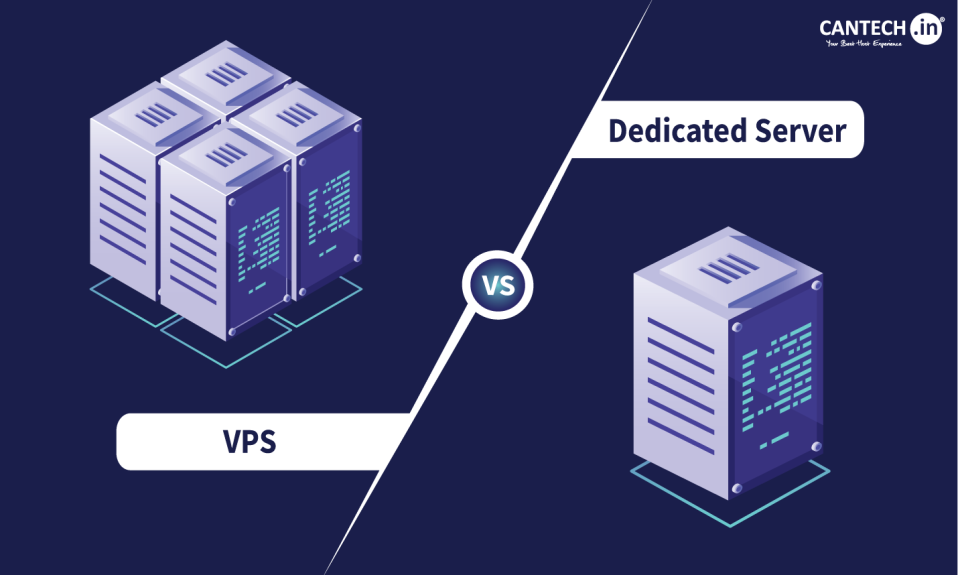
In a VPS hosting environment, the physical server is shared between multiple clients, whereas, in a dedicated server, the physical server is owned by one client who can create multiple virtual servers on the same hardware.
Is a virtualized dedicated server less secure than a traditional dedicated server?
The virtualization of a dedicated server makes it more secure since each virtual server runs as a separate entity. Thus, if one virtual server is attacked by a virus or malfunctions, it does not affect the other virtual servers. However, a virtualized dedicated server is slightly less secure than a traditional dedicated server that is not virtualized.
Can the process of virtualization impact the performance of a dedicated server?
Yes, since the resources of the physical server are shared among the virtual servers, there might be a slight decrease in performance. However, this difference in performance is not noticeable when the applications running on the virtual servers are not resource-heavy.
Which hypervisor is better for dedicated server virtualization?
The best hypervisor for virtualizing a dedicated server depends on the requirements of the user. Therefore, the best options are VMware, Hyper-V, KVM, Proxmox, and XenServer.