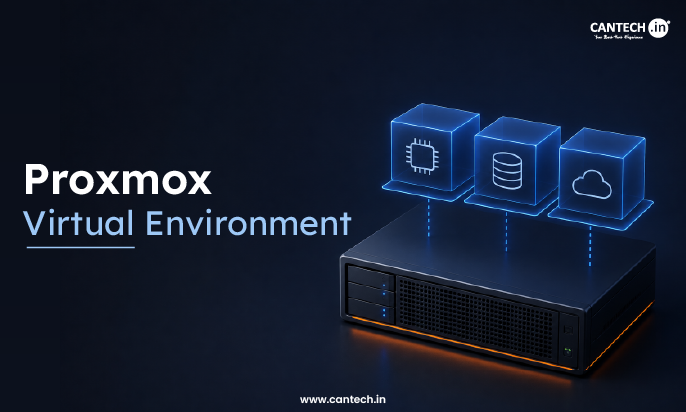
What is Proxmox Virtual Environment?
Proxmox Virtual Environment is an open-source solution for server-level virtualization that unifies KVM-based VMs, LXCs, web-based management, clustering, live migration, software-defined storage, and built-in backup features, frequently used as a free VMware alternative.
Introduction
If you have researched about self-hosting, home labs or enterprise level virtualization, chances are you have stumbled upon the name Proxmox. This software has grown exponentially over the years and is now one of the most popular open-source virtualization platforms in the world. From people running a couple of containers on their home servers, to enterprises running hundreds of VMs on their production environments, everyone uses Proxmox. But what exactly is it, and why is there so much interest towards an open-source alternative when there are commercial products such as VMware? This blog will detail what Proxmox VE is, what one can do with it, and why many are choosing it over other products.
What is Proxmox Virtual Environment?
The Proxmox Virtual Environment, which is often referred to as Proxmox VE, is an open-source server virtualization software designed to run on top of the Debian Linux platform. The application offers a complete set of tools for deploying, managing, and monitoring virtualization hosts. It is based on two virtualization methods: Kernel-based Virtual Machine (KVM) for building virtual machines and Linux Containers (LXC) for managing lightweight containers.
The software is distributed together with a web-based interface which is used to configure and monitor the virtualization environment, eliminating the need to learn complex sets of administration commands. Simply stated, Proxmox Virtual Environment allows running multiple stand-alone virtual servers on the same physical machine where the virtualization software runs.
Key Features of Proxmox Virtual Environment
Proxmox virtual environment has many features and capabilities that are comparable to, and in some cases surpass, those of expensive commercial hypervisors:
Control panel
A web-based interface for managing your virtualization environment
Bare metal hypervisor
For creating and running isolated virtual machines utilizing KVM
Containers
For running lightweight, fast, and efficient virtual machines using LXC
Clustering
Allows the management of multiple Proxmox servers as one through the creation of a cluster. This allows high availability, live migration, and other functions over a network of interconnected computers.
If you’re new to the concept, our guide on what is a server cluster explains how interconnected servers work together to improve availability and reliability.
High availability
The ability to recover from node failures by rescheduling virtual machines on other nodes and preventing service downtime
Live migration
Moving virtual machines between servers with minimal downtime
Backup and restore
Back up and restore virtual machines and other data. Proxmox Backup Server is an integrated, easy-to-use solution for performing backup and recovery tasks.
Software-defined storage
An integrated solution for managing and maintaining storage devices. The system supports ZFS, Ceph, LVM, and NFS.
Software-defined networks
An integrated solution for managing and maintaining network devices including switches and firewalls
Role-based access control
A flexible access control system that allows users to be granted specific permissions in order to perform certain actions
REST API
A powerful tool for controlling the system. Many actions available in the web interface are available in the form of API calls, making automation and management easier.
Why Use Proxmox?
There are several reasons why Proxmox is so popular and has a large following of enthusiasts:
- The product is open-source and free of charge, and the source code is available. The only reason to use the Proxmox subscription is to get a more reliable enterprise version.
- The platform combines various features into one solution. Thus, the product unifies multiple hypervisor software components, storage management tools, and network modules. In addition, Proxmox allows you to back up data, perform replication, manage networks, and implement a number of other useful functions.
- Proxmox is a more cost-effective alternative to VMware. Due to the high licensing costs of VMware products, many companies and large business structures have switched to a more affordable Proxmox. It is essential to note that the last also offers enterprise-level performance.
- Proxmox is scalable and suitable for different levels of business. The program can be used both in a single-node home server and large data centers.
The product has a good support system and is easy to use. Moreover, the support team is available around the clock. Finally, the Proxmox documentation is extensive, covering many technical aspects and providing detailed information about features. This allows the user to quickly find information and solve the problem. At the same time, there is an option for an enterprise support subscription.
How Proxmox Works?
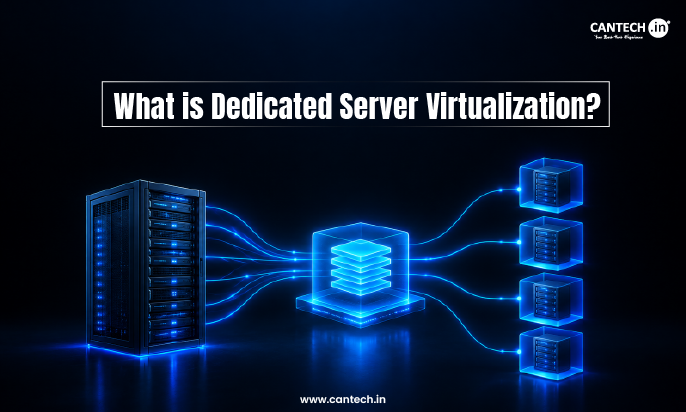
Proxmox virtual environment is a Debian Linux-based platform that is typically deployed as a bare-metal installation on computer servers. The OS uses the standard KVM module to create virtual machines that run on individual cores as separate instances with independent amounts of RAM, hard drive storage, and other physical resources. Thus, Proxmox virtual environment provides virtualization at the level of entire computers, which allows running Windows and Linux operating systems on the same server.
The platform also supports lightweight containers, which are created on the same Linux kernel but isolated from each other at the system level. They require fewer resources to operate and can be launched on the same computer with minimal interference. The main purpose of Proxmox virtual environment is to provide users with a web-based interface, where they can manage the creation and settings of individual instances. Moreover, through this interface, one can also control such parameters of virtual machines as network settings, storage, memory allocation, and backups. Finally, multiple instances can be combined into a single cluster to manage them collectively and ensure high availability in case of hardware failure.
How to get started with Proxmox on Cantech?
Skip the hassle of setting up and configuring your own hardware, Cantech offers Proxmox as an option on their dedicated servers and cloud server plans, along with cPanel, Plesk and Webuzo. You get the benefits of single-tenant, low-latency infrastructure hosted in a Tier 4 Indian data centre, with the flexibility of managing your own Proxmox environment from the beginning.
Would you rather have Proxmox than have to manage your own bare-metal hardware? Take a look at the dedicated cloud server plans from Cantech and choose Proxmox as your control panel.
Conclusion
Proxmox virtual environment is an excellent utility in the field of virtualization, as it provides users with a powerful and free platform for their work. For example, a person can use Proxmox VE to run several virtual machines on their mini PC at home. At the same time, a large IT company can deploy Proxmox VE in the organization to create highly available clusters. Thus, the program offers great opportunities for use in different fields.
FAQs
Is Proxmox virtual environment really free?
Yes, the whole platform, including the ability to make clusters and have high availability, is free to download and use. The only reason someone would not want to use it is because they need enterprise support and a more stable update channel, which is available in the paid version.
What is the difference between VMs and LXCs in Proxmox?
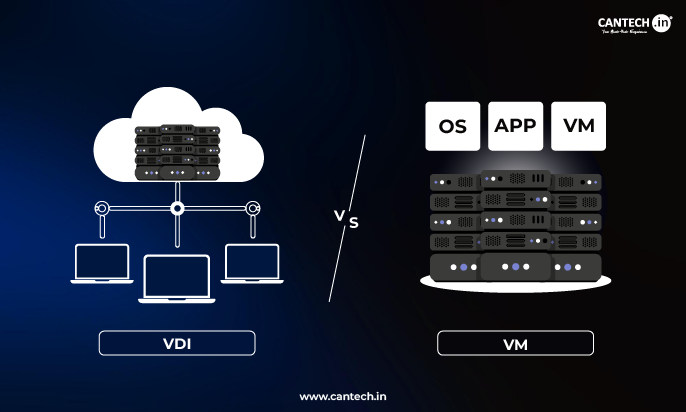
Well, VMs are system virtualization, meaning that they run their own kernel and operating system with full isolation. LXCs, however, are process-level containers that share the host’s kernel and, therefore, are not isolated at the system level and only support Linux.
Can I use Proxmox as an alternative to VMware?
As an alternative to VMware, yes, most people use it precisely because they want to move away from VMware, which charges a lot of money for its products now. Proxmox seems to offer most of the required options for enterprise-grade virtualization, like live migration, high availability, and backup solutions.
Do I need multiple servers to install Proxmox virtual environment or can I use just one?
A single server is enough to run Proxmox virtual environment. Multiple servers are necessary if you want to set up a failover cluster for higher availability.
Is Proxmox Virtual Environment and Proxmox Private Cloud different products?
No. “Proxmox Virtual Environment” is the actual product, while “Proxmox private cloud” is a use-case description of deploying and using Proxmox Virtual Environment.
Does that mean that there is a separate “Private Cloud edition” of Proxmox Virtual Environment with different features?
No, there is no such edition. The same installation of Proxmox VE can be used both as a private cloud platform and as a single-server virtualization host. It all depends on how you set it up.