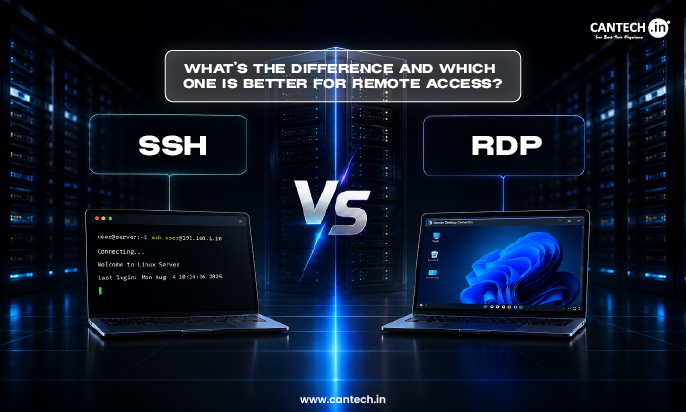
Secure Shell (SSH) is a secure command-line protocol used for remote administration of Linux servers, and Remote Desktop Protocol (RDP) is a graphical remote access protocol developed by Microsoft that allows users to use a full desktop interface to control a Windows-based computer remotely. For server administration, automation and developers, SSH is the best choice, while for remote work, Windows applications and GUI-based management, RDP is best.
Introduction
When you’re running a server, using a work computer, or even troubleshooting a system remotely, you need to make sure you select the right remote access protocol. Two of the most popular ones are SSH and RDP, but they operate completely differently. SSH offers secure command-line access and RDP offers a full desktop experience. In this guide, we will compare SSH vs RDP, explain their differences and help you choose the right solution for you.
What is SSH?
Secure Shell (SSH) is a secure network protocol for creating an encrypted connection between a local system and a remote system. If you’re not familiar with SSH, it is a secure gateway that lets administrators and developers log into systems from anywhere with a command-line interface. SSH is widely used on Linux and Unix servers and can be used for both password-based authentication and SSH key authentication.
SSH is normally run on port 22 and is accessible from clients like PuTTY, OpenSSH and Terminal. It is common for server management, secure file transfer using SCP and SFTP, Git deployments, remote command execution and task automation. Due to its high security and minimal resource usage, SSH is one of the most popular protocols used to manage remote servers. For workloads that require reliable Linux server access and control, explore our Linux Dedicated Server solutions.
For a more detailed explanation of SSH, its authentication methods, and remote server management capabilities, read our guide to what is SSH and how it works.
What is RDP?
RDP (Remote Desktop Protocol) is a remote access protocol created by Microsoft to enable users to access and manage a computer from a different location using a graphical interface. If you don’t know what RDP is, it’s a complete desktop environment that enables users to interact with a remote system as if they were using a local machine.
The RDP protocol is different from SSH, which uses a command-line interface, and instead allows for an interactive desktop session that includes access to the keyboard, mouse, clipboard, printers, audio, and even multiple monitors. RDP is popular for remote working, technical support and administration of Windows servers due to its ease of use. It functions mainly on Windows-based systems and can be used via Microsoft’s Remote Desktop application.
For users looking for reliable and high-performance remote access, RDP VPS server hosting solutions provide dedicated resources, fast connectivity, and a seamless Windows desktop experience from anywhere.
SSH vs RDP: Quick Comparison
| Feature | SSH | RDP |
| Interface | Command-line interface | Full graphical desktop interface |
| Best for | Linux servers and automation | Windows desktops and servers |
| Default port | 22 | 3389 |
| Encryption | Yes | Yes |
| Resource usage | Very low | Higher |
| Performance | Fast and lightweight | Depends on network speed |
| File transfer | SCP and SFTP | Clipboard and drive sharing |
| Automation support | Excellent | Limited |
| GUI access | No | Yes |
| Operating systems | Linux, macOS, and Windows | Primarily Windows |
This comparison makes one thing clear, SSH is designed for secure command-line administration, while RDP focuses on delivering a complete desktop experience. The right choice ultimately depends on your operating system, workload, and security requirements.
SSH vs RDP: Key Differences Explained
While both SSH and RDP aim to enable remote access, they have a lot of differences regarding functionality, security, performance, and user experience.
User Interface
SSH is a text-based environment that lets users run commands straight from the terminal window. RDP, however, provides a full graphical desktop environment and is similar to working on a local computer. For instance, it is much easier to install Apache on a Linux server via SSH, and editing images in Photoshop is more convenient with RDP.
Security
One of the most secure ways to connect remotely, SSH is known for its robust security measures and support for public and private key authentication. To further strengthen security, follow these best practices to secure SSH access on a Linux server, including key-based authentication and restricting access to authorized users. RDP is also secure if configured correctly, but a VPN, multi-factor authentication (MFA) and Network Level Authentication (NLA) should always be enabled. It is never recommended to directly connect RDP to the internet without further protection. Configuring a dedicated server firewall helps restrict access to exposed ports and reduce the risk of unauthorized connections.
Performance
Since SSH only carries text-based commands and replies, it uses little bandwidth and works well on slower connections. RDP is a more bandwidth-intensive application and requires more system resources than other applications, as it has to continuously send desktop graphics, audio, and user input.
Ease of Use
SSH is command line oriented and may be difficult for novices. The RDP is much simpler to use as it offers a familiar desktop environment which acts just like a local computer.
Automation
SSH is commonly used in automation, such as Bash scripts, cron jobs, software deployment, and CI/CD pipelines. RDP is more appropriate for manual administration and tasks that involve direct interaction with applications.
Cross-Platform Compatibility
SSH is very flexible and can be used on Linux, Windows, and macOS systems. RDP is intended for use in Windows environments, but there are RDP clients available for Linux and macOS users.
SSH Ports vs RDP Ports
Both SSH and RDP rely on specific network ports to establish remote connections.
SSH uses port 22 by default, while the default RDP port is 3389. Although administrators can change these ports, doing so should be considered an additional security measure rather than a complete solution. Firewalls should always be configured to allow access only from trusted IP addresses, and sensitive systems should ideally be protected behind a VPN or a bastion host.
Learn more about why a firewall is important for your dedicated server to understand its role in protecting remote server access.
When Should You Use SSH?
SSH is the better option when you need secure command-line access and greater control over a remote environment. It is commonly used for:
- Linux VPS management
- Cloud server administration
- DevOps workflows
- Git deployments
- Server automation
- Running scripts remotely
- Web hosting management
- Database administration
If you’re new to virtual servers, learn what VPS hosting is and how it works to better understand the environment you’re managing remotely.
When Should You Use RDP?
RDP is the right choice when you need access to a complete desktop environment and graphical applications. It is commonly used for:
- Windows VPS management
- Remote office access
- Graphic design software
- Accounting applications
- Microsoft Office applications
- CAD software
- Technical support
- Remote work environments
SSH vs RDP: Pros and Cons
SSH
Advantages
- Strong encryption
- Lightweight and efficient
- Excellent automation capabilities
- Fast performance
- Stable and reliable connections
Disadvantages
- No graphical interface
- Requires command-line knowledge
RDP
Advantages
- Full desktop access
- Easy to use
- Optimized for Windows environments
- Supports audio, printers, and multiple displays
Disadvantages
- Higher bandwidth consumption
- Greater security risks if configured incorrectly
- Requires more system resources
Which is More Secure: SSH or RDP?
SSH isn’t necessarily more secure than RDP, or vice versa. The degree of protection is mostly dependent on the configuration of each protocol.
For SSH, administrators should consider the following: Do not use root logins, use SSH keys rather than passwords, change default credentials, enable tools like Fail2Ban, and limit access to trusted IP addresses.
Multi-factor authentication (MFA), Network Level Authentication (NLA), firewall rules and VPN access can greatly enhance security for RDP. It is also crucial to keep software updated regularly.
An SSH or RDP setup can be set up to offer secure and reliable remote access.
SSH vs RDP: Which One Should You Choose?
| If you need | Choose |
| Linux server management | SSH |
| Windows desktop access | RDP |
| Automation and scripting | SSH |
| Graphic applications | RDP |
| Low-bandwidth connections | SSH |
| Remote office access | RDP |
| Secure command-line management | SSH |
| A complete desktop environment | RDP |
The choice ultimately comes down to your requirements. SSH is ideal for developers, system administrators, and Linux users, while RDP is a better fit for businesses and users who need a familiar desktop environment.
Conclusion
SSH and RDP are designed to solve different remote access challenges. SSH is widely used for secure server administration, automation, and Linux-based environments, while RDP is better suited for users who need a complete Windows desktop experience.
Choosing the right option depends on the operating system you use, the applications you run, and the level of access you require. When configured properly, both protocols provide reliable and secure remote connectivity. If you need dedicated infrastructure with ongoing technical support, explore our managed dedicated server hosting solutions.
FAQs:
Is SSH safer than RDP?
Generally, SSH is more secure than RDP since it uses encrypted connections and key-based authentication. RDP can also be very secure, but it should always be secured by the use of features like multi-factor authentication (MFA), Network Level Authentication (NLA), firewalls and VPN access.
Can Windows use SSH?
Yes. OpenSSH is supported natively in Windows, so users can connect remotely securely without downloading other software. Other applications can also be used, like PuTTY.
Can Linux use RDP?
Yes. There are various applications that can be used to connect to remote desktops on Linux systems, including Remmina, FreeRDP, and xrdp.
Which is faster: SSH or RDP?
Typically SSH will be faster since it only sends the commands and text data. RDP requires more bandwidth since it is constantly transferring graphical data between devices.
What are the default RDP ports?
The default RDP port number is 3389. This port can be altered by the administrator and can be limited by firewalls to increase security.
Can SSH and RDP work together?
Yes. A lot of administrators use both protocols simultaneously. SSH is typically employed for server management and automation, whereas RDP is recommended if a full desktop environment is needed.
Should I choose SSH or RDP for a VPS?
For Linux VPS, SSH is generally the preferred option. RDP is the better choice if you require access to a Windows-based server and graphical applications.