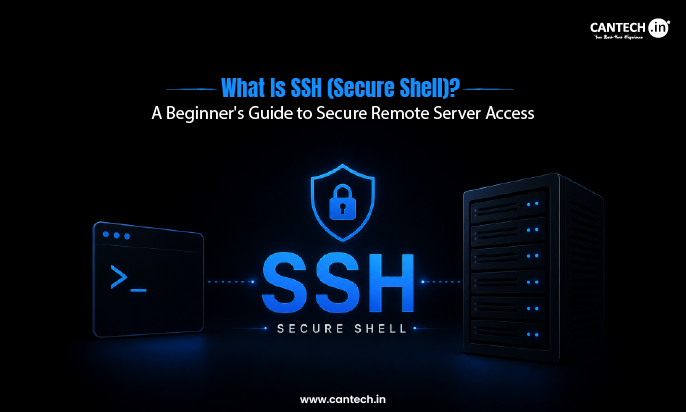
SSH (Secure Shell) is a secure network protocol that allows users to remotely access and manage a computer or server over the internet. It creates an encrypted connection that protects login credentials, commands, and data from being intercepted. SSH is commonly used for remote server administration, software installation, file management, troubleshooting, and running commands securely.
Introduction
A hosting control panel may not be enough to manage a server. Typical tasks include software installation, server configuration, troubleshooting, application deployment, and the like, which often require direct access to the server, and that access must be secure. Secure Shell (SSH) is here to make a difference.
By creating an encrypted connection between a computer and a remote server, SSH allows administrators, developers, and website owners to manage systems safely from virtually anywhere. It is important to understand how SSH works so that you can manage servers with more confidence and security.
What is SSH (Secure Shell)?
Secure Shell (SSH) is a network protocol that enables a computer to log on to a remote computer in a secure manner over the Internet. SSH encrypts the entire connection so that no one can intercept or read the information, unlike when a username, password, and other data are exposed during transmission.
To put it simply, SSH provides a safe method for an administrator, developer, or website owner to manage a server from a different computer. These are typical tasks such as file management, software installation, server configuration, running Linux commands, and troubleshooting without being physically present.
The best way to describe SSH is a private conversation in a public room. The two people talking can hear each other, but everyone else can hear that there is a conversation taking place, but not what is being said. This is the reason that SSH is the secure protocol of choice for remote server administration.
What is the purpose of SSH?
Before the widespread use of SSH, many administrators used Telnet to log in to other servers. It enabled remote management, but it was one thing it did not do, everything, including usernames and passwords, was transmitted in plain text.
This meant that information that was sensitive could be read by anyone who intercepted the connection with ease. When the internet became more popular and cybercrime became more prevalent, this wasn’t enough.
To address this issue, SSH was developed. It encrypts everything between a computer and a remote server so that the login, commands, and data being transferred are not exposed on the way. Because of this increased security, SSH has superseded Telnet for remote access to servers and is now the industry standard.
| Feature | Telnet | SSH |
| Data
transmission |
No encryption | Encrypted connection |
| Password
security |
Passwords sent in plain text | Passwords and data are protected |
| Internet use | Unsafe over public
networks |
Designed for secure remote access |
| Current usage | Mostly obsolete | Industry standard for server
management |
How Does SSH Work?
In a matter of seconds, SSH establishes a secure connection between a computer and a remote server. While it occurs in the background, it goes through a sequence of steps to make sure that the connection is secure and trustworthy.
The computer requests a connection. An SSH client will initiate a secure session on the remote server.
The server authenticates itself. The server is unique and can be used by the client to ensure that it is connecting to the right server.
An encrypted connection is made. After the server has been authenticated, all communication is encrypted. All commands, passwords, and transfers of files are secure from here on.
User is authenticated. Access is only allowed once authenticated, typically using a password or an SSH key, which is more secure.
A secure session is started. Once authenticated, the server can be remotely controlled as if someone is directly working on the machine.
You will have a secure, encrypted SSH connection to your computer > Remote server
The whole process is quite quick, but it offers a safe base for remote server management, software deployment, file transfers, and regular maintenance.
How Does SSH Improve Remote Server Security?
The best thing about SSH is that it secures the communication between a computer and a remote server from the time that the connection is made. Whereas SSH encrypts the whole session so that no one can read the information if it is set up.
SSH also checks the identity of the server before connecting. This is to reduce the chances of connecting to a spoofed or malicious server. All command, file transfer, and login information is sent over the same encrypted channel, aiding in data integrity from start to finish.
This is important when using SSH to manage servers in public or shared networks like hotel or airport Wi-Fi or a cafe. If someone does intercept the network traffic, the encrypted data is not readable or cannot be used to obtain login information.
SSH boosts the security of remote servers by:
- Encrypting all communications between client and server.
- Ensuring that users are who they claim to be and that the server is who it is claimed to be.
- Secure data from packet sniffing and unauthorized data interception.
- Minimizing the threat of credential theft when logging on remotely.
- Offering a safe and secure method of server management from anywhere. That’s why SSH is the recommended method for accessing remote servers securely.
What Can SSH Be Used For?
SSH can be used to do much more than just log onto a remote server. It allows administrators, developers, and website owners to manage their servers, perform maintenance, and solve issues remotely.
The following are some of the most popular uses of SSH:
- Managing VPS, cloud, and dedicated servers.
- Upgrading of website files and server configurations.
- Installing software, packages, and security updates.
- Running Linux commands on a remote computer.
- Restarting services (Apache, Nginx, MySQL, PHP, etc.).
- Installing applications or checking out code from a Git repository.
- Securely transferring files with SCP or SFTP.
- Maintaining, backing up, and troubleshooting databases.
For instance, if a web server service crashes, an administrator can log on remotely, determine the issue, restart the service, and get the website up and running without having to physically log on to the web server.
SSH Keys Explained in Simple Terms
Logging in with a password is one way to use SSH, but many servers use SSH keys, which offer greater security and are much harder to compromise.
An SSH key pair is made up of two parts:
- Public key: It is kept on the remote server.
- Private key: Remains on the user’s computer and is not disclosed to anyone.
One way to think about this is that the public key is a lock on the server, and the private key is the only key that can open the lock. Only the matching private key is accepted by the server, and this key is never sent over the internet during the login procedure.
The private key is kept on the user’s machine, and SSH key authentication greatly diminishes the chances of stolen passwords and unauthorized access. That’s why it’s the preferred authentication method for VPS hosting, cloud servers and production environments.
SSH Password vs SSH Key Authentication
SSH supports both password-based and key-based authentication, but they are not equally secure. Passwords are simple to set up and work well for learning, while SSH keys provide stronger protection and are the preferred choice for production servers.
| Password Login | SSH Key Authentication |
| Easier to guess or crack | Much stronger against attacks |
| Requires entering a password for each login | Allows faster, password-free authentication after setup |
| Higher risk of credential theft | More secure because the private key never leaves the user’s device |
| Suitable for beginners and testing | Recommended for production servers and regular administration |
SSH key authentication is usually the more secure and dependable choice for those running a VPS, cloud server, or dedicated server.
SSH can be used with a password or a key; neither is as secure as the other. For learning, passwords are convenient to use and create, and for production servers, SSH keys are preferred and more secure.
Generally, SSH key authentication is more secure and reliable than password authentication when accessing a VPS, cloud server, or dedicated server.
Common SSH Commands Beginners Should Know
Gaining access to an SSH connection does not require learning dozens of different Linux commands. A few simple, commonly used Linux commands can help in connecting to an SSH server, navigating around on a Linux-based server to find your way, managing your files, and executing basic changes.
- ssh- Will start a secure connection to a remote server (the SSH server).
- pwd- Will show you what directory you are currently in, so you know where commands are being run from.
- ls- Will list all files and directories located within the current working directory.
- cd- Will allow you to change from one directory to another.
- mkdir- Will create a new directory for purposes such as organizing files or project data.
- rm- Will remove a file or directory from the file system. Note that many times, files removed via the rm command cannot be recovered; therefore, extra care should be taken when using rm to remove files or directories.
- nano- Will start the nano text editor so you can edit configuration files or any other type of document stored on the server you are connected to using SSH.
- exit- Will end your current SSH session and safely disconnect you from the remote server you connected to using SSH.
If managing a server through the command line is important, it is worth confirming that SSH access is included before choosing a hosting plan.
Does Every Hosting Plan Include SSH?
No. SSH access depends on the hosting provider and the type of hosting plan.
| Hosting Type | SSH Access |
| Shared Hosting | May be restricted or unavailable. |
| Managed Hosting | Depends on the provider. |
| VPS Hosting | Usually included. |
| Cloud & Dedicated
Hosting |
Typically included with full server
access. |
If SSH is required, checking the hosting plan before purchasing is always recommended.
What’s the Difference Between SSH and SFTP?
SSH and SFTP are closely related, but they are designed for different tasks. SSH is used to securely access and manage a remote server, while SFTP (SSH File Transfer Protocol) uses the same secure connection to transfer files between a computer and the server.
| SSH | SFTP |
| Securely connects to a remote server | Securely transfers files |
| Runs commands and manages the server | Uploads, downloads, and organizes files |
| Used for server administration | Used for file management |
In simple terms, SSH gives access to the server, while SFTP is used to move files once that secure connection is available.
Conclusion
SSH is the industry standard for remote server management, as it gives you the flexibility of remote server management without compromising security. SSH is a secure and dependable way to keep a Linux server up and running, deploy applications, transfer files, and tackle any unexpected problems that arise.
As websites and apps rely more and more on cloud and VPS servers, this isn’t just a technical advantage; it’s a practical skill that improves the security, efficiency, and manageability of server operation.
FAQs
What is SSH used for?
Secure access and management of remote servers is accomplished with SSH. It lets users execute commands, install software, edit files, deploy applications, and do server maintenance on another computer.
How does SSH improve remote server security?
All communication between a client and server is encrypted with SSH so that login information, commands, and data transferred are protected from being intercepted. It also checks the identity of the server before connecting to it.
Is SSH better than Telnet?
Yes. SSH is much more secure than Telnet because it encrypts the entire connection. That is why SSH is the industry standard now, instead of Telnet.
Which port does SSH use?
The default port for SSH is 22. The default port is usually changed by some server admins to minimize automated login attempts, but port 22 is still the standard port for SSH connections.