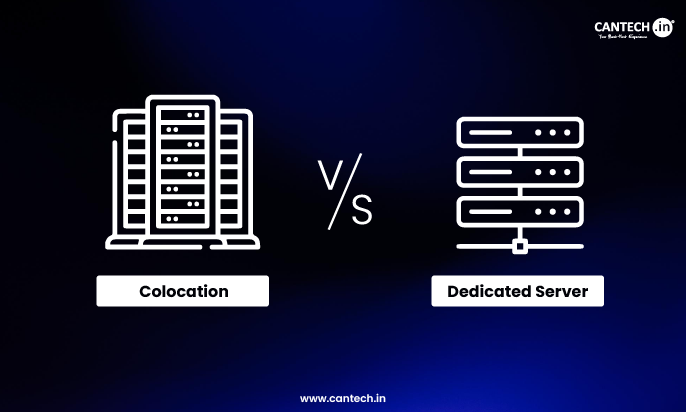
With a dedicated server, you rent hardware from a hosting provider. They own it, manage the infrastructure, and handle physical maintenance. With colocation, you own your hardware and rent space, power, and connectivity in a data center. Dedicated hosting suits businesses that want predictable costs and zero hardware responsibility. Colocation suits businesses with existing hardware, specific customization needs, or the in-house IT team to manage physical servers.
You need more power and control, but now you’re stuck between a dedicated server and colocation. Both give you full hardware access, but the responsibility split is very different. Pick wrong and you either overspend on infrastructure or end up managing things you didn’t plan for. Here’s the clear difference so you know which one actually fits your setup.
What Is Dedicated Server Hosting?
A dedicated server is a physical server that a hosting provider owns and leases entirely to you. You do not share it with other customers. The provider handles the hardware, the data center infrastructure, the physical maintenance, and the replacement of faulty components.
You get full use of the server’s resources, and you can typically install your own operating system and software. If the hard drive fails, the provider replaces it. If the server needs a RAM upgrade, that happens through the provider. Your team never touches the physical machine.
Dedicated servers come in two main forms: unmanaged, where you handle the OS and software yourself, and managed, where the provider takes on server-level administration too. Managed plans cost more but reduce the burden on your IT team significantly.
Read our guide on what is dedicated hosting to understand how it delivers full server control, maximum performance, and enhanced security.
What Is Colocation Hosting?
With colocation, you own the physical server. You buy it, configure it exactly how you want, ship or transport it to a data center, and pay the facility for rack space, power, cooling, and internet connectivity. The data center protects the hardware and keeps the lights on. Everything else is your responsibility.
You have complete control over the hardware specification, the operating system, the software stack, and every component inside the machine. You can upgrade, replace, or reconfigure it on your schedule. But when something breaks, you or your team handles it, whether that means a remote fix or a physical visit to the facility.
Colocation hosting pricing typically breaks down into rack space (per rack unit, or “U”), power consumption (per kilowatt), and bandwidth. These are charged separately or bundled depending on the provider.
Read our guide on what is colocation to learn how it lets you host your own servers in a secure, high-performance data center environment.
Dedicated Server vs Colocation: Core Differences at a Glance
| Factor | Dedicated Server | Colocation |
|---|---|---|
| Hardware ownership | Provider owns it | You own it |
| Hardware cost | Included in monthly fee | Upfront capital expense |
| Physical maintenance | Provider’s responsibility | Your responsibility |
| Hardware customization | Limited to provider’s configurations | Full control |
| Management overhead | Low (especially managed plans) | High (requires IT team) |
| Upfront cost | Low | High (server purchase + setup) |
| Monthly cost | Higher recurring fee | Lower recurring fee (after hardware is paid) |
| Long-term cost | Higher over 3–5 years | Lower over 3–5 years at scale |
| Compliance (hardware custody) | Provider owns hardware | You own hardware |
| Best for | Growing businesses, limited IT staff | Enterprises with IT teams and specific hardware needs |
| Scalability | Easy (upgrade plan or add servers) | Requires purchasing and installing new hardware |
| Security control | Shared responsibility | Full control |
| SLA guarantees | Standard with most plans | Data center infrastructure only |
Who Controls the Hardware?
With a dedicated server, the provider owns the hardware. That means they decide what server models are available. If you need a custom GPU configuration, a specific network card, FPGAs, or hardware security modules, the provider may simply not offer it. You get their standard configurations.
With colocation, you bring your own server. You can spec it exactly as your workload requires. If your application needs a particular storage controller, a specific processor architecture, or uncommon peripherals, colocation accommodates that. No negotiating with a provider’s product catalog.
There is also a compliance dimension. Certain government contracts, healthcare regulations, and financial security standards require that the organization processing sensitive data maintain physical ownership of the hardware. A dedicated server where the provider owns the machine may not satisfy that requirement. Colocation does.
How Does Security Work in Each Model?
Both options sit inside professional data centers with physical security: biometric access, 24/7 surveillance, locked cages, and redundant power. That base level of protection is comparable between the two.
The difference is in who controls software and data-level security.
With dedicated hosting, security responsibilities are split. The provider secures the physical hardware and data center infrastructure. You secure the operating system, applications, and data. Managed dedicated plans often include server-level monitoring and some security tooling, but you should confirm exactly what is and isn’t covered in the SLA.
With colocation, security is almost entirely on you. You decide on the OS, firewall configuration, intrusion detection, access controls, and patch management. That is a feature if your team has the expertise. It is a risk if they don’t. A misconfigured server in a secure data center is still a vulnerable server.
Which One Scales Better?
Scaling a dedicated server is straightforward on paper. You upgrade your plan, add a server to your account, or the provider provisions a new machine. You don’t touch hardware. The friction is low.
Scaling colocation requires buying hardware, shipping it to the facility, coordinating installation (or paying for remote rack-and-stack services), and ensuring you have enough rack space and power allocation in your colocation agreement. It is more work, but you end up owning assets rather than paying indefinitely for rented resources.
For rapid, unpredictable growth where you need resources tomorrow, dedicated servers respond faster. For planned infrastructure expansion where you know what’s coming and want to control costs at scale, colocation is the better-structured option.
What Are the Hidden Costs Most Articles Skip?
Colocation hidden costs:
Remote hands fees catch a lot of businesses off guard. If something breaks and you can’t physically get to the data center yourself, you pay the facility’s staff to handle it. Basic tasks like rebooting a server or checking a cable might be billed at $50 to $150 per hour. Complex hardware swaps cost more. This can add up quickly if your hardware is aging.
You also need to carry spare components. If your server’s NIC or hard drive fails and you don’t have a replacement on hand at the facility, there’s downtime while you source and ship a part. Hardware refresh cycles are your cost, not the data center’s.
Dedicated server hidden costs:
Managed dedicated servers often come with add-ons that are not obvious from the headline price: backup storage, advanced monitoring, security scanning, and support tiers. Read the SLA carefully before assuming what’s included.
Bandwidth overages are another one. If your plan includes a set amount of monthly transfer and you exceed it, you pay extra. Predictable for most use cases, but worth confirming upfront.
Who Should Choose Dedicated Hosting?
Dedicated server hosting fits you if your team does not have the capacity or desire to manage physical hardware. If an outage at 2am means you need the provider on the phone fixing it, not your developers racking a replacement part, dedicated hosting is the right model.
It also suits businesses that want predictable monthly costs without capital expenditure. Converting hardware into an operating expense, rather than a capital investment, suits businesses managing cash flow carefully.
If you are a startup, a growing SaaS company, a media operation with variable traffic, or any team that needs enterprise-grade infrastructure without an enterprise-sized IT department, dedicated hosting removes a category of operational risk that would otherwise consume significant time.
Read more about why you need a dedicated server?
Who Should Choose Colocation?
Colocation makes sense for organizations that already own servers, have specific hardware requirements their provider can’t meet, or operate at a scale where owning hardware is financially rational.
If your business runs 20 or more physical servers, the math on owning hardware typically beats renting it over a 3-5 year period. If you are in an industry where compliance mandates hardware custody, colocation is often the only path that satisfies the requirement. If your workload depends on custom GPUs, specialized network equipment, or legacy hardware that no hosting provider supports as a rental, colocation gives you the access you need.
You need an internal IT team or a managed services partner to make this work. If that resource doesn’t exist in your organization, the flexibility colocation offers will quickly turn into a liability.
Pros and Cons
Dedicated Server Hosting
Pros: No upfront hardware cost. Hardware failures and physical maintenance are the provider’s problem. Predictable monthly pricing with SLA-backed uptime guarantees. Easy to scale by adjusting or adding plans. Managed options remove server administration burden entirely. Faster to provision.
Cons: Higher long-term monthly cost at scale. Limited hardware customization. Provider owns the machine, which may not satisfy compliance requirements. You rely on the provider’s hardware refresh cycle, not your own.
Read full guide on advantages and disadvantages of dedicated hosting
Colocation Hosting
Pros: Full hardware ownership and control. Unlimited customization of server specifications. Lower recurring monthly costs once hardware is purchased. Satisfies regulatory requirements for physical hardware custody. More cost-effective at high server counts over multi-year periods.
Cons: High upfront hardware investment. Your team is responsible for all maintenance, repairs, and replacements. Remote hands fees add unexpected costs when hardware issues arise. Scaling requires physical procurement and installation. Requires in-house IT expertise or a managed services partner.
Conclusion
If you want to focus on running your business rather than managing physical infrastructure, choose a dedicated server. You pay more per month over time, but you get reliability, support, and zero hardware headaches. For most growing businesses, that trade-off is worth it.
If you run a larger operation, already own servers, have an IT team capable of handling hardware, or operate in a regulated industry that requires hardware custody, colocation is the smarter long-term play. The economics favor it at scale, and the control it gives you over your infrastructure is unmatched.
The one answer that is never right: picking colocation because it sounds like more control, without accounting for the operational burden that comes with it. Owning hardware in a data center is not a passive decision. It requires active management. Be honest about your team’s capacity before committing.
FAQs
What is the main difference between a dedicated server and colocation?
The core difference is hardware ownership. With dedicated hosting, the provider owns the server and you rent access to it. With colocation, you own the server and rent space in the data center. Everything else, including who handles maintenance, how costs stack up, and how much customization you get, follows from that single distinction.
Is colocation cheaper than dedicated hosting?
It depends on scale and time horizon. Colocation requires a significant upfront investment to buy the hardware, but monthly fees are lower once that cost is covered. Dedicated servers have no upfront cost but higher ongoing fees. At one or two servers, dedicated hosting often costs less overall in the first few years. At 20 or more servers over a 3-5 year period, colocation typically wins on total cost of ownership.
Do I need an IT team for colocation hosting?
Yes, practically speaking. Colocation transfers the physical hardware responsibility to you. When something breaks, you or your team handles it, whether that’s remotely or via a visit to the facility. Without an in-house IT team or a managed services partner, hardware failures can lead to extended downtime and unexpected costs for remote hands support from the data center.
Can I use colocation to meet compliance requirements?
Yes. Some industries and government contracts require the organization to maintain physical ownership of hardware that processes sensitive data. Colocation satisfies this because you own the server. Dedicated hosting typically does not, since the provider owns the hardware. If compliance mandates hardware custody for your use case, colocation is usually the required path.
What happens if my server breaks in a colocation facility?
You are responsible for repairing or replacing it. If you can physically visit the facility, you can handle hardware yourself. If not, most colocation providers offer remote hands services where their staff will perform tasks on your behalf, typically billed hourly. Keeping spare components at the facility or nearby can reduce downtime when parts fail.
Can a dedicated server replace colocation for large-scale operations?
It can work, but the economics often don’t favor it. At high server counts, the monthly rental cost of dedicated servers adds up faster than the amortized cost of hardware ownership plus colocation fees. Large enterprises running dozens of servers frequently find colocation more cost-effective over a multi-year horizon, especially with negotiated contract pricing.
Is dedicated hosting secure enough for sensitive data?
For most businesses, yes. Dedicated servers sit in professional data centers with strong physical security, and you control the software environment entirely. For organizations with specific regulatory requirements around hardware custody (certain financial, government, or healthcare standards), dedicated hosting may not satisfy the compliance requirement because the provider owns the hardware. In those cases, colocation or a private data center is the right direction.