For a deeper understanding of how dedicated servers work and their core benefits, read our guide on What is a Dedicated Server?
What is Windows Dedicated Server Hosting?
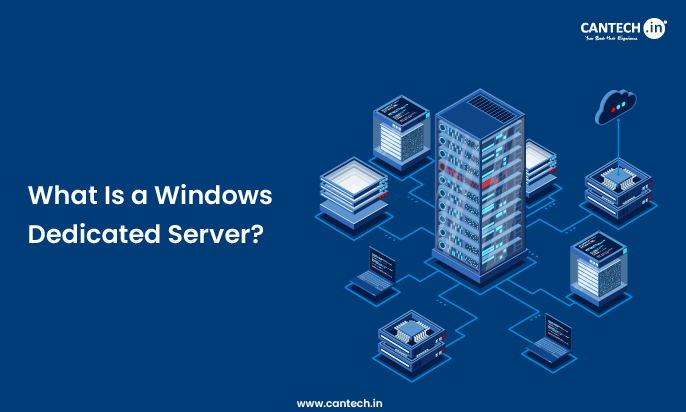
A Windows Dedicated Server Hosting is a hosting solution where an entire physical server is dedicated solely to one user or business, running the Microsoft Windows Server operating system. Unlike shared hosting where multiple users share the same server resources, a Windows dedicated server gives you full control over CPU, RAM, storage, and bandwidth without sharing anything with anyone else.
It is the ideal choice for businesses running Windows-based applications like ASP.NET, MSSQL databases, Microsoft Exchange, or any software that requires a Windows environment to function properly.
What are the Core Components of Windows Dedicated Hosting?
Operating System
- A licensed Microsoft Windows Server OS (Standard, Datacenter) which includes:
- Integrated support of .NET, ASP.NET, MSSQL.
- Windows authentication and Active Directory.
- PowerShell automation
Hardware Resources
- Devoted CPUs, RAM, storage (HDD/SSD) and bandwidth, which is not shared with other customers.
- Control & Access
- Full administrator privileges permitting:
- Bespoke software installation.
- Full IIS configuration
- Performance tuning
- Firewall settings and security.
Support & Management
- The provider can provide:
- OS patching and updates
- Security hardening
- Monitoring and backups
How Windows Dedicated Hosting Works?
When you buy windows dedicated hosting:
- The provider offers a physical server in a data centre.
- Microsoft windows server is installed and enabled.
- You are issued with administrator privileges and remote access (RDP).
- You set up the server to your applications.
- The provider takes care of network connectivity, power and hardware.
In contrast to virtual private servers (VPS) with a shared machine, the whole machine is at your disposal, and there is no competition on CPU, memory, or disk I/O.
What are the Key Features & Benefits of Windows Dedicated Hosting?
Full Resource Control
No shared CPU, RAM, or storage with others-ensuring:
- Predictable performance
- Full utilization of hardware power.
- Low latency and high throughput.
Windows Ecosystem Support
Native compatibility with:
- ASP.NET applications
- Microsoft SQL Server (MSSQL)
- .NET Framework and .NET Core
- SharePoint and Microsoft Exchange
Administrative Access
As an administrator, you are able to:
- Install custom applications and services
- Develop security optimization policies
- Get IIS set up to your liking
Security & Compliance
Special hardware and windows security systems (Windows Defender, group policies) are used to address the compliance needs of the controlled industries.
Scalability Options
Physical hardware capacities are hard limits but you can upgrade components or scale to a larger server without needing to switch platforms.
How Does Windows Dedicated Hosting Compare to Other Hosting Types?
| Feature | Shared Hosting | VPS Hosting | Windows Dedicated Hosting |
|---|---|---|---|
| Resource Allocation | Shared | Virtualized | Dedicated |
| OS Options | Shared | Shared or Windows/Linux | Windows only |
| Performance | Lowest | Medium | Highest |
| Admin Control | Limited | Moderate | Full |
| Best For | Small sites | Growing apps | Enterprise/Windows apps |
Windows dedicated hosting is on the highest level of performance and control and is required in situations where you require complete access to hardware and Windows environment support.
What are the Common Use Cases of Windows Dedicated Server Hosting?
Enterprise Applications
Huge .Net applications, old business system, ERP/CRM.
High-Traffic Websites
Websites that have a high traffic and require resources and stability.
Database-Centric Workloads
Windows + MSSQL analytics, reporting and transactional systems.
Custom Software Deployments
Applications that demand deep OS access, faux pas, or proprietary windows services.
What are the Windows Dedicated Server Licensing & Costs?
Windows dedicated hosting costs involve:
- Hardware and network services.
- Licensing Microsoft windows server.
- Elective licensing of SQL Server.
- Elective managed service charges.
Microsoft licensing is generally more expensive than dedicated Linux server, but it’s essential for legally, securely, and reliably running Windows-specific workloads on a dedicated server pricing model that supports enterprise-grade performance and compliance.
What is the Difference Between Managed and Unmanaged Windows Dedicated Hosting?
Managed Hosting
Provider handles:
- OS patches and updates
- Security monitoring
- Backups
- Some technical support
- Lightweight and user-friendly.
Unmanaged Hosting
You handle all:
- OS configuration
- Security
- Monitoring
- Optimization
Most suitable: The experienced administrator who wants maximum control.
How to Choose the Right Windows Dedicated Hosting Plan?
Consider:
- Type of workload (custom services, web apps, databases)
- Performance requirements (CPU cores, RAM, SSD/NVMe)
- Figure of bandwidth and network requirements.
- Managed support level
- Backup and redundancy features.
Compare them with your anticipated traffic, uptime requirements, and technical capabilities.
Conclusion
Windows dedicated hosting is a high-performance, fully manageable server space tailored to Microsoft technologies and business-level workloads. It provides a unique hardware, administrative freedom, scalability, and Windows-centric software stacks interoperability.
Select windows dedicated hosting when your applications rely on .net, ASP.net, MSSQL, active directory, or when predictable performance and high uptime are the requirements. It is appropriate with developers, IT departments and business that require a powerful, dedicated infrastructure with intensive OS control and native windows support.
FAQs
What are the 4 Types of Hosting?
The 4 main types of web hosting are Shared Hosting, VPS Hosting, Dedicated Server Hosting, and Cloud Hosting. Shared hosting is the most affordable but comes with limited resources. VPS gives you a portion of a server with more control. Dedicated hosting gives you an entire server to yourself. Cloud hosting spreads your website across multiple servers for better uptime and flexibility.
What is the Difference Between a VM and a Dedicated Server?
A Virtual Machine (VM) runs on shared physical hardware alongside other users, while a dedicated server is an entire physical machine used by you alone. If you need strong performance, high security, and guaranteed resources, a dedicated server is the better choice. A VM works well for smaller workloads where cost matters more than raw performance.
Is Windows Dedicated Server Hosting Secure?
Yes, Windows Dedicated Server Hosting is highly secure. Since no one else shares your server, the risk of outside interference is very low. You also get full control over your firewall, security settings, and software updates. Combined with Windows Server’s built-in security features, it is a solid choice for businesses handling sensitive data or running compliance-heavy applications.