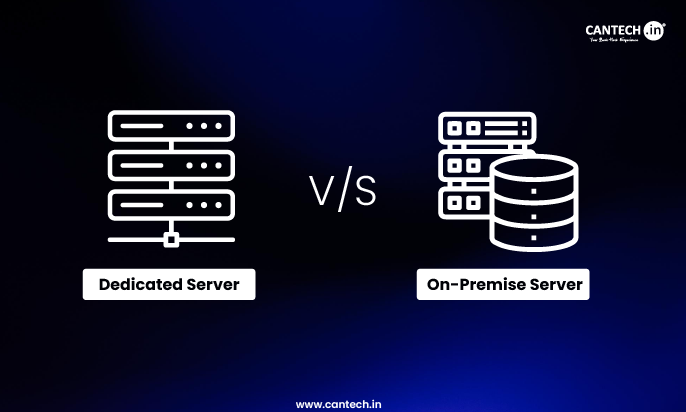
A dedicated server is a physical server hosted in a provider’s data center that you rent and access remotely. An on-premise server is a physical server you own and operate inside your own facility. Dedicated servers cost less upfront, require no physical space or infrastructure, and shift hardware responsibility to the provider. On-premise servers give you full physical control, can offer lower latency for local users, and avoid ongoing rental fees, but carry significant hidden costs in power, cooling, staffing, and hardware refresh cycles that most businesses underestimate.
You need full control over your server, but the real question is where it should live. A dedicated server sits in a provider’s data center. An on-premise server sits in your office. The choice affects cost, maintenance, security, and how much control you actually have. Pick wrong and you either overspend or take on more responsibility than you planned. Here’s what actually matters before you decide.
What Is a Dedicated Server?
A dedicated server is a physical machine housed in a professional data center, rented entirely to a single client. You don’t share compute resources with anyone else. The hardware belongs to the provider, but the server runs exclusively for you.
You access it remotely, typically over SSH or a management interface. The data center handles power, cooling, physical security, and network infrastructure. Depending on whether you choose managed or unmanaged hosting, the provider may also handle OS-level maintenance, patching, and monitoring.
Dedicated servers sit inside facilities engineered for continuous uptime, with redundant power feeds, enterprise-grade cooling, and high-capacity internet connectivity. You get access to that infrastructure without owning or building any of it.
Read our in depth guide on what is a dedicated server?
What Is an On-Premise Server?
An on-premise (on-prem) server is a physical server that lives inside your own facility, whether that’s an office server room, a dedicated data room, or a purpose-built space within your building. You own the hardware outright and are responsible for everything: installation, power, cooling, physical security, maintenance, and network connectivity.
Your team manages the machine directly. If a hard drive fails, your IT staff replaces it. If the cooling system underperforms, that’s your problem. If the power goes out and the backup generator doesn’t kick in, your server goes down and the resolution depends entirely on your team’s response.
On-premise gives you the highest possible degree of physical control, including full local access, custom configurations without vendor restrictions, and sovereignty over your data. That control comes with a significant operational burden that doesn’t show up clearly in a simple hardware cost comparison.
Related: On Premise Vs Cloud
Dedicated Server vs On-Premise: Core Differences at a Glance
| Factor | Dedicated Server | On-Premise Server |
|---|---|---|
| Hardware Ownership | Provider owns the hardware | You own the hardware |
| Location | Hosted in provider’s data center | Installed at your facility |
| Upfront Cost | Low (no hardware purchase) | High (hardware + infrastructure investment) |
| Monthly Cost | Predictable rental fee | Lower in theory, but includes power, cooling, staffing costs |
| Internet Dependency | Requires reliable internet for access | Local access possible without internet |
| Latency (Local Users) | Higher (data travels to data center) | Lower (server is on-site) |
| Physical Maintenance | Managed by provider | Your responsibility |
| Power & Cooling | Included in hosting fee | Your cost and responsibility |
| Hardware Refresh | Handled by provider (latest upgrades) | Manual upgrades every 3–5 years |
| Scalability | Easy (upgrade plan or add servers) | Limited; requires new hardware |
| Security Control | Shared responsibility model | Full physical and logical control |
| Uptime Guarantee (SLA) | Yes (typically 99.9%–99.99%) | No external SLA; self-managed |
| Compliance / Data Locality | Data stored in provider’s facility | Data stays on your premises |
| Staffing Requirement | Minimal IT involvement | Requires dedicated IT team |
What Are the Hidden Costs of On-Premise?
Power and cooling
A server running 24/7 generates heat and consumes electricity constantly. Servers cannot run safely without temperature-controlled environments. If your office air conditioning isn’t purpose-built for server loads, you’ll need dedicated cooling infrastructure, which carries both capital cost and ongoing electricity expense. Energy costs are also sensitive to regional price changes, and in many markets they have risen sharply.
Physical space and facility preparation
A server room isn’t just a room with a server in it. Proper installation requires raised flooring or cable management, adequate power circuits, fire suppression or halon systems, physical access controls, and environmental monitoring. Retrofitting an office space for serious server infrastructure can run from a few thousand dollars for a basic setup to six figures for a proper data room.
Hardware failure costs
When a component fails in a data center, the provider replaces it as part of their operation. When a component fails on-premise, you pay for the part, the labour, and any downtime that occurs while waiting for a replacement. If you don’t hold spare components in stock at your location, lead times add to that downtime.
Software licences
On-premise environments often require licences for operating systems, virtualisation platforms, backup software, and security tools that hosted providers either include in their offering or manage at scale with enterprise agreements you wouldn’t access independently.
Security overhead
Cybersecurity on an on-premise server is entirely your responsibility. Patching, intrusion detection, firewall configuration, and incident response require continuous attention from qualified staff. A single missed patch can expose the entire environment.
Who Controls the Hardware and Why It Matters
With a dedicated server, the provider owns the hardware. You get full use of it, but if you need a custom GPU configuration, a specific network card, or hardware security modules that the provider doesn’t stock, you work within their available configurations. Most enterprise workloads are well served by standard dedicated server specs, but niche or specialised compute requirements can be a constraint.
With on-premise, you specify every component yourself. If your workload demands a particular storage controller, a custom RAID configuration, or peripheral hardware no provider offers, on-premise is the only way to get exactly what you need. This matters most for specialised manufacturing applications, research compute environments, or legacy systems with hardware dependencies.
There’s also a data sovereignty dimension. If your industry or regulatory environment requires that data remain physically within your own four walls, on-premise satisfies that in a way a hosted server fundamentally cannot. Some government, legal, and healthcare environments interpret data governance requirements this way, though many compliance frameworks now accept certified data center facilities as well. Check your specific compliance requirements before assuming on-premise is the only path.
How Does Each Handle Internet and Connectivity?
A dedicated server sits in a data center with direct access to high-capacity internet infrastructure. The facility typically has multiple Tier 1 carrier connections with redundant paths. Your server gets consistent, high-bandwidth connectivity that your office internet connection cannot match.
The trade-off is that your team accesses it over the internet. That introduces a dependency on your internet connection quality at the point of access. For most remote-access workloads, this is not a meaningful problem. For operations that require sub-millisecond local access or that handle very large data transfers internally, the round trip to a remote data center adds latency that on-premise eliminates.
An on-premise server accessed by people sitting in the same building operates on your local network. That means low latency, high throughput, and zero dependence on an external internet connection for internal operations. If your internet connection goes down, staff can still access local servers.
The flip side is that remote access to on-premise servers depends on your outbound internet connectivity and VPN infrastructure. A poorly configured or low-bandwidth connection makes remote work against an on-premise server slow and frustrating.
Neither model has an unconditional advantage here. The right answer depends on where your users are and what they’re doing.
Security: Where Each Model Is Strong and Weak
On-premise security strengths are real. The server is physically inside your building. There is no external network path to the hardware by default. For organisations with strong physical security at their facility and skilled in-house cybersecurity teams, an on-premise server can be exceptionally well-protected. If the data never leaves the building and the building is well-secured, the attack surface is reduced.
The weakness is that all software security responsibility falls on your team. Patch management, firewall configuration, intrusion detection, and incident response are entirely on you. An understaffed or under-resourced IT team handling on-premise security is a genuine risk, not a theoretical one. A misconfigured server is vulnerable regardless of where it sits.
Dedicated server security layers physical data center security, which is typically substantial with biometric access, 24/7 surveillance, and locked cages, with whatever software security you configure remotely. Managed dedicated hosting plans often include monitoring, vulnerability scanning, and patching as part of the service. That reduces the burden on your team.
The caveat is that data does travel over the internet to reach the server, and the data center environment is multi-tenant at the facility level, even if your server is physically isolated. For organisations that cannot tolerate data leaving their controlled physical environment under any circumstances, on-premise remains the stronger option on physical data control grounds.
How Do They Scale?
Scaling a dedicated server is operationally simple. You contact the provider, upgrade your plan, or add another server to your account. The provider provisions it. Your team doesn’t touch hardware.
Scaling an on-premise environment requires buying new hardware, arranging delivery and installation, configuring the new equipment, and potentially upgrading your facility’s power and cooling capacity to accommodate increased load. That process takes days to weeks, involves capital expenditure, and requires hands-on IT work.
If your organisation experiences rapid or unpredictable growth, on-premise infrastructure can become a bottleneck. You cannot buy and deploy a server the same day you realise you need one.
Uptime and Reliability
Professional data centers are engineered for continuous uptime in ways that typical office environments are not. Redundant power feeds, uninterruptible power supplies, backup generators, redundant cooling systems, and multiple network connections are standard in quality facilities. Dedicated server providers typically offer SLA-backed uptime guarantees of 99.9% to 99.99%.
On-premise servers depend on your facility’s infrastructure. Standard office power is not redundant. Air conditioning units fail. Your building doesn’t have a Tier III data center’s backup systems. The uptime of an on-premise server reflects the reliability of your facility, your power infrastructure, and your team’s response speed when things go wrong.
That is not automatically a problem if your tolerance for downtime is reasonable and your facility is well-maintained. But organisations running critical customer-facing applications or services where downtime has measurable business impact should account honestly for the difference in infrastructure reliability.
Who Should Choose a Dedicated Server?
Dedicated hosting makes sense for businesses that want the performance and control of a physical server without taking on the operational burden of running one. If your team’s core job is not infrastructure management, and you need predictable costs with enterprise-grade reliability, a dedicated server removes a category of operational risk and overhead that would otherwise require headcount or distract your existing IT team.
It is also the right call for businesses in rented office space, for organisations that grow quickly and need to scale without capital approval cycles, and for companies where the realistic alternative is an inadequate on-premise setup rather than a purpose-built server room.
Read more about why you need a dedicated server?
Who Should Choose On-Premise?
On-premise makes sense when your organisation has genuine requirements that a hosted solution cannot meet. That means you have strict data locality requirements where data must stay within your physical walls, you have specialised hardware needs no provider supports, your users are entirely on-site and latency to a remote data center is a real problem for your workloads, or you have the dedicated IT staff and proper physical infrastructure to run servers safely and reliably.
It also makes sense at sufficient scale if your workloads are stable, predictable, and large enough that long-term hardware amortisation and direct operational control deliver genuine cost advantages. That scale is higher than most businesses assume.
One thing to be honest about: if you’re considering on-premise because it “feels” more secure or controlled, but you don’t have the staff, facility infrastructure, or operational discipline to support it properly, the reality will not match the expectation.
Pros and Cons
Dedicated Server
Pros: No upfront hardware or facility investment. Power, cooling, physical maintenance, and network infrastructure are included. Predictable monthly costs with SLA-backed uptime. Provider handles hardware refresh cycles. Scales without capital expenditure. Enterprise-grade data center infrastructure from day one.
Cons: Accessed remotely, creating internet dependency. Higher recurring monthly cost than the raw cost of owning a single server. Hardware customisation limited to provider’s available configurations. Data sits in a third-party facility, which may not satisfy strict data locality requirements.
Read full guide on advantages and disadvantages of dedicated hosting
On-Premise Server
Pros: Full physical control over hardware and data. Low latency for users on the same local network. No internet dependency for local access. Data stays within your physical facility. Can satisfy regulatory requirements for data locality. Hardware fully customisable.
Cons: High upfront capital cost for hardware, software licences, and facility preparation. Power, cooling, physical security, and maintenance are your responsibility. Hardware refresh every 3 to 5 years adds recurring capital cost. Staffing overhead is significant. Office-grade infrastructure is not engineered for server-level reliability. Scaling requires procurement and installation cycles.
Final Verdict
For most businesses, a dedicated server is the more practical choice. The headline cost of buying your own server looks appealing, but the total cost of ownership, including power, cooling, facility preparation, staffing time, hardware refresh, and software licences, consistently exceeds what businesses anticipate. A dedicated server converts all of that into a predictable monthly line item, backed by infrastructure your office building simply cannot replicate.
On-premise is the right choice when you have a specific, legitimate reason that a hosted server can’t satisfy: genuine data locality compliance requirements, specialised hardware dependencies, or an entirely on-site user base with latency-sensitive workloads. It also requires honest assessment of your facility and your team’s capacity to manage physical infrastructure properly.
The worst outcome is choosing on-premise because it sounds like more control, setting it up without proper cooling or redundancy, and discovering the real cost of infrastructure management six months after installation. If that risk applies to your situation, the dedicated server is the more reliable path.
FAQs
Is an on-premise server cheaper than a dedicated server?
Not necessarily over time. On-premise looks cheaper because the hardware has a one-time purchase price, but that ignores power, cooling, physical facility costs, software licences, staffing overhead, and hardware replacement every 3 to 5 years. When all those costs are honestly accounted for, dedicated hosting is often competitive or cheaper for small to mid-size deployments, and significantly less operationally demanding.
Can I access a dedicated server like a local server?
Not in the same way. A dedicated server is accessed remotely over the internet via SSH, remote desktop, or a management interface. Access depends on your internet connection. An on-premise server on your local network is accessible directly without an internet connection and typically offers lower latency for users in the building.
Which is more secure: dedicated server or on-premise?
It depends on your team and facility. On-premise gives you full physical control and eliminates the external network path to the hardware, which some consider more secure. But software security is entirely your responsibility. A dedicated server in a professional data center has excellent physical security, and managed hosting plans can include monitoring and patching that reduce the burden on your team. The practical security level of each option depends heavily on the quality of execution, not the model itself.
What happens to a dedicated server if the data center loses power?
Professional data centers run on redundant power infrastructure including UPS systems and diesel generators. A quality Tier III facility is engineered to maintain uptime through most power events. Your SLA will specify the uptime guarantee. This is one area where data center infrastructure reliably outperforms standard office environments, which do not have this level of power redundancy built in.
Can on-premise servers meet compliance requirements better than dedicated servers?
For some specific compliance requirements that mandate data stay within your physical premises, on-premise is the clearer path. However, many compliance frameworks, including many healthcare, financial, and government standards, now accept certified data center environments as compliant. Check your specific regulatory obligations carefully rather than assuming on-premise is the only option. Many dedicated server providers operate in SOC 2, ISO 27001, or PCI-DSS certified facilities that satisfy a wide range of compliance requirements.
How long does it take to get a dedicated server set up versus deploying on-premise?
A dedicated server can typically be provisioned and ready to use within hours to a few days, depending on the provider and configuration. An on-premise server requires hardware procurement, delivery, physical installation, infrastructure setup, and configuration, which can take days to weeks. For businesses that need capacity quickly, dedicated hosting responds significantly faster.
Is on-premise still worth it in 2026?
For the right organisation, yes. Businesses with stable, predictable workloads, in-house IT capability, proper physical infrastructure, and genuine data sovereignty requirements can run on-premise cost-effectively and securely. For most small and mid-sized businesses without those specific conditions, the operational burden and total cost of on-premise infrastructure is harder to justify compared to dedicated or cloud-hosted alternatives.