Move to dedicated when your VPS can no longer meet your performance, security, or compliance requirements, and when scaling up on the VPS costs more than a dedicated box would. That’s the core of it. Everything below is just detail around those conditions.
A VPS server does a lot of things well. It’s cheap, flexible, and easy to spin up. For most projects at an early stage, it’s the obvious choice. You get a chunk of a physical machine, a root shell, and the freedom to configure things the way you want.
But a VPS is still a shared environment. You’re running on the same hardware as other tenants. The CPU, disk I/O, and network bandwidth are divided. That’s fine when your traffic is low and your workloads are predictable. It becomes a real problem when they’re not.
Moving to a dedicated server is a significant step. More cost, more operational responsibility, and more to manage. So before you make the move, you should be sure it’s the right one. This post covers the signals that tell you it’s time.
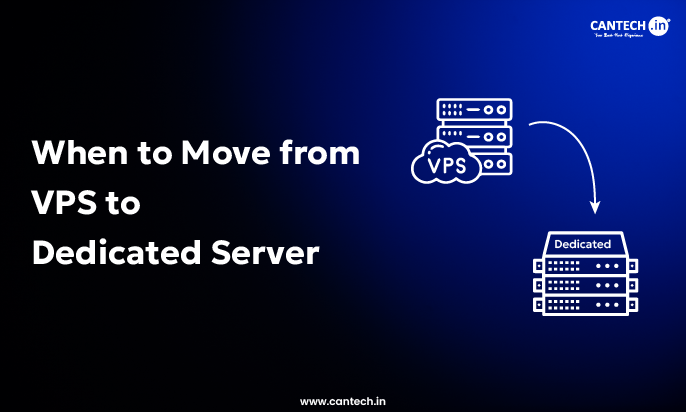
When to Move from VPS to Dedicated Server?
Signal 1: Consistent CPU Throttling
CPU steal time is one of the clearest indicators. It shows up in tools like top as the st value. When other tenants on the same physical host are running heavy workloads, your processes get less CPU time than they should. You can’t fix this by optimizing your code. It’s a constraint of the shared environment.
If you’re seeing consistent steal time above 5-10% during normal operation, and your own workloads are not the cause, your VPS provider is overselling the host. A dedicated machine gives you the full CPU. No neighbors. No contention.
The same logic applies if you’re running CPU-intensive jobs like video encoding, ML inference, large batch jobs, or heavy database queries. These workloads need predictable, sustained compute. A VPS can handle bursts, but it wasn’t designed for sustained high-CPU load across many hours.
Signal 2: Disk I/O Bottlenecks
Storage on a VPS is typically networked. You’re not reading from a local NVMe drive, you’re hitting a shared storage cluster over the network. This adds latency and limits throughput. For most applications this is invisible. For database-heavy workloads it’s not.
If your PostgreSQL or MySQL query times are longer than they should be given your query structure and indexes, and you’ve ruled out slow queries and missing indexes, disk I/O is a likely culprit. You can verify this with iostat or by checking disk latency metrics in your monitoring stack.
Dedicated servers typically let you choose your own storage. You can put your database on a local NVMe, configure RAID for redundancy, or add a separate fast disk for write-heavy workloads. That level of control doesn’t exist on most VPS setups.
Signal 3: Memory You Can’t Get More Of
VPS tiers jump in fixed increments. If you need 28GB of RAM, your options are usually 24GB or 32GB, and the price difference might be steep. Dedicated servers let you configure exact memory amounts, and it’s often cheaper per GB at higher capacities.
More importantly, on a dedicated server that memory is actually yours. There’s no hypervisor overhead, no memory ballooning from the host, no risk that other tenants’ memory usage triggers swap on your instance. What you provision is what you get.
If your application needs large in-memory caches, runs multiple services simultaneously, or you’re frequently hitting swap, it’s worth pricing out a dedicated box. You might find the economics make sense sooner than you’d expect.
Signal 4: Traffic Has Crossed a Consistent Threshold
There’s no exact number, but there’s a general range. If you’re consistently handling more than a few thousand concurrent connections, or your monthly bandwidth is in the tens of terabytes, you’re at a scale where dedicated hardware starts making financial sense.
The math is straightforward. Add up your current VPS cost. Then add the cost of the next tier up if you’ve already scaled. Compare that to a dedicated server with the specs you need. At mid-to-high traffic levels, a dedicated box frequently wins on cost, and gives you better performance at the same time.
VPS vs Dedicated at a Glance
- CPU: VPS is shared and subject to steal time. Dedicated gives you full cores with no contention.
- RAM: VPS has fixed tiers and hypervisor overhead. Dedicated gives you full allocation, fully configurable.
- Disk I/O: VPS uses networked storage with shared throughput. Dedicated gives you local NVMe with dedicated IOPS.
- Cost at scale: VPS gets expensive fast at higher tiers. Dedicated offers better cost-per-GB above mid-tier.
- Setup time: VPS takes minutes. Dedicated takes hours to days.
- Compliance fit: VPS is harder to certify. Dedicated is easier for PCI, HIPAA, and SOC 2.
Signal 5: Security and Compliance Requirements
If you’re handling sensitive data, credit card transactions, healthcare records, or financial information, a VPS may not satisfy your compliance requirements. PCI DSS, HIPAA, and SOC 2 all have specific requirements around physical isolation, access controls, and audit trails that are harder to demonstrate in a multi-tenant environment. For a closer look at how dedicated hardware supports financial applications, see our guide on how bare metal servers power FinTech operations.
A dedicated server puts you on hardware no one else touches. You control the firmware. You know exactly what’s running. You can implement kernel-level security controls without worrying about interference from a hypervisor or neighboring tenant. For regulated industries, this is often a requirement, not an optimization.
Even if compliance isn’t a formal requirement for you, the attack surface on a dedicated server is meaningfully smaller. There’s no risk of a noisy neighbor exploit, no shared network stack, and no shared kernel vulnerabilities affecting your instance.
Signal 6: Custom Hardware or Configuration Needs
GPU workloads, high-frequency trading, specialized networking hardware, custom kernel builds, specific BIOS configurations. If your workload requires any of this, you’ve already outgrown a VPS. These aren’t things you can do in a virtual environment.
Some providers offer GPU-enabled VPS instances and bare metal alternatives that blur the line, but if you need consistent, low-latency GPU access or hardware that a provider doesn’t offer in a shared tier, dedicated is your only real option.
When Not to Move?
Not every performance problem means you need a dedicated server. Before assuming hardware is the bottleneck, rule out the obvious things.
- Unoptimized queries cause more database slowness than hardware ever will. Add the missing index first.
- Missing caching layers will burn your CPU on work that should be cached.
- Application-level memory leaks will eat RAM regardless of how much you have.
- Uncompressed assets and missing CDN will make your app feel slow even on fast hardware.
If you haven’t done a basic performance audit of your application, do that before spending money on hardware. It’s faster to fix your code than it is to provision and configure a dedicated server.
Also, if your traffic is still growing and not yet stable, moving to dedicated too early locks you into a fixed hardware configuration at a time when your needs are still changing. A VPS gives you the flexibility to scale horizontally or vertically while you figure out your actual load profile.
What the Migration Actually Involves?
This is where people underestimate the work. Moving to a dedicated server isn’t just a bigger VPS. You’re taking on more responsibility for the physical layer.
Your provider manages the hardware, but you’re now responsible for everything above it. OS installation and hardening, RAID configuration, monitoring hardware health (disk SMART data, CPU temps, memory errors), firmware updates, and planning for hardware failure. On a VPS, hardware failures are the provider’s problem. On a dedicated server, they’re yours to handle operationally, even if the provider replaces the component.
Plan your migration carefully. Set up the dedicated server in parallel, migrate your data, run both in sync for a period, then cut over. Don’t do a direct cutover with no rollback path. Dedicated server provisioning can take hours to days depending on the provider, so you don’t want to be waiting on hardware while your production environment is down.
Pre-migration checklist
- Confirm your application performance is not a code-level problem first.
- Price out dedicated options and compare against your current and next-tier VPS cost.
- Decide on OS, storage layout, and RAID configuration before ordering.
- Set up monitoring for hardware-level metrics from day one.
- Plan a parallel migration with a clear rollback point.
- Budget time for the move. A real migration takes days, not hours.
Frequently Asked Questions
When exactly should I move from VPS to dedicated server?
Move when your VPS can no longer meet your performance or compliance needs, and when the cost of scaling the VPS is close to or higher than a dedicated option. The clearest signals are consistent CPU steal time, disk I/O bottlenecks that can’t be fixed in code, compliance requirements that multi-tenant environments can’t satisfy, and traffic levels where the cost math favors dedicated hardware.
Is a dedicated server always faster than a VPS?
For sustained workloads, yes. A dedicated server gives you the full resources of the physical machine with no sharing. A VPS can match it in short bursts, but under sustained load or with many concurrent processes, the dedicated box wins every time.
What’s the cost difference between VPS and dedicated?
It depends on specs and provider. A reasonable mid-range dedicated server runs between $80-200 per month. A high-spec VPS can easily reach $60-120 per month. At those price points the gap closes, and the dedicated server usually offers meaningfully better performance per dollar.
Can I move back to a VPS if dedicated doesn’t work out?
Yes, but plan for it. Make sure your deployment is containerized or otherwise portable so you’re not locked into a bare metal setup. Tools like Ansible or Terraform make it easier to reproduce your environment on different hardware. Don’t provision a dedicated server in a way that makes migration painful later.
What about bare metal cloud vs dedicated servers?
Bare metal cloud (AWS Bare Metal, Hetzner Dedicated, OVH Bare Metal) gives you dedicated hardware with cloud-like provisioning speed. It’s a good middle ground if you need physical hardware isolation but also want on-demand provisioning and hourly billing. The cost is higher per hour than long-term dedicated, but you avoid the commitment of a monthly contract.