What Dedicated Server Configuration Does Ecommerce Need?
- Match server to your peak traffic and platform.
- Look for multi – core CPUs, plenty of RAM, NVMe storage with RAID, and caching.
- Don’t forget to check PCI – ready security, 99.99% uptime, and easy upgrades.
- Managed hosting is your best bet if you don’t have in – house server expertise.
Introduction
If the customer pushes the “Place Order” button and the page freezes, it does not mean your database failed, it means your store failed. The frozen screen, slow loading time, and error messages on checkout ultimately translate to lost sales and, more importantly, lost customers.
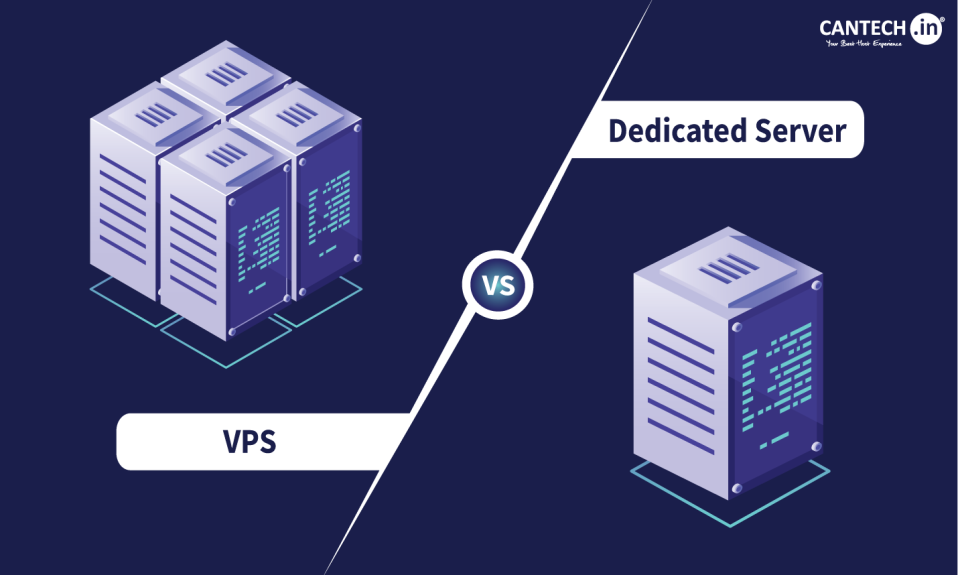
While shared hosting or a small VPS hosting plan is suitable for a small business or a start-up, you will need to graduate to a dedicated server when your catalog grows, more customers begin flooding your site, or flash sales cause unexpected traffic surges and you must choose a dedicated server configuration that will save you money without underestimating your needs. This blog explores why you need a dedicated server for e-commerce and what you should consider before you buy one.
Why a dedicated server makes a lot of sense for ecommerce?
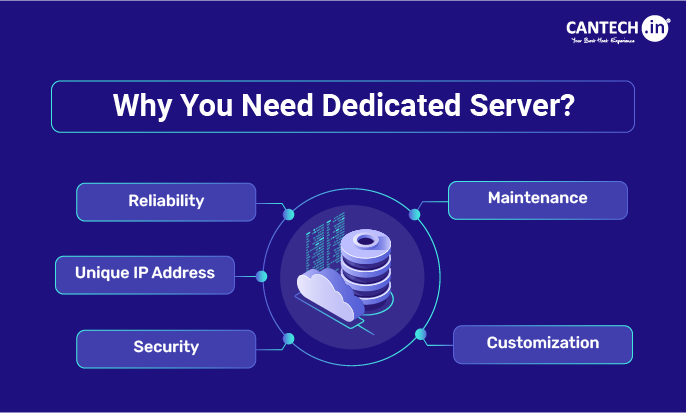
A dedicated server is a physical machine that is entirely for your use. No one else’s traffic or rogue scripts will affect your server’s performance. This has three major advantages for an online store:
- Predictable performance: The speed of your checkout process will not vary wildly based on what other sites are doing.
- Tweaking flexibility: You can optimize your web server, databases, caching, and PHP settings to best match your particular stack (Magento, WooCommerce, or something else)
- Isolation for security: Easier to secure and audit since it’s handling payment information.
How to Choose Dedicated Server for E-commerce?
The configuration that matters, component by component are:
1. CPU: prioritize cores
Ecommerce is a parallel process, where dozens or hundreds of users browse and shop at the same time. Every click triggers PHP scripts and database queries, so go for a server with a decent amount of cores. When choosing between Intel Xeon and AMD EPYC processors, keep in mind that the former is usually better for big platforms due to the amount of cores and threads.
2. RAM: your speed buffer
This is where your database, object cache, opcode cache, and other processes run. The more RAM you have, the higher the chance to keep frequently accessed data in memory, thus reducing the load on the server. If you want to host a high-traffic store with many visitors per second, go for ECC memory.
3. Storage: go NVMe, and plan for redundancy
Modern solid-state drives provide the best performance for reading and writing data, so make sure your server is equipped with NVMe SSDs. However, a single drive is never enough, which is why you should plan for redundancy and maintain a separate dedicated server backup strategy. The most reliable option is RAID 1 or RAID 10, which will prevent data loss in case of a disk failure.
4. Network and bandwidth
Every product image on your webstore adds up, so a 1 Gbps port is usually a safe bet. It is also crucial to ask whether the bandwidth is metered or not, as some providers impose restrictions and additional fees for exceeding the limits. Pairing your server with a CDN is also a must, as it caches your static content and makes it available to users around the world.
5. OS and the LAMP stack
Linux is a solid choice for hosting an online store due to its stability, performance, and flexibility. You will need to pick the components of the LAMP (or LEMP) stack, including the PHP version, web server software (Nginx vs Apache), and database management system. These components should be compatible with your online store solution (e.g., Magento, Shopify, PrestaShop).
6. Caching
Caching is often the most effective way to boost performance for any given budget. It reduces the load on the server by storing the HTML pages of your online store in memory. Other types of caching, such as object caching with Redis, decrease the number of database queries, thus helping PHP scripts execute faster.
7. Security essentials
Do not forget about the basics of server security, such as a properly configured firewall and DDoS protection. Enable SSL/TLS encryption to secure your customer data and backend management area. A reliable hosting provider will also have DDoS protection and run regular security audits to detect vulnerabilities. If your online store requires processing payments, choose a provider that complies with the Payment Card Industry Data Security Standard (PCI DSS).
8. Backups and failover
A dedicated server is usually a single point of failure, which is why you should set up regular backups and store them on a separate server. This way, you will have a working copy of your website and customer data in case of a disaster. You should also budget for a second server to host either a copy of your website or a database cluster.
Managed or self-managed?
Honestly ask yourself if you have the in-house skill and time to patch, monitor and perform regular security hardening of servers, not to mention responding and resolving 3 a.m. incidents. Unmanaged dedicated servers offer lower costs and full control, but each headache becomes your problem. Managed dedicated servers cost more, but your provider does the heavy lifting, giving your team more time to focus on your product, marketing efforts and customers. For many small or mid-size merchants who don’t have the budget or internal expertise of a dedicated sysadmin, it’s a safer investment.
What features should I look for in a hosting provider?
In addition to the factors mentioned above, consider the following:
- Uptime: Go with a 99.99% uptime guarantee with an SLA.
- Support: Expect 24/7 support from engineers, not just a helpdesk ticket queue.
- Scalability: The ability to upgrade RAM, storage, or servers easily.
- Compliance: APCI-ready infrastructure, DDoS protection, and documented security practices.
- Location: Preference would be colocation in the same area as the user, or a CDN.
A brief pre-purchase checklist
- Assess your estimated number of concurrent visitors, not just the expected monthly traffic.
- Review the recommended server specifications for the platform.
- Think through whether you want to use managed or unmanaged servers.
- Outline your backup and disaster recovery strategy.
- Confirm which compliance certifications are required for you (e.g., PCI DSS).
- Ask about upgrade options.
Conclusion
The right dedicated server is a great way to ensure that your store is always working well and fast, is protected from possible threats, and can cope with any traffic surges. To achieve success, it is critical to pay enough attention to such parameters as multi-core CPUs, RAM, NVMe storage with RAID, effective caching, and PCI-ready security, and select an experienced hosting provider.
Cantech has the tools needed to provide businesses with dedicated servers that offer a customizable solution, guarantee high performance and reliability, and protect e-commerce sites against possible threats 24/7. It is a great idea to consider this company’s professional services and choose the most efficient dedicated server configuration for your online store or contact the provider to learn more about available options.
FAQs
Do I Need a Dedicated Server for My Ecommerce Store?
A dedicated server isn’t necessarily required for an ecommerce store. If your store is small with a limited catalog and you don’t expect heavy traffic, a powerful VPS or a managed ecommerce hosting plan should suffice. A dedicated server is worth considering if you experience traffic spikes that crush your shared or virtual server, you’re using a resource-heavy platform (Magento, etc.), you have a large catalog, process big orders or you want to have greater control over security and compliance. In general, it’s a good idea to get a dedicated server if you encounter any limitations on a shared or virtual server.
How Much Ram and CPU Do I Need For an Ecommerce Dedicated Server ?
It depends on your specific needs and platform you’re using but typically, a small shop needs 4-6 cores and 16 GB of ram, medium-sized sites need 8-12 cores and 32 GB of ram and large or enterprise-level stores require 16+ cores and 64+ GB of ram. Always calculate your needs based on projected traffic (ideally, round it up to the nearest 10,000 or 100,000) and never base your decision on average statistics. If your Black Friday traffic is 10x higher than the average, get a server that can handle that.
How do I protect my store from downtime if the server fails?
Build redundancy into your architecture: raid individual drives (so one drive failing won’t destroy the store), automated backups (stored on a separate server) which are regularly tested, and if the store becomes large enough, a load balanced or standby second server; and database replication. Choose a provider with a strong uptime SLA and quick hardware replacement policy, and employ monitoring tools to alert you to problems before your customers see them.