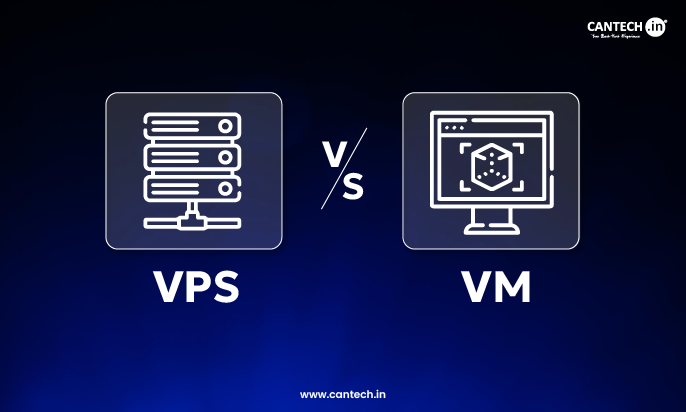
A VPS is a type of virtual machine that is sold as a hosting service. A virtual machine is the broader concept of running an isolated system on shared hardware. If you want ready-to-use hosting, pick VPS. If you need full control for testing, development, or custom setups, use a virtual machine.
You’re trying to choose between a VPS and a virtual machine. Most articles blur the line and leave you more confused. The difference is simple, but it matters. Pick the wrong one and you either overpay or end up managing things you didn’t plan for. Let’s break it down clearly so you know exactly what to use.
What is a Virtual Machine?
A virtual machine is a software-based computer. It runs its own operating system inside a physical server. Multiple virtual machines can run on the same hardware using a hypervisor.
You can create, modify, or delete VMs anytime. They are used for testing, development, and running isolated environments.
Read more what is a virtual machine?
What is a VPS?
A VPS is a virtual machine that is offered as a managed or unmanaged hosting service. It runs on a physical server but comes with fixed resources like CPU, RAM, and storage.
You don’t deal with the underlying hardware. You just rent and use it like a remote server.
Read more what is VPS hosting?
For users who need VPS infrastructure with greater flexibility and easier resource scaling, Cloud VPS server provides a reliable option for hosting websites, applications, and business workloads.
VPS vs Virtual Machine: Key Differences
| Feature | VPS | Virtual Machine |
|---|---|---|
| Definition | Hosted service | Technology / concept |
| Setup | Ready to use | Needs setup |
| Control | Limited to provider rules | Full control |
| Use case | Hosting websites, apps | Testing, dev, custom setups |
| Management | Often managed | Self-managed |
| Scalability | Depends on plan | Flexible, depends on infra |
How does a Virtual Machine work?
A hypervisor splits a physical server into multiple virtual environments. Each VM gets its own OS and resources.
There are two types:
- Type 1 runs directly on hardware
- Type 2 runs on top of an OS
VMs are isolated. If one crashes, others keep running.
How does a VPS work?
A VPS uses the same virtualization concept. But it’s packaged as a service.
The hosting provider handles:
- Hardware
- Network
- Basic virtualization layer
You get:
- Root access
- Pre-configured OS
- Dedicated resources within limits
Pros and Cons
VPS Pros
- Easy to start
- No hardware management
- Predictable pricing
- Good for production use
VPS Cons
- Limited flexibility
- Resource caps
- Depends on provider
Read more advantages of VPS
Virtual Machine Pros
- Full control
- Highly flexible
- Ideal for testing and scaling
Virtual Machine Cons
- Requires setup and expertise
- Maintenance overhead
- Can get complex
Who should use what?
Use a VPS if you:
- Want to host websites or apps quickly
- Don’t want to manage infrastructure
- Need predictable performance
Use a Virtual Machine if you:
- Need custom environments
- Run dev/testing workloads
- Manage your own infrastructure
Conclusion
If your goal is simple hosting, pick a VPS. It’s faster to start, easier to manage, and built for running websites or applications without dealing with infrastructure.
If you need flexibility, custom environments, or full control over how things are built, go with a virtual machine. But be ready to handle setup and maintenance yourself.
Most businesses don’t need that level of control. They need reliability and speed. That’s where a VPS makes more sense.
FAQs
Is a VPS just a virtual machine?
Yes, but with a key difference. A VPS is a virtual machine that’s packaged and sold as a hosting service. The provider handles the infrastructure, networking, and basic setup. A standard virtual machine is something you create and manage yourself, usually inside your own environment or cloud setup.
Which is better for hosting websites, VPS or virtual machine?
For most cases, VPS is the better choice. It’s pre-configured, easier to deploy, and designed for uptime and performance. A virtual machine can also host websites, but you’ll need to handle configuration, security, and optimization on your own.
Can I turn a virtual machine into a VPS?
Yes. If you set up a virtual machine with fixed resources, remote access, and hosting configurations, it essentially behaves like a VPS. The difference is you are responsible for managing everything, instead of a provider doing it for you.
Is a VPS more secure than a virtual machine?
Security depends more on setup than the type itself. A VPS usually comes with basic security measures from the provider, which reduces risk for beginners. A virtual machine can be equally secure or even more secure, but only if it is configured correctly. Poor setup can make it vulnerable.
Do I need technical skills to use a VPS or a virtual machine?
A VPS requires basic server knowledge, especially if it’s unmanaged. You’ll need to handle things like updates and deployments. A virtual machine requires deeper technical skills because you are managing the entire environment, including networking, storage, and virtualization layers.
Is VPS cheaper than running your own virtual machine?
In most cases, yes. A VPS has predictable monthly pricing and no upfront hardware cost. Running your own virtual machines means investing in hardware or complex cloud setups, which can get expensive depending on scale.
Can I scale VPS and virtual machines easily?
VPS scaling depends on your hosting provider. Most allow upgrades, but within predefined limits. Virtual machines are more flexible. You can scale resources dynamically if your infrastructure supports it, but it requires manual planning and management.
When should I avoid using a VPS?
Avoid VPS if you need deep customization at the infrastructure level, such as custom hypervisors or complex multi-layer environments. In those cases, managing your own virtual machines or using advanced cloud setups makes more sense.