What are the Best Practices for Dedicated Server Backup?
Back up data at least three times using two different media, and store one copy offsite. Automate the process and test the restore procedure. Encrypted data and isolated storage are required for data safety. Retain multiple copies of data and document the disaster recovery plan that describes the acceptable recovery point objective and recovery time objective. Additionally, it is necessary to monitor the backup process and receive alerts.
Introduction
Maintaining a dedicated server involves the responsibility of an enterprise owner for all processes that occur on it. One of the primary responsibilities associated with a dedicated server is the protection of data stored on it. Hardware failures, ransomware attacks, accidental deletion of information, and other events can eliminate valuable data of an enterprise. In addition, natural disasters such as fires and floods can also negatively affect a dedicated server, damaging it and the data stored on it. Consequently, improper data backup preparation can lead to the closure of an enterprise due to loss of valuable information.
This blog explores the definition and features of dedicated server backup, describes the advantages of the concept, and lists the key aspects that need to be considered by an enterprise owner in the process.
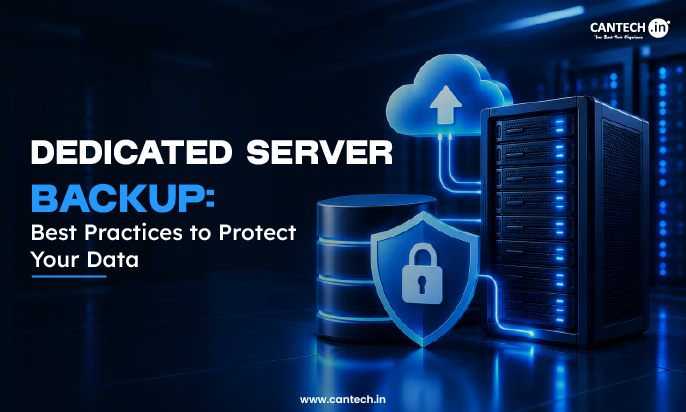
What is Dedicated Server Backup?
Dedicated server backup refers to the process of duplicating the data and information stored on a dedicated server in order to ensure it can be retrieved in case of loss, corruption, or system failure. Unlike shared hosting arrangements where backups are typically managed by the hosting provider, with a dedicated server, you bear the sole responsibility for data safety and backups.
There are different types of backup, including full, incremental, and differential:
- Full backup creates a complete copy of all data.
- Incremental backup stores only those data that have been changed since the last full or incremental backup.
- Differential backup stores all data changed since the last full backup.
Each method has its advantages and disadvantages, and the optimal strategy usually involves combining multiple types.
Key Features of an Effective Dedicated Server Backup
Some of the key features of effective dedicated server backup are:
1. Automated Scheduling
Backups can be scheduled automatically, reducing potential for human error while ensuring your data is captured on a regular cycle.
2. Off-site and Redundant Storage
Backups should not only be stored locally within the same data center that hosts your server, but also replicated to another location (and preferably more than one).
3. Encryption
Data should always be encrypted both in transit and at rest, including during transport between servers.
4. Versioning
With versioning you can roll back to previous versions of files that may have become corrupted or infected with malware later down the line.
5. Incremental Backup Support
Only changed data since the last full backup needs to be transferred, reducing bandwidth usage and storage space requirements.
6. Monitoring & Alerts
You should receive automated notifications when there are issues with backups or if storage limits are reached so they can be addressed promptly.
7. Rapid Recovery Options
The ability to perform bare-metal restores, one-click recoveries, or granular file recovery significantly reduces downtime in case of data loss.
8. Compliance Support
Many industries require specific compliance standards such as GDPR, HIPAA, or PCI-DSS for how long backups must be retained and what audit trails need to be maintained.
How to Back Up a Dedicated Server: A Step-by-Step Guide?
A beginner’s guide to how to back up a dedicated server in a way that covers all the essentials
Step 1: Determine your data backup needs and goals
Decide what needs to be backed up – databases, applications, logs, user data, etc. Determine your RPO (acceptable data loss window) and RTO (recovery time objective).
Step 2: Pick a Backup Strategy
Most companies use a hybrid approach of full, incremental, and differential backups. Common practice is weekly full backups with daily incrementals.
Step 3: Choose Backup Software or Tools
- For Linux servers: rsync, Bacula, Duplicity, BorgBackup, or cPanel/WHM tools
- For Windows: Windows Server Backup, Veeam, or Acronis Cyber Protect
Most hosting providers also offer built-in backup solutions that can be set up with a few clicks
Step 4: Designate Backup Storage Location
Set up at least one offsite/cloud storage (Amazon S3, Backblaze B2, secondary data center) and one local storage according to the 3-2-1 rule.
Step 5: Set Up Backup Schedule
Use cron jobs (Linux) or Task Scheduler (Windows) or the built-in scheduling tools in your backup software to automate your backups according to your RPO.
Step 6: Set Up Encryption
Configure your backup software to encrypt your data both in transit and at rest using AES-256 or similar encryption.
Step 7: Set Up Alerts
Configure your backup software to send you email or text notifications in case of backup failure or other issues.
Step 8: Test Your Backups
Periodically test your backup restoration process (preferably in a test/staging environment) to verify that your backups are working correctly and can be restored within your RTO.
Step 9: Keep Your Disaster Recovery Plan Updated
Document your backup procedure and keep it updated, and review it periodically (ideally every quarter/year) to account for any infrastructure changes.
Benefits of a Strong Backup Strategy
Here are the key benefits of strong backup strategy:
Business continuity
Having recent backups guarantees being able to resume operations after a machine failure or other event causing the software to become unavailable
Protection against ransomware and cyber-attacks
A good backup strategy, with isolated and versioned copies of the data, allows recovery from malicious data encryption or deletion without having to pay a ransom or lose significant amounts of data.
Reduced risks of human error
The ability to restore backed up data is an important safety measure: mistakes and mishaps happen, and it is better to have a reliable way of reverting to a working state without having to spend time and resources fixing them
Compliance with regulatory audits
Various industries have specific regulations that require demonstrating that there are proper procedures for data retention and recovery.
Customer trust and confidence
Data loss incidents can undermine customer confidence, and audits are an excellent way to show that confidence and trust are well founded.
Reduction of costs
Adequate backup solutions have a significantly smaller cost than the costs associated with a data loss incident, be it downtime, ransom payments, or compromised data integrity.
Best Practices for Dedicated Server Backup
Here are some of the best practices of dedicated server backup:
- Use the 3-2-1 backup rule : keep three copies of the data, two of which are stored on different media, and one of which is stored in another place
- Automate and test backups : schedule regular backups and conduct regular tests of the restoration process; if it is not possible to recover data successfully, the backup is practically useless.
- Encrypt backups and isolate them from the production environment : protect data with encryption keys; additionally, back up data should be separated from other data to reduce the risk of being hacked by ransomware
- Keep multiple copies of the same files : store several copies of the same information in different places, and make sure that all team members know where the original is stored. Having a few copies of the same information allows you to roll back a corrupted data set to the latest healthy version.
- Document the disaster recovery plan : determine the acceptable recovery point objective (RPO) and recovery time objective (RTO) and make sure that all team members understand their responsibilities.
- Monitor and maintain the backup : monitor the status of the backup, respond to alerts indicating problems during the backup, and consider changes to the existing backup policies.
Conclusion
Data is an asset that every company possesses, and a dedicated server, even if it is highly advanced and powerful, remains dependent on hardware, susceptible to cyber-attacks, and vulnerable to human error. A carefully structured strategy and the allocation of resources to its implementation can eliminate numerous hardware failures and security threats, such as data breaches, and minimize human error. Thus, the importance of dedicated server backup best practices should not be understated; it remains vital for a company’s uninterrupted operation, prosperity, and growth.
FAQs
How often should I backup my dedicated server?
It depends on how much data you have on your server. If your business has heavy traffic or you make constant changes to the data stored in the server, it would be better to make frequent backups. A good schedule would be making weekly backups with daily incremental backups or even hourly backups.
What is the difference between server backup and replication?
Server backup involves backing up a data set which is normally restored after a disaster. Server replication on the other hand works closely like a backup, except that it provides close-to-real-time redundancy.
Should server backups be stored on the same server?
No. You should not store backups on the same server because if anything happens to your server, you will lose your data together with the backup. It is always better to have a copy of the backup in another server or even in the cloud.
How long should I store my backups for a dedicated server?
The length of time you should store your backups depends on your needs. However, a good time frame would be to store daily backups for a week or two, weekly backups for a month, and monthly backups for a year.
Should I use cloud backup or on-premise backup for my dedicated server?
Both options are valid and each has its advantages and disadvantages. You should choose based on your preferences and priorities. However, it is important to have a cloud backup and an on-premise backup.
How do I know if my backup strategy is working?
The best way to know that your backup strategy is working is through restoring the backups. It is always better to test the backups rather than wait until something happens and then realize that the backups were not working.