An SAP system can still perform perfectly fine, but the system infrastructure can be a silent burden. As hardware ages, maintenance costs increase, capacity becomes limited, and upgrades become time-consuming, an SAP On-Premise solution can become more difficult to manage over time.
This is when SAP Cloud Migration should be considered. The transition of SAP applications and data to flexible cloud infrastructure can simplify the scaling and management of resources, but the transition must be carefully planned. This guide takes you through the entire process, starting from evaluating your current environment and selecting a migration approach, through to dealing with data, minimizing risk and getting live.
What Is SAP Cloud Migration?
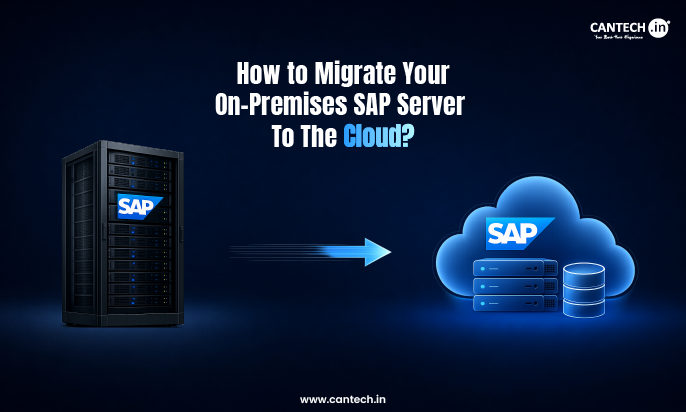
SAP Cloud Migration involves the transfer of SAP applications, data, and associated workloads from physical SAP On-Premise servers to the cloud.
SAP systems are not based on hardware that is located and maintained inside the organization, but rather on cloud-based computing, storage, and networking resources. This provides businesses with greater flexibility in adjusting their resources as they evolve and decreases the need to oversee physical servers.
Depending on the current deployment, business needs and migration approach, the migration can include an entire SAP environment or selected applications and workloads.
Why Enterprises Are Moving SAP to the Cloud
As hardware ages and business needs evolve, Traditional SAP Infrastructure can become more difficult and costly to maintain. When workloads increase, it will be hard to respond quickly to add capacity as new servers may be needed, upgrades may be long, and IT resources may need to be added.
Modern Cloud Infrastructure provides a more flexible choice. Companies can provision computing resources quickly, maintain business continuity, and change the SAP environment to meet changing business requirements. Instead of repeatedly investing in physical hardware with fixed capacity, organizations are looking at an SAP cloud solution that will better meet the evolving needs of their workloads, availability, and long-term IT strategies.
Signs It’s Time to Migrate Your SAP Server
It’s a good idea to run SAP on your own hardware until the infrastructure starts to require more than it is giving. There are two common clues that an SAP on-premise cloud migration may be warranted:
Aging Servers
Aging servers require regular upgrades, increased maintenance, increasing storage requirements, and continuing power and management costs. Eventually, the cost of running an SAP On-Premise environment may be too high.
Competitiveness
Smaller servers may hinder growth and the ability to meet new business needs. When scaling is needed again, due to additional hardware purchases and configuration, moving SAP to the cloud can offer more flexibility to adapt.
Benefits of Migrating SAP to the Cloud
A well-designed SAP Cloud Migration can help to make critical business systems easier to scale, protect, and manage as needs change.
Scalability
Cloud resources like computing, memory, and storage can be scaled up or down to meet the changing demands of SAP workloads without having to invest in extensive hardware upgrades. Understanding how cloud hosting works can also help organizations evaluate how these resources are provisioned and scaled.
Resiliency
Cloud Infrastructure can enable backups, redundancy, and disaster recovery plans to ensure availability and enhance recovery in the event of disruption.
Cost Savings
Transitioning from physical servers can help lower the costs associated with buying hardware, maintaining it, powering it, and performing regular infrastructure management.
Security
Cloud environments can offer security measures like access control, monitoring, encryption, and automated backups to enhance the security of SAP applications and data.
Remote Accessibility
Authorized teams can access SAP systems from various locations securely, enabling distributed teams and multi-location operations.
Enhanced competitiveness
Businesses can meet new requirements quickly with the flexible infrastructure and rapid resource provisioning.
Challenges of Migrating SAP to the Cloud
Some challenges that should be taken care of at the initial stage of moving an SAP environment to the cloud.
Latency
SAP systems may process a lot of data in real time. If the network connection is not strong enough or the server is far away, it can cause latency issues and impact response times.
Portability
Customized SAP applications might not transfer seamlessly to a new environment. Compatibility, dependencies and custom configurations should be determined prior to migration.
Adjust existing workflows and system configurations
Some workflows and configurations may need to be adjusted to function correctly in the new cloud environment. Careful planning is also required for SAP Cloud Integration with other business systems.
Limited Time
An SAP migration is not always possible in one day. Testing, SAP data migration, validation and the final cutover all take time and must be carefully planned to ensure that there is no unnecessary disruption to daily operations.
Understanding the pros and cons of cloud hosting can also help businesses evaluate the potential benefits and limitations before committing to an SAP cloud migration.
SAP Cloud Migration Strategies
There is no single way to move an SAP environment to the cloud. The best SAP cloud migration strategy will depend on the design of the existing system, the amount of customization it contains, the budget and the downtime that the business can tolerate.
Rehosting
This is sometimes referred to as “lift and shift” and involves transferring existing SAP workloads to cloud infrastructure without making many changes. It may be appropriate if the focus is on decommissioning physical infrastructure, rather than redesigning the system.
Replatforming
In this case, some aspects of the environment are optimized during the SAP Migration, but the basic configuration is not altered.
Rearchitecting
Redesigning portions of the SAP environment to leverage the cloud hosting. Typically, this will take more planning but will have more flexibility over time.
The selected approach should also be suitable for the technical requirements of the selected SAP Cloud Platform or cloud environment.
What to Consider Before Migrating SAP to the Cloud
Before relocating anything, take a close look at your current SAP Infrastructure. Measure the CPU, RAM and storage requirements for your workloads, as well as performance requirements during peak times. This will prevent the selection of an underpowered cloud environment or an overpriced cloud environment.
Then, trace your SAP applications, customizations, dependencies, data volume and existing integrations. Network connectivity and latency are also important, particularly for systems that exchange data regularly. Review security, compliance, backup, and business continuity requirements before making a decision.
Last but not least, determine the acceptable downtime for the business and any SAP Cloud Integration requirements. When you are comparing SAP Cloud Platforms or other cloud infrastructure options, you should select an environment that meets the workload requirements instead of an environment with the same specification as your previous physical servers. It is also important to understand the managed vs unmanaged cloud approach when deciding how your SAP environment will be managed.
Step-by-Step SAP Migration Process
A successful SAP Migration can be more manageable if the migration is divided into distinct phases instead of one big transfer.
Step 1: Assess Your Existing SAP Environment
Document SAP applications, databases, server resources, integrations, customizations, dependencies, and data volumes. Check on current performance too, as you have a baseline to compare to the new environment.
Step 2: Define an SAP Cloud Migration Strategy
Establish migration objectives. Determine the budget, timeframe, tolerable downtime, workload needs, and rehost/replatform/rearchitect best practices.
Step 3: Choose the Right Cloud Infrastructure
Choose compute, memory, storage and networking resources according to the demands of the workload. Take into account scalability, availability, backup, security measures, and disaster recovery needs.
Step 4: Plan SAP Data Migration and Integration
Determine what data should be moved and delete unnecessary or obsolete data as appropriate. Draw system dependencies and design SAP Cloud Integration with applications. Data migration to SAP should be a controlled process including data extraction, preparation, transfer and validation.
Step 5: Prepare and Test the Cloud Environment
Set up the target environment before going live. Test application functionality, connectivity, performance, security, integrations and access to identify issues before they impact users.
Step 6: Migrate SAP Applications and Data
Transfer applications and data in the desired order. Plan the cutover carefully and minimize disruption during the agreed downtime.
Step 7: Validate, Go Live, and Optimize
After migration, ensure that data is accurate, application performance is adequate, integrations are working, permissions are correct, and security is in place. After going live, monitor resource usage and fine-tune the environment as real workload patterns become clear.
Best Practices for Successful SAP Migration
A smooth SAP Migration begins well before the actual migration. Some simple practices can avoid large issues down the road:
- Create a clear migration plan with clear stages and responsibilities.
- Identify application dependencies and integrations during migration.
- Test application dependencies and integrations prior to migration.
- Don’t take everything to the cloud – remove old and unused data.
- Test apps, data and integrations prior to cutover to production.
- Have backups and a rollback plan in place in case of problems.
- Wherever possible, plan for critical migration activities during periods of reduced use.
- After the SAP Cloud Migration, keep a close eye on performance.
Most importantly, don’t rush the testing. In an SAP environment, there are usually several applications and business processes running together, and if one dependency is not met, this can lead to issues elsewhere.
How to Reduce Migration Risks and Costs
A common mistake that can lead to overspending when migrating is to simply copy server specifications to the cloud. Consider the real workload before sizing your Cloud Infrastructure, not unused capacity.
Before SAP data migration, clean up redundant or outdated information to reduce the amount of data being transferred. Understand early on what is dependent, conduct tests before the final cutover, and keep current backups with a clear rollback plan. After the new environment is live, monitor the CPU, memory, storage and other resources. With regular monitoring, the SAP Infrastructure can be optimized, cloud costs can be managed, and performance problems can be identified early and before they grow into bigger issues.
How Cantech Helps Simplify SAP Cloud Migration
How well your SAP workloads perform after migration can depend on the cloud environment you select. Cantech offers scalable Cloud Infrastructure that offers flexible compute, storage, and networking options which can be tailored to various business workload requirements. For organizations that want ongoing technical assistance, managed cloud hosting can also simplify infrastructure management, monitoring, security, and optimization.
Rather than having to rely on fixed physical hardware, companies can create an SAP Infrastructure environment that can be expanded to accommodate resource needs. Cantech also offers businesses security-related infrastructure, high availability solutions, and technical support to ensure they can operate their cloud environment with confidence.
For companies considering an SAP cloud solution, Cantech offers the cloud foundation that enables them to run and manage complex business workloads while avoiding the cost and complexity of on-premises infrastructure.
Conclusion
A successful SAP on-premises cloud migration is not simply about copying applications and data to a new server. It requires a clear understanding of existing infrastructure, careful planning, reliable testing, secure integrations, and ongoing optimization after launch.
With the right strategy and cloud environment, businesses can build a more flexible foundation for their SAP workloads. Cantech offers scalable cloud infrastructure and technical support to help organizations move beyond the limitations of traditional physical servers.
FAQs
What is SAP cloud migration?
SAP cloud migration is the process of moving SAP applications, databases, data, and related workloads from on-premises servers to a cloud environment. Depending on business needs, an organization may move its complete SAP environment or only selected workloads.
How long does SAP cloud migration take?
There is no fixed timeline. Migration duration depends on the size and complexity of the SAP environment, data volume, customizations, integrations, testing requirements, and the chosen migration approach. A smaller environment may require far less time than a large enterprise SAP deployment with multiple dependencies.
What should you consider before migrating SAP from on-premises to the cloud?
Review workload requirements, existing applications, dependencies, data volumes, integrations, network connectivity, security, compliance, expected downtime, backup needs, and disaster recovery plans. These factors help determine the right migration strategy and cloud resources.
How can you reduce downtime during SAP cloud migration?
Plan the cutover carefully, test the target environment beforehand, identify dependencies early, and prepare backups and rollback procedures. Where possible, schedule the final migration during lower-activity periods to reduce disruption to users and business operations.