How To Manage Your Hosting Packages In WHM?
What is a WHM Package?
A hosting package is a set of rules that defines what a user gets. It includes things like how much disk space they can use and how many email addresses they can create. Instead of setting these limits manually for every single website, you create a package once and apply it to many accounts. This keeps your business organized and helps you sell different levels of hosting services.
Hosting plans need to fit your customers exactly when you are running a web business. WHM makes this easy by letting you save resource settings as templates so you do not have to type the same numbers every time you sign up a new client.
Setting Up Your Packages
You can manage your hosting plans through the dedicated package tools in the sidebar. These steps will show you how to build, remove, or change your service templates.
Adding a New Plan
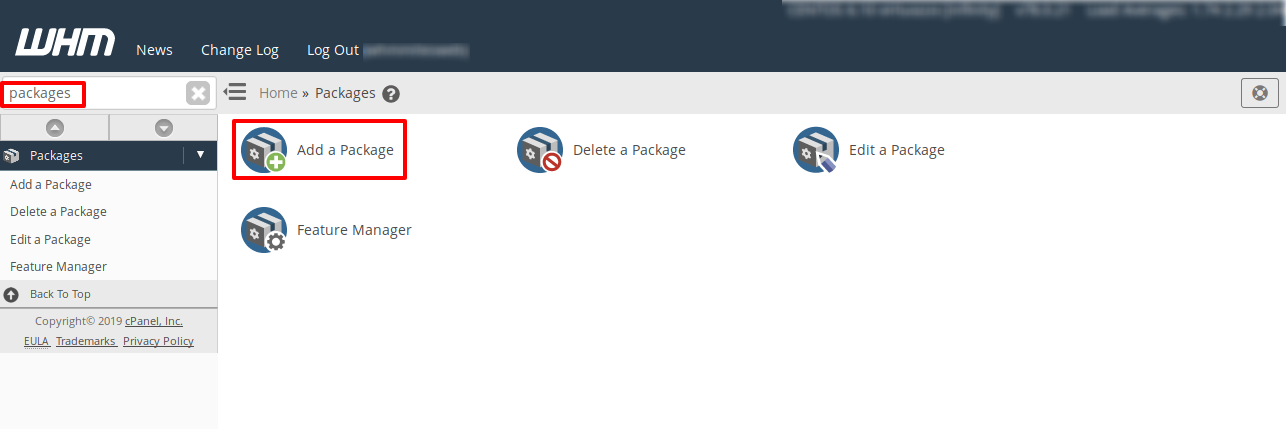
- Log in to WHM and search for the Packages menu.
- Click on the Add a Package option.
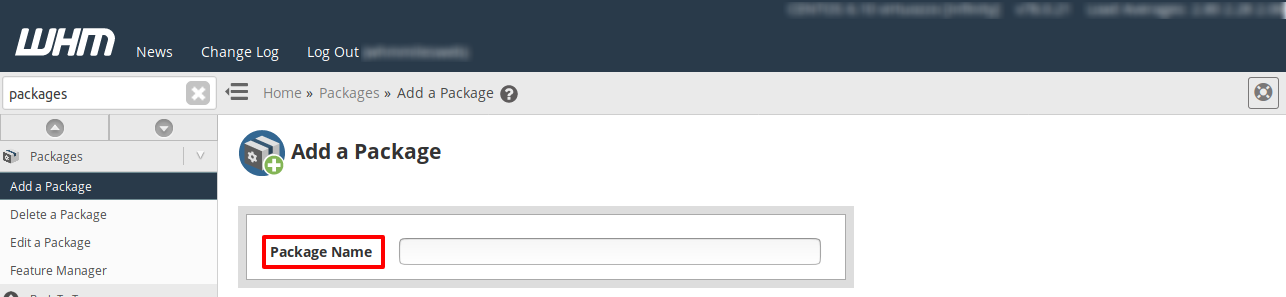
- Enter a clear name for your new plan in the Package Name field.
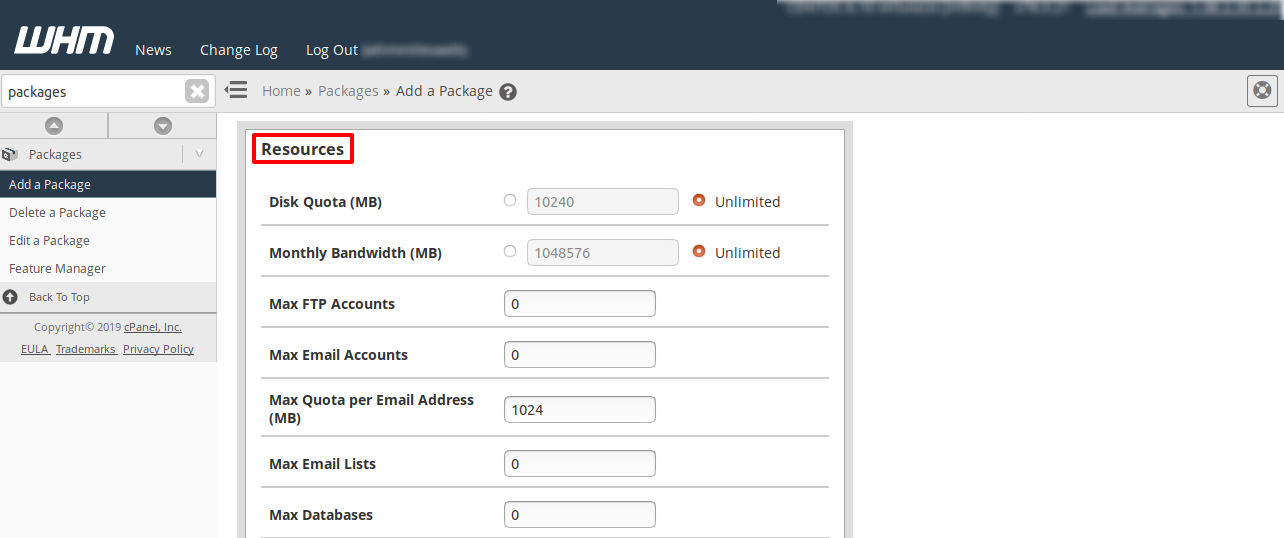
- Fill in the resource limits like Disk Quota and Monthly Bandwidth.
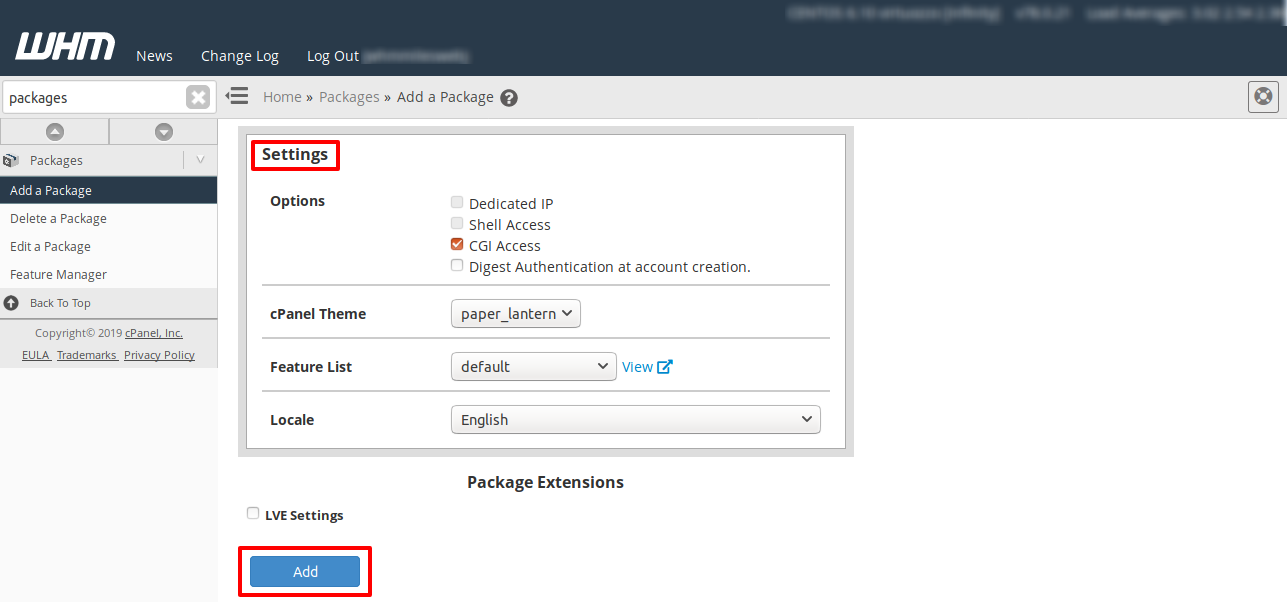
- Scroll to the bottom and click the Add button to save it.
Related: How to Add a Package in WHM?
Modifying Current Plans
- Select the Edit a Package tool from the navigation menu.
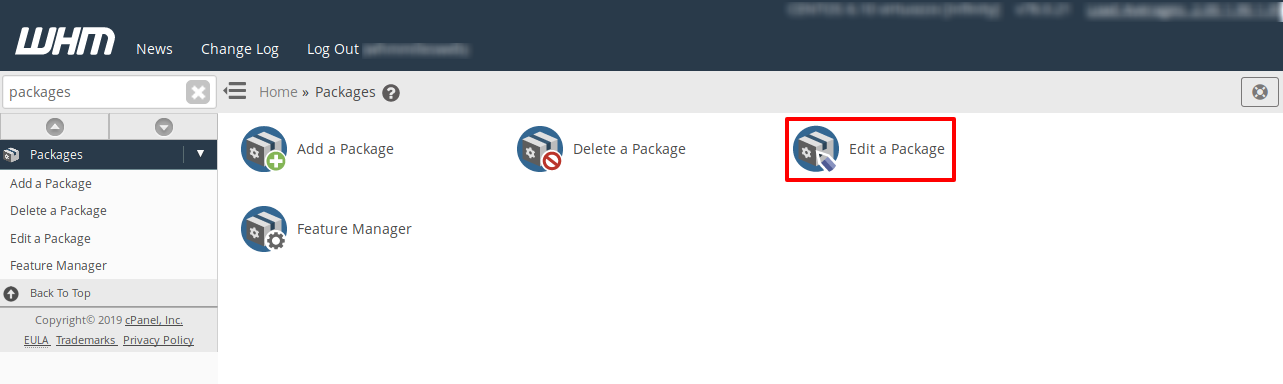
- Pick the specific plan you want to change from the list.
- Press the Edit button to load the current settings.
- Update the numbers or options as per your new requirements.
- Click Save Changes to update all users on this plan instantly.
Removing Old Plans
- Open the Delete a Package interface in WHM.
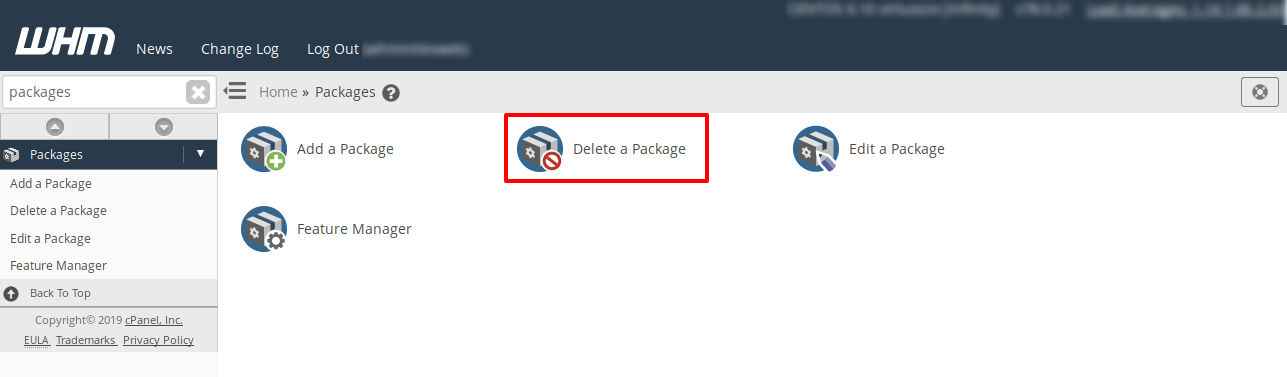
- Click on the name of the package you no longer need.
- Press the Delete button to remove the template from your server.
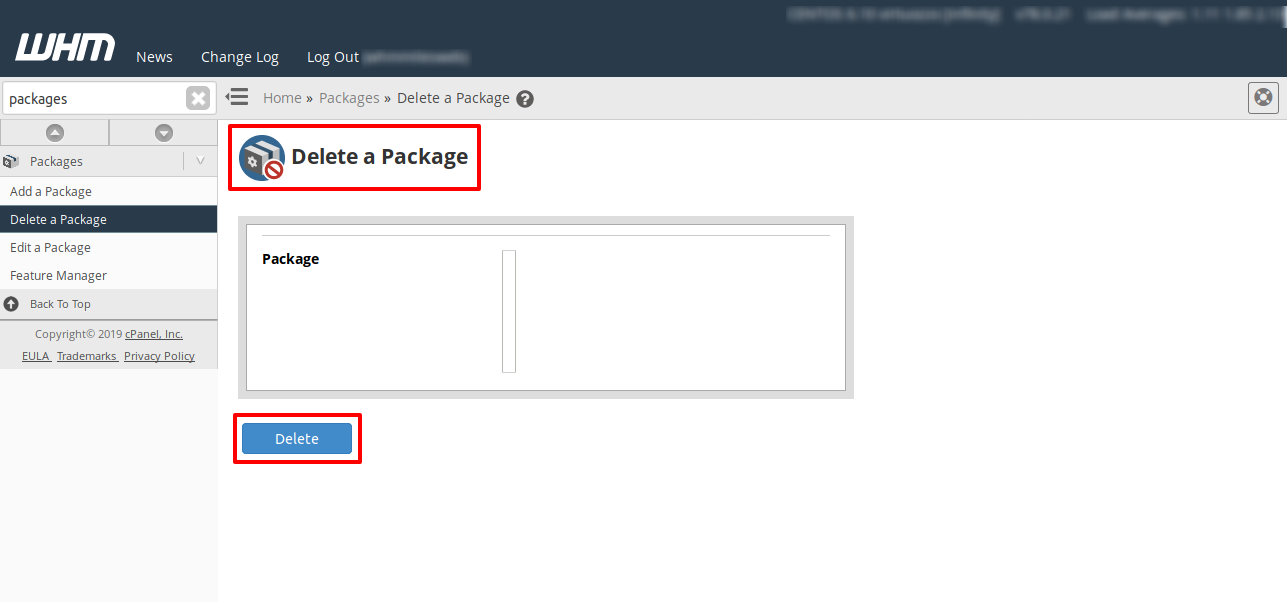
- Confirm the action on the following screen to finish.
FAQs
Will my users notice if I edit their package?
The users will only notice a change if you decrease their limits and they were already using more than the new limit. Their website will stay online during the update. The new resource values will show up in their cPanel dashboard as soon as you save the changes.
Can I give one user a custom limit without a package?
The best way is to create a specific package for that single user if they need unique limits. WHM works best when every account is linked to a package. This makes it much easier for you to track and manage your server resources in the long run.
What is the “Unlimited” setting in packages?
The unlimited setting removes the specific cap on resources like bandwidth or disk space for that account. However, the account is still limited by the physical size of your server’s hard drive and network speed. It is a good choice for your own personal websites or trusted clients.
Why should I delete old packages?
Keeping your package list clean prevents mistakes when you are creating new customer accounts. It ensures you only see the plans that you currently sell or support. Deleting an unused package also keeps your server configuration file small and tidy.
