What is a Server?
A server is a computer or system that provides resources, data, or services to other computers (clients) over a network.
Server Definition
A server is a powerful computer that provides data to other computers. These other computers are referred to as clients. Further, it also manages network resources and operates on a nonstop basis. It can handle numerous user requests simultaneously and is equipped with specialized hardware to perform better.
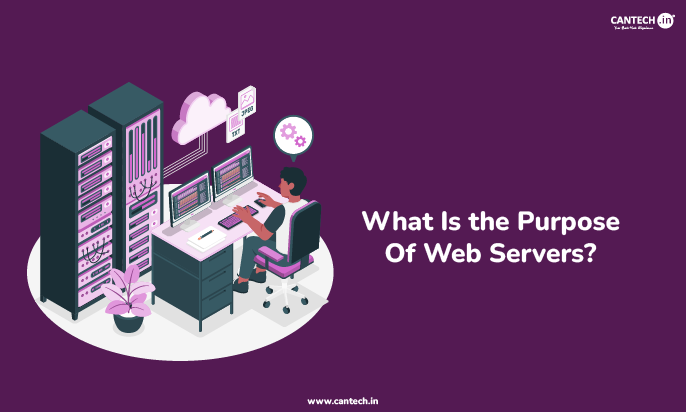
Read more about what is web server in detailed guide.
How Does a Server Work?
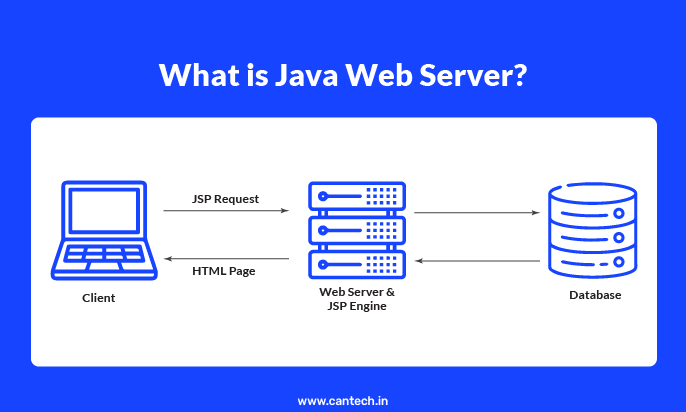
The process starts when a client makes a request that is sent over the network to the server. It reacts through its internal software by searching its storage to locate the required data and sending it to the client. This communication takes place within milliseconds. The server has certain guidelines for maintaining the accuracy of data.
What are the Advantages and Disadvantages of a Server?
Servers have numerous advantages, yet they also have a few drawbacks.
Advantages of Server
- Data stored centrally can be accessed by a number of users.
- You get high levels of security for sensitive data.
- There are regular backups automatically.
- They handle intensive workloads effectively.
- Servers improve collaboration among team members.
- Websites remain online consistently.
Disadvantages of Server
- Servers can be expensive, as they require a high initial investment and consume a large amount of electricity.
- They generate heat and require advanced cooling systems.
- They require regular maintenance by experts.
- There is a risk of failure that will bring the entire network down.
- You need specialised physical space in a building and advanced infrastructure.
Server vs Computer: What Is the Difference?
This is one of the most common questions beginners ask. A server looks similar to a regular computer on the inside, but it is built for a very different job.
| Feature | Regular Computer | Server |
| Used by | One person at a time | Hundreds or thousands of users |
| Runs | Personal apps and files | Websites, databases, business apps |
| Stays on | Turned off when not needed | Runs 24 hours a day, 7 days a week |
| Hardware | Standard parts | High-performance, redundant parts |
| Storage | Usually 500GB to 2TB | Can be hundreds of terabytes |
The biggest difference is reliability and scale. Your personal computer is built for you. A server is built for everyone at once and it cannot afford to crash or stop working.
What are the Different Types of Server Hardware?
When people talk about servers, they often mean the physical machine itself. Here are the three most common types of server hardware you will come across:
1. Rack Servers
Rack servers fit into standardized metal frames. They save space in large data centers. Hardware is simple to expand and maintain. They provide efficient cable management.
Best for: Data centers, large businesses, and companies that need multiple servers in one place.
Why people use them: They save a lot of physical space. You can fit 10 to 40 servers in a single rack instead of having 40 separate machines spread across a room. They are also easy to expand, just slide in another unit when you need more power.
2. Mainframe Servers
Mainframe servers are massive computing machines capable of handling millions of transactions every second. They provide high reliability and power to do important, large corporate activities.
Best for: Banks, airlines, government agencies, and large corporations that process millions of transactions every day.
Why people use them: A mainframe can run for years without a single minute of downtime. They are incredibly expensive but equally powerful. When a bank processes thousands of ATM withdrawals every second, a mainframe is usually handling it behind the scenes.
3. Blade Servers
Blade servers are even thinner than rack servers. They are slim circuit boards that slide into a shared housing unit called a blade chassis. The chassis provides shared power, cooling, and networking for all the blade servers inside it.
Best for: Large enterprises and cloud providers that need maximum computing power in minimum space.
Why people use them: They are the most space-efficient option available. A single blade chassis can hold dozens of blade servers, all sharing resources. This reduces power consumption and makes management easier.
Check out the types of web servers used in modern web hosting.
What are Server Components?
A server is made up of several key components that work together to store, process, and deliver data efficiently. Understanding these parts helps explain why servers are so much more powerful than regular computers.
Hardware
The physical parts that power every server:
- The CPU acts as the brain of the server.
- The RAM provides temporary memory for active tasks.
- The motherboard connects all the internal parts.
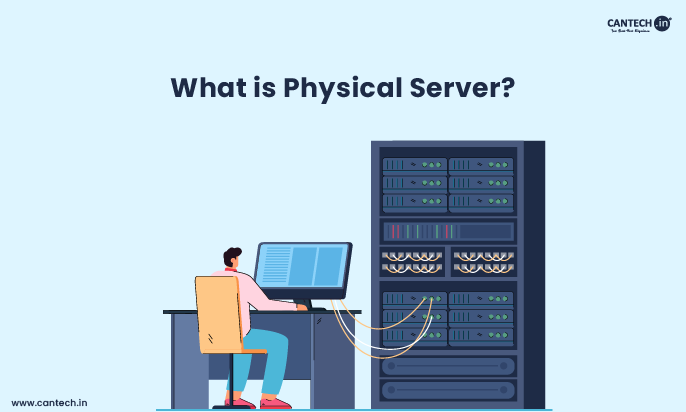
Learn more about what is physical server.
Software
The programs that control how the server operates:
- Operating System: Manages all hardware resources (common choices: Windows Server, Linux)
- Server software: Defines the server’s role, such as Apache for web serving or MySQL for databases
Storage drives
Servers use three main types of storage depending on speed, capacity, and budget requirements:
- HDD (Hard Disk Drive): Stores large volumes of data at a lower cost, ideal for backups and archival storage.
- SSD (Solid State Drive): Offers significantly faster data access than HDD, suitable for performance-critical workloads.
- NVMe (Non-Volatile Memory Express): The fastest storage option available, designed for high-speed data transfer directly through the PCIe interface, ideal for real-time processing, AI workloads, and high-traffic servers.
Network
Components that keep the server connected:
- Network Interface Card (NIC): Connects the server to the internet or local network.
- Server software: Direct incoming and outgoing traffic to the correct destination.
- Cables: Provide the physical path for data transmission.
Know more about what is a private network in detail.
Why are Servers Important?
Servers are essential because they enable communication, storage, and functionality across networks, making the modern internet possible for both businesses and individuals.
Here’s why servers matter:
- Centralized data storage: All users access one secure location instead of scattered local files.
- Better security and access control: Admins can set permissions and protect sensitive data centrally.
- Faster data access: Optimized hardware delivers information to multiple users simultaneously.
- Multi-user support: Hundreds or thousands of users can connect and work at the same time.
- Powers websites, apps, and businesses: Every website, cloud app, and online service depends on a server to function.
Conclusion
A server is one of the most important pieces of technology behind every website, app, and business operation you interact with daily. Whether it is a rack server in a data center, a blade server powering a large enterprise, or a cloud server running a small business website, servers are the invisible engines that keep the digital world running.
For most small and growing businesses, a cloud server is the smartest, most cost-effective starting point. As your needs grow, you can always move to dedicated hardware, but starting in the cloud gives you flexibility, speed, and savings from day one.
FAQs
What is the Meaning of Server?
The word server refers to a provider of services. It serves data to other computers on request. It is a central hub for network activities.
What is a Server used for?
A server is used to store data, host websites, deliver emails, run applications, and manage network resources. Businesses use servers to keep information centralized and accessible, while web servers power every website and app that users interact with online.
Do small businesses need a Server?
Small businesses often do need a server, especially when managing data storage, website hosting, email systems, or application management. For smaller setups, cloud servers are usually the most cost-effective choice, offering flexibility without heavy upfront investment.
What is the Role of a Server?
A server manages network resources for clients. It stores data in a central location. It runs programs for multiple users at once.
Where are Servers located?
Companies keep servers in specialized rooms called data centers. These rooms have controlled temperatures and high security. Some small businesses keep servers in an office closet. Cloud servers exist in massive facilities all around the world.
What is Server in Networking?
In networking, a server is a dedicated computer or system that manages requests from other devices called clients on the same network. It controls how data is shared, stored, and accessed across that network, making it the central hub for all communication between connected devices.