What is SAP ERP?
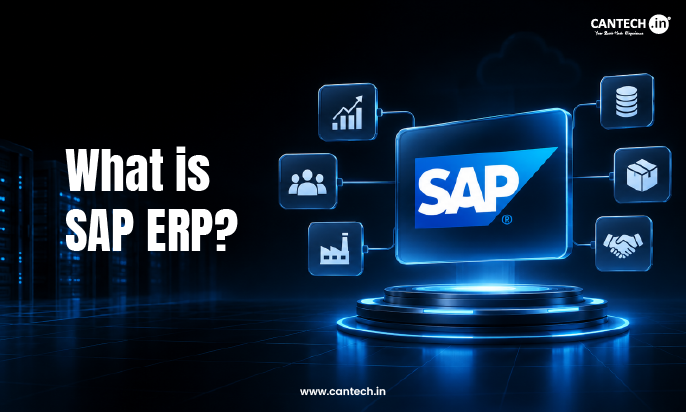
SAP ERP is a business suite of software provided by SAP. It includes finance, human resources, manufacturing, procurement, supply chain, and sales features. Centralised data is stored within a database to help increase efficiency, provide better decision making, and allow scalability as your business grows.
Introduction
SAP was founded in 1972 by 5 former engineers from IBM in Germany. This led to the creation of an integrated piece of Software called SAP R/2 which became one of the first mainframe based ERP systems. All companies, big or small, will have some core processes they perform: recording financial information, paying employees, purchasing raw materials, producing/storing items and selling to customers. This could often cause issues as each process was managed using different tools/spreadsheets. The sales team would not know what stock is in the warehouse and finance will have to reconcile figures manually. So, Enterprise Resource Planning (ERP) software was created to solve this problem.
The product evolved with technological advancement: SAP R/3 (1990s) – ERP was introduced with Client Server, SAP S/4HANA – In-memory computing was implemented leading to faster processing and real time analytics and SAP S/4HANA Cloud – ERP was taken to the Cloud offering scalability and cost efficiency.
SAP ERP is probably the most well known ERP product. In this blog, we will explore the components of SAP ERP.
What is SAP ERP?
SAP ERP refers to an integrated application that allows a business to manage its core functions such as finance, HR, manufacturing, procurement, supply chain, sales and more. SAP ERP stands for ‘Systems, Applications, and Products in Data Processing’ with ERP standing for ‘Enterprise Resource Planning’. The software was developed by SAP SE.
The key of using SAP ERP means you can utilise one application rather than multiple different tools. All departments will be using the same data.
What are the Types of SAP ERP Edition?
SAP’s flagship product, SAP S/4HANA Cloud, has both a public edition and a private edition.
- Public edition: A software as a service (SaaS) solution. This means that multiple businesses will share one infrastructure and software instance, however, information will be safely kept separate between companies. Cost effective, automatically updated, but less customisable.
- Private edition: A managed private cloud. Each business will have their own environment. More control and customisability. Good for organisations with specific or complex requirements.
What are the Key Modules of SAP ERP ?
The SAP ERP system is broken down into modules so that you can focus on different aspects of your business. Some of the key modules are:
- Financial Accounting (FI): This handles everything around the financial side of the business. General Ledger, Accounts Payable and Accounts Receivable.
- Controlling (CO): Cost Centre Accounting, Profit Centre Accounting and Internal Orders. This module provides management reporting and information to support decision making.
- Sales and Distribution (SD): Handling the order to cash process. Sales Orders, Pricing, Delivery and Invoicing.
- Materials Management (MM): Purchasing and Inventory. Goods Receipt and Invoice Verification.
- Production Planning (PP): Planning and Controlling. Demand Management to Shop Floor.
- Quality Management (QM): Inspections, Quality Notifications and Quality Control.
- Human Capital Management (HCM): Personnel Administration, Organisational Management, Time Management and Payroll.
Within the SAP materials it also mentions that Supply Chain Management, Sourcing and Procurement and Customer Relationship Management (CRM) are also core areas of functionality.
How does SAP ERP work?
There are a few key concepts that make up SAP ERP:
- Integrated modules: This means that a single sales order will impact the inventory, purchasing and finance modules simultaneously.
- Central database: All your customer, stock levels, financial transactions and employee information is stored in one place. This ensures there is a single source of data and eliminates duplicated data entry.
- Real time information: Any changes made in any one module will appear across the entire system instantly. This means you always have the most up-to-date information when making decisions.
- Standardised processes and workflows: Processes have been set in place to ensure consistency throughout.
- Configuration and customization: The system can be configured to fit the processes, data and reports of your company. However, too much customisation may cause problems with maintaining the system.
- Role based interface: The user will only be able to see the parts relevant to their module and role. All employees will have access to input data, produce reports and initiate transactions.
What are the benefits of SAP ERP?
There are multiple advantages of using SAP ERP, they are as follows:
- Efficiency: Increased efficiency by automating repetitive tasks.
- Real time data: Real-time data allows leaders to make decisions using up-to-date information.
- Automation: Automatic reporting means less time spent collecting data.
- Analytics: Predictive analytics can be used to plan for the future.
- Security: Improved security through built-in cyber security and compliance functions.
- Collaboration: Improved collaboration through having one source of truth.
- Scalability: Scalable system that can grow with your business from a small startup to a large enterprise.
- Multi-language: Multilingual, multi-currency and multi-legal system to allow businesses to operate globally.
- Advanced Technologies: Modern cloud ERPs are incorporating intelligent technologies such as AI, machine learning and IoT to automate processes and predict trends.
What are the Use Cases of SAP ERP ?
Here’s how different functions put SAP to work:
- Finance: Global unified finance data for real time reporting and compliance.
- Supply chain: Improved demand forecasting, stock control and order fulfillment for a retailer.
- HR: Improved recruitment, training and performance management for an IT company.
- Manufacturing: Coordinated manufacturing processes, equipment tracking and quality for an automotive company.
- Sales & CRM: Unified customer information and sales tracking for a telecom provider.
- Project Management: Time, resource and cost tracking for an engineering company.
- Retail & Ecommerce: Ensured consistency between stock, pricing and online/physical sales for a fashion retailer.
- Healthcare: Unified healthcare records, billing and compliance for a hospital.
Conclusion
SAP ERP is not just an accounting tool. It is a way of managing your business with a unified view of the truth. Although not a cost-effective or simple solution to implement, if you require integration, scalability and real-time data then it is one of the most mature and powerful choices out there.
FAQs
Are SAP ERP systems cloud-based? And does it have a CRM within it?
Yes. They provide a software-as-a-service offering, with their S/4HANA Cloud Public Edition. There is also a Private Edition offering which gives companies more control and is a managed private cloud. Also, they do offer CRM functionality within their ERP suite.
How does SAP ensure data consistency between departments?
They have a centralised database which ensures there is only one source of truth. Modules will be integrated and if any information is changed within one module such as creating a sales order this will be reflected in the relevant modules including inventory, procurement and finance.
Can SAP ERP systems be customised?
Yes. They can be configured to fit with your company’s processes. However if you are heavily customising it can be expensive and may cause problems during the upgrade processes.
Is SAP ERP suitable for smaller businesses?
SAP does state they have solutions that scale to fit the size of your company. The architecture can scale with your business. If you want a rapid cloud deployment GROW with SAP is suitable.
What are the main disadvantages of SAP ERP?
High cost, complex to implement, difficult to customise with lots of changes and people often resist using the system due to a steep learning curve.