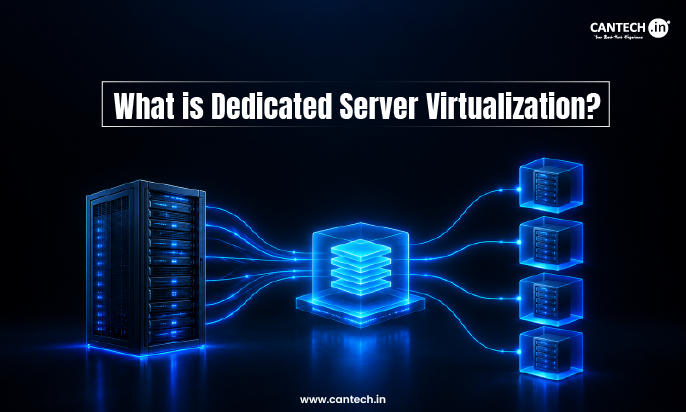
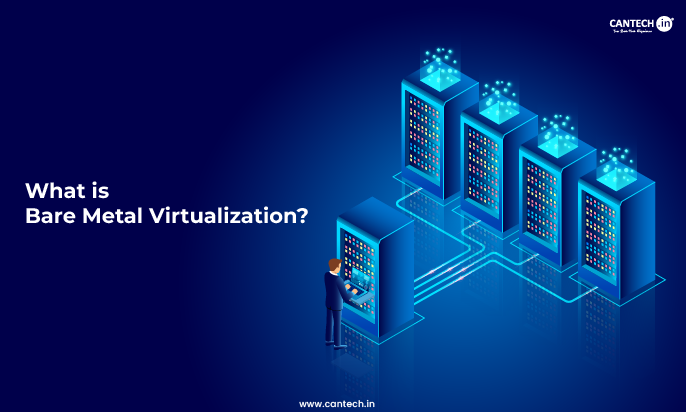
Virtualization lets you split one physical server into multiple virtual machines, so you can run different systems and applications more efficiently on hardware you already own. Cloud computing goes a step further; it delivers computing resources like servers, storage, and software over the internet, so you do not have to manage any hardware at all. In short, virtualization is about using your own hardware smarter, while cloud computing is about renting resources on demand.
What is Virtualization?
Imagine having a single, powerful machine, but instead of using it to run just one application, you can split it into multiple independent environments that work simultaneously. Virtualization, a technology that allows a business to create virtual instances using a single hardware resource. In effect, it means running different OSes, different applications, or storage environments from the same server augmenting efficiency whilst reducing overheads.
Read More on What is Virtualization, it’s types and how it works.
Why Do Businesses Choose Virtualization?
- Maximized Resource Utilization: Hardware is never left idle with virtualization, instead; almost every bit of your infrastructure is used to its full potential.
- Significant Cost Savings: Spending a large amount on the hardware is goodbye here: virtualization shrinks capital expenses and operational costs.
- Unmatched Scalability & Flexibility: Add resources very quickly when your business grows, without worrying about physical limitations.
- Top-Tier Security & Isolation: Virtual machines (VMs) allow applications to operate in different environments, increasing security.
- Seamless Disaster Recovery: If there is a flow, VMs can be created, backed up, cloned, and restored from disk completely automated.
How Does Virtualization Work?
Central to virtualization technology is the software layer called a hypervisor, which allows the abstraction of physical hardware so that several operating systems can be used simultaneously. VMware, Microsoft Hyper-V, and KVM are some of the best hypervisors that have powered some of the most effective IT infrastructures.
What are the Types of Virtualization?
- Server Virtualization: One physical server serves multiple virtual servers, each running its independent application.
- Network Virtualization: Software networks combining all the above provide more agility and security across various applications.
- Storage Virtualization: Use multiple physical storage devices as a single high-speed storage device.
- Data Virtualization: Scatter data from different sources so that it may be read and integrated all together without the duplication of physical storage.
Want high-performance VPS hosting at an affordable rate? Check out our Linux VPS Hosting and Windows VPS Hosting, which feature SSD-powered virtual servers with full root access for ultimate control and performance.
What is Cloud Computing?
Cloud computing refers to the next evolutionary path the IT infrastructure will take. These services, due to cloud computing, are chosen and dominantly accessed instead of ownership and maintenance of traditional on-site servers by many companies. This implies that cloud computing allows everyone in the world to deploy computing resources like servers, databases, storage, or software from anywhere, in essence without having to deal with the problem of maintenance concerning hardware.
Read more about what is cloud computing in detail.
Why are Businesses Moving to the Cloud?
- On-Demand Resources: Instantly scale up or down resources based on workload with no overprovisioning and no wasting money on unused capacity.
- Pay-As-You-Go Model: Pay only for what you use-there are no hidden fees or high costs, which makes it budget-friendly for startups and big enterprises.
- Global Accessibility: Empower remote teams, collaborate in real-time, and guarantee uninterrupted access to business-critical applications to anyone, anywhere in the world.
- Automatic Updates & Security: This means that throughout the year, the provider takes care of all software updates, security patches, and performance optimizations, thus protecting your business from many cybersecurity threats.
What are the Types of Cloud Computing?
- Public Cloud: A cost-effective cloud solution that is nothing but a shared environment working upon third-party platforms, like the ones offered by AWS, Google Cloud, and Microsoft Azure. Public cloud is great for startups and businesses alike searching for easily scalable infrastructure. Learn more in our detailed article: What is a Public Cloud?
- Private Cloud: An infrastructure created and operated for the benefit of a single organization and comes with improved security, compliance, data, and application control. Dive into our blog to understand what is private cloud really means.
- Hybrid Cloud: This indicates a mix of public and private cloud setups that allow users to have the best of all worlds. Hybrid cloud provides greater capabilities, flexibility, and security while optimizing costs. Explore our detailed blog on What is Hybrid Cloud?
- Multi-Cloud: This involves a blend of cloud providers extending service redundancy, security, and avoiding vendor lock-in.
Virtualization vs Cloud Computing: Key Differences
Having a core understanding of the major differences between virtualization and cloud computing is critical for businesses wanting to optimize their IT infrastructure. While both technologies improve efficiency, lower costs, and enhance scalability, they have different purposes.
| Feature | Virtualization | Cloud Computing |
| Definition | Creates multiple virtual environments on a single physical machine. | Provides on-demand computing services over the internet. |
| Infrastructure | Operates on on-premise hardware, requiring in-house management. | Uses third-party cloud providers like AWS, Azure, and Google Cloud. |
| Cost | Requires upfront investment in physical hardware, but reduces operational costs over time. | Pay-as-you-go pricing, with minimal upfront investment. |
| Scalability | Limited to the available hardware capacity. | Instantly scalable on demand, adapting to business needs seamlessly. |
| Management | IT teams need to handle software updates, security, and maintenance. | Managed by cloud service providers, reducing the workload on in-house IT teams. |
| Security | Can be tightly controlled within a company’s own data center. | Depends on the cloud provider’s security measures and compliance standards. |
Additionally, virtualization in cloud computing is distinct from cloud computing in itself. Cloud computing employs virtual resources to create a flexible, scalable, and remotely accessible computing environment, while Server virtualization is a technology that involves stacking multiple Operating Systems on top of a physical server.
How to Choose Between Virtualization and Cloud Computing?
Whether to use virtualization or cloud computing must depend on the exact needs of your business, where they plan to go with their applications in the future, and what technology capability they have. Here’s an elaboration on what might work for you:
When to Choose Virtualization?
- You need unrestricted control of your IT infrastructure. Virtualization enables companies to take care of their own servers, applications, and data in-house.
- Your organization must maintain a very high level of security and adhere to compliance standards. Some federations, from the healthcare and financial sectors, require enhanced control over how data is stored and accessed.
- You will maximize resource utilization in an existing data center by running several operating systems on a single machine rather than investing in several physical servers. You need high-performance computing environments for AI, machine learning, or large data processing. The virtue of virtualization comes into play by optimizing workloads and efficiently distributing resources.
When to Choose Cloud Computing?
- The decision comes down to your need for immediate scalability and flexibility. Right from the start, if you need to scale up due to an increase in demand, or back down again to save cash, then choose cloud computing, which provides such flexibility on the fly.
- You want to cut down on your IT infrastructure costs. Don’t spend such amounts of money on hardware through capital expenses—cloud solutions operate on a pay-as-you-go model, meaning less financial burden on your company.
- You want a fully managed service. With cloud computing, the provider handles system maintenance, software updates, and security patches, allowing your team to focus on innovation and growth.
- Your business can work remotely or online. Cloud solutions provide computing resources from anywhere in the world, allowing for seamless teamwork.
At Cantech, we provide virtualization and cloud computing solutions customized for your company. If you’re puzzled about which one is the right direction to take, trust our experts. They will always guide you through the entire process.
Why Choose Cantech for Cloud Computing and Virtualization?
Cantech excels at harnessing both virtualization and cloud computing and blending them into solutions that are best for any kind of business. You can have high-performance dedicated servers, secure VPS hosting, or even fully managed cloud infrastructure with Cantech.
Conclusion
Virtualization and cloud computing both solve the challenge of IT efficiency, just from different angles. Virtualization maximizes the hardware you already own by running multiple virtual machines on one physical server. Cloud computing removes hardware ownership entirely, giving you on-demand access to computing resources over the internet. Most modern businesses benefit from using both virtualization for controlled on-premise workloads and cloud computing for scalable, globally accessible services. Cantech offers VPS hosting, dedicated servers, and managed cloud infrastructure designed to give your business the right combination of performance, security, and scalability at every stage of growth.
FAQs on Virtualization vs. Cloud Computing
What is the Difference Between Virtualization and Cloud Computing?
Virtualization uses a single machine to run multiple virtual environments. This allows for an effective use of hardware. Cloud computing allows providing computing resources over the internet so scalable and flexible resources can be provided on-demand.
Can Virtualization Work Without Cloud Computing?
Yes, Virtualization can run as on-premises without depending on cloud infrastructure. Businesses can optimize their servers and desktop solutions through virtualization while gaining additional remote accessibility and resource pooling with cloud computing.
What is Better, Virtualization or Cloud Computing?
The best choice depends on the business requirements. Virtualization is appropriate for companies wanting complete control over IT infrastructure with high security. Cloud computing, on the other hand, allows for scalable and remote access to IT resources.
What are the Security Risks Surrounding Cloud Computing?
Security risks include data breaches, unauthorized access, and compliance concerns. However, good cloud providers implement several disruptive security techniques, including encryption, multi-factor authentication, and audit assays to mitigate the risk.