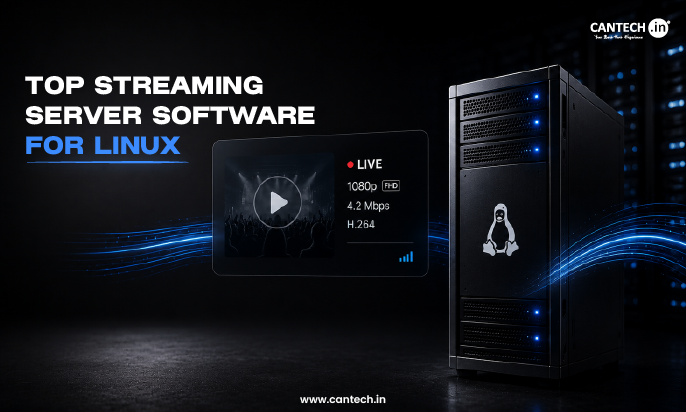
Some of the top linux streaming server software includes: Nginx (with RTMP module), Wowza Streaming Engine, Ant Media Server, SRS (Simple Realtime Server), OBS Studio (for broadcasting), Emby/Jellyfin/Plex (media servers), and Icecast (for audio streaming).
Introduction
Linux is the preferred OS for setting up a home theater PC, a 24/7 internet radio station, a church broadcast, a live Twitch channel, or a self-hosted alternative to Netflix for the whole family. It is reliable, free, runs on old Raspberry Pi’s, dedicated hardware, or whatever you have lying around, and puts the control in your hands instead of someone else’s.
But what is this magic called “streaming server software,” anyway? Do you need something to manage your personal media library for your TV or phone? Do you want to set up a live audio or video feed for your loyal audience? Are you looking for something more low-level like a protocol server to build your own application around?
In this blog, we’ll cover the best streaming server software for Linux in three categories to help you decide on your streaming future.
Best Streaming Server Software for Linux
Here are some of the top media server software for Linux:
1. Jellyfin
Jellyfin is the leading fully open-source/free media server, and a community continuation of the early Emby project before it turned proprietary. It provides rich metadata, hardware-accelerated transcoding, and apps on nearly every platform, with no subscription or phone-home requirements, making it the most privacy-focused option.
Best for: Privacy-focused users who want the features of Plex but without any subscription or third-party tracking.
2. Plex
Plex is the most polished media server with the best metadata organization, apps, and ease of use, though its remote access features and some advanced tools now require a paid Plex Pass subscription. It’s a great option for users who want the most features out-of-the-box and don’t mind a subscription for remote access.
Best for: Users who want the most feature-complete and polished media server experience, and don’t mind a subscription.
3. Emby
Emby offers similar features to Plex, with a more open development model and an optional paid tier (Emby Premiere) that unlocks advanced features like transcoding and cloud sync. It has robust DVR support and live TV features, and overall falls somewhere between Plex and Jellyfin in terms of flexibility.
Best for: Users who want more open options than Plex, or want built-in DVR support for live TV.
Live Streaming Servers (Audio & Video Broadcast)
4. Icecast
Icecast is a standards-compliant open-source server for internet radio and audio streaming, with support for Ogg Vorbis, MP3, and Opus encoding. It has minimal resource requirements and excellent reliability for 24/7 radio stations, and can be used with source clients like BUTT or Liquidsoap for automated radio stations.
Best for: Internet radio stations, churches, podcasts, or any low-latency audio streaming needs.
5. Ant Media Server
Ant Media Server is a commercial live video streaming server that focuses on ultra-low latency and massive scale, with support for WebRTC, RTMP, SRT, and adaptive HLS output. It can be clustered to support thousands of concurrent viewers, and has SDKs for iOS, Android, and JavaScript, making it best suited for developers who want to build products around a live video core.
Best for: Developers who need a commercial-grade streaming server for video, with low-latency and massive scale requirements.
6. SRS (Simple Realtime Server)
SRS is an open-source streaming server that supports RTMP, WebRTC, HLS, SRT, HTTP-FLV protocols, and can be used for both low-latency and adaptive bitrate streaming. It’s a good alternative to commercial servers for companies that want to host their own origin server, and has a minimal resource footprint for scale-out deployments.
Best for: Linux system administrators who need a production-grade streaming server that supports multiple protocols.
7. nginx with the RTMP module
nginx with the RTMP module is a web server that can be used for live-streaming by converting RTMP streams into HLS or DASH for delivery to browsers and mobile clients. It’s often the quickest option for setting up a live-streaming infrastructure on Linux, because it can be configured on most modern Linux distributions with minimal effort.
Best for: Linux administrators who want a lightweight RTMP-to-HLS streaming server that works behind Nginx.
Specialized & DVR-Style Streaming
8. Tvheadend
Tvheadend is a Linux-based TV streaming server and DVR that supports DVB-C/T/S, ATSC, IPTV, and SAT>IP tuners, with HTTP and HTSP protocol support. It’s the most popular option for turning a Linux computer with a TV tuner card into a set-top box for live TV and DVR recordings.
Best for: Cutting the cord on cable TV, and wanting to stream over-the-air or IPTV channels with a home DVR.
9. OBS Studio (as a streaming source)
OBS Studio is an open-source encoder that is often used in tandem with the streaming servers above to capture content and encode it into a format that can be streamed. It’s the most popular encoder for Linux users, and is often used to capture either a computer screen, or an external camera and microphone.
Best for: Anyone who needs to capture and encode a live video stream for delivery to a streaming server.
Choosing the Right Streaming Server
Here is which platform to choose based on your use case:
- Are you looking to make your own movies and music available to the world? If so, the best place to start would be with either Jellyfin (fully open/free) or Plex (easiest to use).
- If you’re trying to set up an internet radio station or want to automate your podcast publishing, look into Icecast and either Liquidsoap or BUTT.
- Moving on to live video streaming services and solutions, Ant Media Server or SRS are probably the most popular choices. It really boils down to how much you want to code/configure.
- If you already have an nginx server set up and need simple RTMP to HLS transcoding, the nginx-rtmp-module is the way to go
- Finally, if you want to set up your own home DVR/live TV service, you might want to check out TVheadend.
In practice, most people tend to use a combination of two of the above tools. For example, OBS Studio can be used to encode and either nginx-rtmp or Ant Media server can be used to receive the stream and transcode it to adaptive HLS for smoother playback. Another example would be using Jellyfin and Tvheadend in combination with each other to provide both personal media and live TV content.
Conclusion
The choice of the best streaming server depends directly on the user’s needs. If they want to provide their media library for playback in personal use or on the web, the preferred choices are Jellyfin/Plex, well-established and reliable streaming servers with excellent support. For Internet radio, Icecast has been around for more than 20 years and is still one of the most popular and reliable streaming servers in its niche. For live video, high-performance solutions such as Ant Media Server and SRS offer low latency to thousands of viewers. For personal use, to record and play back TV content, an alternative is Tvheadend.
All options are available on Linux, offer support for various platforms, and are relatively easy to set up and use.
FAQs
Is a powerful server necessary for streaming?
In most cases, no. Icecast and nginx-rtmp are both light on the hardware, and even a small VPS will be enough to host them. As for video transcoders (Plex, Jellyfin, Emby), a multi-core CPU with instruction sets supported by hardware acceleration (Intel Quick Sync or NVENC) will be useful for them.
What is the difference between a media server and a live streaming server?
The media server is used to serve playback of media files (video or audio) stored on a server. Examples of such software are Plex, Jellyfin, Emby. The live streaming server is designed to transmit a live stream over the network to players. Examples of such software are Icecast, Ant Media Server, SRS, nginx-rtmp.
What is the difference between Plex and Jellyfin?
Jellyfin is free and open source, whereas Plex requires a Plex account; Plex also offers a more advanced interface and a wider range of features. Many users try both variants and then choose their favorite.
What software can I use to set up an internet radio station?
The most popular option for setting up a radio station on Linux is Icecast. To produce an automatic playlist (AutoDJ), the Liquidsoap scripting language is usually used, which can also be used to create more complex DJ radio station setups. Another popular solution is BUTT, which provides a more intuitive interface.
Can I use the described tools to stream to YouTube or Twitch?
If the streamer wants to use YouTube or Twitch services, then in most cases, they will need to install OBS Studio and, with it, transmit the stream to the desired service. Some streaming servers like nginx-rtmp or Ant Media Server even allow the streamer to send a copy of the stream to both YouTube/Twitch and the server.
Are there any free solutions among the described tools?
Jellyin, Icecast, SRS, nginx-rtmp, and Tvheadend are completely free and open source. Plex, Emby, Ant Media Server offer a free version, but to unlock all the features, the user will have to pay for a subscription (for example, for the use of advanced codecs).
Are there any differences in how appropriate the software is for Linux?
Among the tools described, Plex and Emby are native for Linux, and the performance is the best (compared to Windows or macOS). However, for most uses, other tools like Jellyfin, Icecast, or nginx-rtmp will be sufficient.
What streaming protocols should I be aware of?
For low-latency playback, the best choice is to use WebRTC or SRT. For HTML5 video playback, the HTTP Live Streaming protocol (HLS) is a good choice. Finally, RTMP is a standard protocol for sending streams to servers, but not often used directly on the client side.