Introduction
Have you ever tried to train an AI model on your laptop and watched it struggle for hours? Or maybe you wanted to run a machine learning project but your computer just could not keep up?
You are not alone.
Training AI models, running deep learning experiments, or building smart applications all need a lot of computing power. Specifically, they need GPUs (Graphics Processing Units). These are special chips that can do millions of calculations at the same time, making them perfect for AI work.
But here is the problem: good GPUs are expensive. An NVIDIA H100, one of the most popular GPUs for AI, can cost tens of thousands of dollars to buy. That is out of reach for most people and small businesses.
That is exactly why renting GPUs through cloud platforms has become so popular. Instead of buying your own hardware, you pay only for what you use, by the hour, and stop when you are done.
In this guide, we will walk you through the best platforms for renting GPUs in 2025, what each one offers, how much they cost, and how to pick the right one for your needs.
What is GPU Rental and Why Does It Matter?
Think of GPU rental like renting a car. You do not need to own a car to go on a road trip. You just rent one, use it, and return it when done.
GPU rental works the same way. You go to a cloud platform, pick the GPU you need, pay by the hour, do your work, and shut it down. Businesses looking for dedicated hardware can rent GPU servers based on their workload and performance requirements. No upfront cost, no maintenance, no worrying about hardware going out of date.
According to DigitalOcean, GPU rental platforms give developers, researchers, and businesses on-demand access to high-performance hardware without the capital costs of ownership. You can choose from different GPU types like NVIDIA H100, A100, RTX 4090, and more depending on your work.
This model works great for:
- Startups testing their first AI product
- Researchers running training experiments
- Developers fine-tuning language models
- Businesses running image or video processing at scale
Now let us look at the top platforms you can use.
Best Platforms to Rent Out GPU for AI 2026
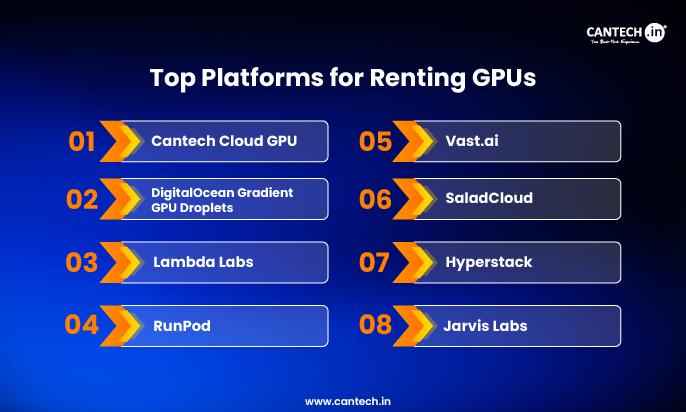
1. Cantech Cloud GPU
If you are based in India or working with Indian businesses, Cantech’s GPU Cloud is worth exploring first. Cantech offers GPU infrastructure tailored for South Asian markets, with localized support, data compliance, and competitive pricing that does not require converting to USD.
Whether you need a GPU for training a language model, running simulations, or powering up your AI product, Cantech’s cloud GPU solutions are built to handle serious workloads without the complexity of setting up international accounts.
Why consider Cantech:
- India-based support and data residency
- Competitive hourly pricing in INR
- Suitable for startups, developers, and enterprises
- Easy onboarding without heavy DevOps expertise
2. DigitalOcean Gradient GPU Droplets
DigitalOcean is best known for making cloud computing simple. Their GPU Droplets follow the same principle: powerful GPUs with a clean, easy interface.
DigitalOcean GPU Droplets are virtual machines with NVIDIA or AMD GPUs, available without the upfront costs of hardware ownership. You can rent anywhere from one GPU to an eight-GPU setup, depending on the size of your project.
What makes it great:
- Preinstalled NVIDIA drivers, CUDA libraries, and deep learning frameworks like PyTorch and TensorFlow, so you do not waste time on setup
- Supports Hugging Face models through their 1-Click model feature
- Separate boot disk and scratch disk for efficient large-scale data handling
- Scales easily from a single GPU experiment to multi-GPU distributed training
Pricing: On-demand pricing starts at around $0.76/hour for RTX 4000 Ada, $3.39/hour for a single H100, and up to $3.44/hour for H200. With a 12-month commitment, prices drop significantly. For example, H100 x8 configurations go as low as $1.99/GPU/hour.
Best for: Developers and startups who want simplicity, quick setup, and reliable infrastructure without deep DevOps knowledge.
If you’re considering other options, explore our guide to the best Lambda Labs alternatives to compare 10 GPU cloud providers based on pricing, features, and use cases.
3. Lambda Labs
Lambda Labs focuses entirely on AI and machine learning workloads. They do not try to be a general cloud provider. Their entire platform is built around giving AI teams exactly what they need.
What makes it great:
- Very straightforward pricing with no hidden fees
- Pre-configured software stacks for AI/ML work
- Quick GPU deployment in minutes
- Clean dashboard that is easy to understand
Pricing: Varies by GPU type; generally competitive for H100 and A100 instances.
Best for: Individual researchers, small AI teams, and startups who want a focused, no-fuss GPU experience.
4. RunPod
RunPod offers GPU compute on-demand with a strong focus on flexibility. They operate across more than 31 global regions and support everything from small inference workloads to large distributed training clusters.
What makes it great:
- Offers both dedicated GPU Pods and serverless options, so you pay less when your GPU is idle
- Supports a wide range of GPUs including RTX 4090, L4, H100, H200, A40, and AMD MI300X
- Comes with built-in developer tools, templates, API access, and CLI support
- Flexible scaling from a single GPU to large clusters
Pricing: H100 configurations start at around $1.99 to $2.69 per hour on-demand.
Best for: AI teams that need flexibility, global reach, and solid support for both training and inference work.
5. Vast.ai
Vast.ai is a marketplace where people who own GPUs (including gamers and small data centers) rent them out to others who need computing power. This unusual model can lead to very low prices.
What makes it great:
- Very competitive pricing, often lower than big cloud providers
- Two rental modes: on-demand (fixed price) and interruptible (bidding-based for even lower costs)
- Access to a huge variety of GPUs including A100 and H100
- Filter for verified data-center-grade hosts if you need reliability
Pricing: A100 GPUs start around $0.61/hour, H100 GPUs around $1.80/hour at the 25th percentile of listings.
Best for: Budget-conscious developers and researchers who want to experiment without spending a lot. Not ideal for production-critical workloads.
6. SaladCloud
SaladCloud takes a unique approach. Instead of running its own data centers, it uses underutilized consumer GPUs from everyday people like gamers to create a distributed network of computing power.
With over one million nodes across 180+ countries, SaladCloud is one of the most distributed GPU networks in the world.
What makes it great:
- No cold-start charges; you only pay once your container is actually running
- Workloads run in Docker-style containers, making deployment easy
- Quick access to new GPUs like the RTX 5090 almost immediately after consumer release
- SOC 2 certified for security
Pricing: A100 available at around $0.40 to $0.50/hour, making it one of the most affordable options for that GPU tier.
Best for: Teams doing AI inference, batch processing, or data pipelines who need scale at a low cost and can tolerate some variability.
7. Hyperstack
Hyperstack offers enterprise-grade NVIDIA GPUs on a pay-as-you-go basis, billed down to the minute. They also stand out for running on 100% renewable energy, making them a good choice for teams that care about environmental impact.
What makes it great:
- Wide range of GPU options from A100 (various configurations) to H100 (SXM and PCIe)
- Ultra-fast networking, RBAC (role-based access control), and one-click deployment
- API and SDK support for programmatic access
- Green energy data centers for sustainability-conscious teams
Pricing: H100 GPUs range from $1.90 to $2.40/hour. A100 GPUs cost $1.35 to $1.60/hour on-demand.
Best for: Enterprises and research teams who need reliable, high-performance GPUs with strong environmental commitments.
8. Jarvis Labs
Jarvis Labs is an India-based GPU cloud platform, making it particularly relevant for users in South Asia. They offer NVIDIA GPUs through a simple wallet-based system where you prepay credits and use them as needed.
What makes it great:
- Browser-accessible interface with support for Jupyter notebooks and SSH
- You can pause, resume, or delete GPU instances with just a few clicks
- When resuming, you can even switch to a different GPU type to match your new task
- Pre-loaded templates for popular frameworks like Automatic1111
- Available in India and Finland, with more regions coming soon
Pricing: H100 and A100 at $2.99/hour and $1.29/hour respectively. RTX 5000 starts around $0.39/hour.
Best for: Developers and researchers in India who want a simple, flexible GPU experience without needing a credit card denominated in USD.
9. AWS, Google Cloud, and Microsoft Azure
The big three cloud providers all offer GPU rental as part of their massive ecosystems. While they are powerful, they tend to be more complex and sometimes more expensive than specialized GPU platforms.
AWS EC2 GPU Instances (P4d, P5 with NVIDIA A100, H100) work well if you are already using AWS services like S3 or SageMaker. The downside is a steep learning curve and complex pricing.
Google Cloud Platform integrates deeply with TensorFlow and Google AI tools. Preemptible instances offer cost savings, but fewer availability zones can be a problem.
Microsoft Azure fits best for teams already working in the Microsoft ecosystem, with seamless integration with Office, Active Directory, and Azure Machine Learning Studio.
For a deeper comparison of Azure’s H100 offerings, including NCads H100 v5, ND H100 v5, and NCC H100 v5, see our guide to which cloud platforms support Azure H100 and NC H100 GPUs.
Best for: Teams already invested in one of these ecosystems who need tight integration with existing services.
How to Choose the Right GPU Rental Platform
With so many options, how do you decide? Here are the key things to think about:
- What GPU do you need?
Different tasks need different GPUs. For training large language models, you want an H100 or A100 with 80GB of VRAM. If you are comparing high-end options, see our H100 vs H200 guide to understand their memory, performance, and workload differences. For smaller fine-tuning or inference work, an RTX 4090 or L40S rental might be enough and much cheaper. For large-scale AI workloads that require higher memory capacity, the NVIDIA H200 GPU is another high-end option to consider.
- How long will you use it?
If you are running a quick experiment, on-demand pricing is fine. If you plan to run workloads for months, look for reserved or committed-use pricing, which can cut costs significantly.
- Do you need managed setup or full control?
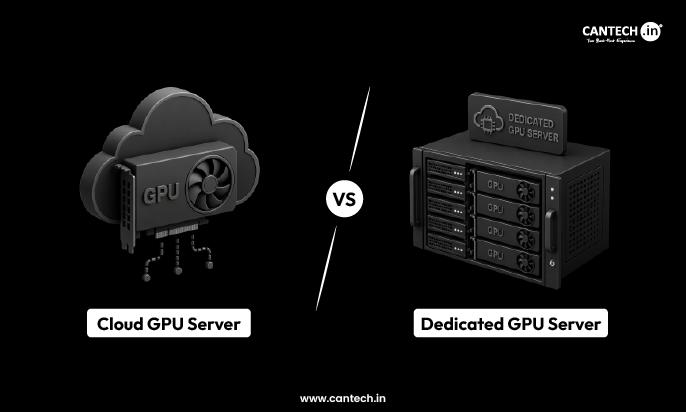
Platforms like DigitalOcean and Lambda Labs come pre-configured and are easier for beginners. Vast.ai and SaladCloud give you more control but require more technical knowledge. If you need to decide between flexible cloud infrastructure and dedicated hardware, compare cloud vs dedicated GPU servers for ml before choosing a platform.
- Where is your data?
If data privacy or residency matters (especially for Indian businesses), look for platforms with local data centers or India-based infrastructure like Jarvis Labs or Cantech.
- What is your budget?
If you are on a tight budget, Vast.ai and SaladCloud offer the lowest prices. If you need reliability and support, DigitalOcean, Hyperstack, or Lambda Labs are worth the extra cost.
If you want to compare GPU rental costs across major cloud providers, see our Cloud GPU Pricing Comparison.
Quick Comparison Table
| Platform | Starting Price | Best For | India-Friendly |
| Cantech | Competitive INR pricing | Indian businesses and devs | Yes |
| DigitalOcean | $0.76/hr | Easy setup, startups | No |
| Lambda Labs | Varies | Focused AI/ML teams | No |
| RunPod | $1.99/hr (H100) | Flexibility, global reach | No |
| Vast.ai | $0.61/hr (A100) | Budget experiments | No |
| SaladCloud | $0.40/hr (A100) | Low-cost inference | No |
| Hyperstack | $1.35/hr (A100) | Enterprises, green infra | No |
| Jarvis Labs | $0.39/hr (RTX) | India-based developers | Yes
|
Final Thoughts
GPU rental has opened up AI and machine learning to everyone, not just big tech companies with massive budgets. Whether you are a student running your first experiment, a startup building an AI product, or a researcher training a model, there is a platform and price point that fits your needs.
For Indian users and businesses, starting with Cantech’s GPU cloud solutions or Jarvis Labs makes a lot of sense due to local support and pricing in INR. For global projects where ease of use matters, DigitalOcean and Lambda Labs are hard to beat. For the lowest possible cost, Vast.ai and SaladCloud are worth exploring.
The best GPU rental platform is the one that fits your workload, your budget, and your team’s technical comfort level. Start small, test your setup, and scale up when you are ready.
FAQs:
Can I rent a GPU for just one hour?
Yes. Most platforms bill by the hour or even by the minute. You can spin up a GPU, do your work, and shut it down without any long-term commitment.
Is renting a GPU safe for my data?
Reputable platforms like DigitalOcean, SaladCloud (SOC 2 certified), and Hyperstack (ISO 27001 compliant) take security seriously. Always check the platform’s security certifications before uploading sensitive data.
What GPU should I rent for training a large language model?
For serious LLM training, an NVIDIA H100 (80GB) or A100 (80GB) is recommended. These GPUs have the memory bandwidth and tensor core support needed for working with billions of parameters.
What GPU is better for running (inference) a model I already trained?
For inference, you do not need as much VRAM. GPUs like the L40S Cloud GPU, RTX 4090, or A10G are popular choices because they deliver high throughput at a lower cost.