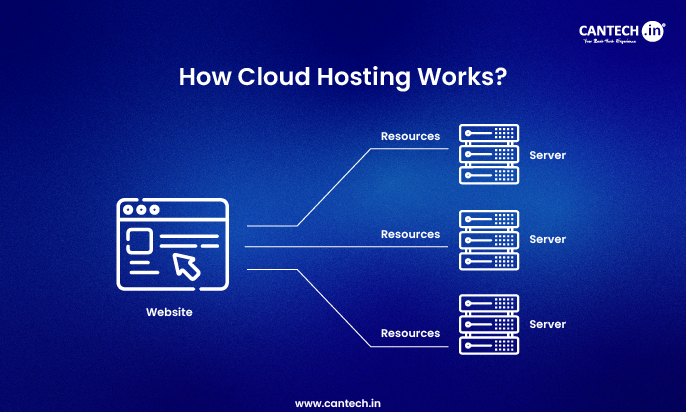
Cloud hosting is a method of distributing the resources of a site or an application over numerous virtual machines or servers that are managed by a group of common physical servers. Instead of having a single central server, virtualization provides on-demand access to CPU, memory, storage and bandwidth. Should any server crash, an alternative server takes its place, and the service continues online. Only what is used is paid, can be scaled immediately and all of this is managed at a central console. What it brings is greater flexibility, a more stable uptime and a reduced cost compared to classic hosting.
This blog will take us through the inner mechanics of how cloud hosting works step by step without any hype.
How Cloud Hosting Works: A Complete, Practical Guide
The digital world today is made up of cloud hosting. Regardless of the type of SaaS offering, online store, mobile application, or enterprise system that the business operates, the cloud enables them to operate their software without hesitation and scale at any rate. Having the knowledge how to work allows you to select an appropriate balance between the speed, cost, and design.
What Is Cloud Hosting?
Cloud hosting applications or websites utilize virtual servers which make use of a collection of physical computers rather than relying on a single box.
In the traditional hosting the power, storage, and networking are concentrated into a number of machines, in cloud hosting the power, storage, and networking are distributed into a large number of devices. Resources are deployed on demand to keep in line with the current demand.
In simple terms:
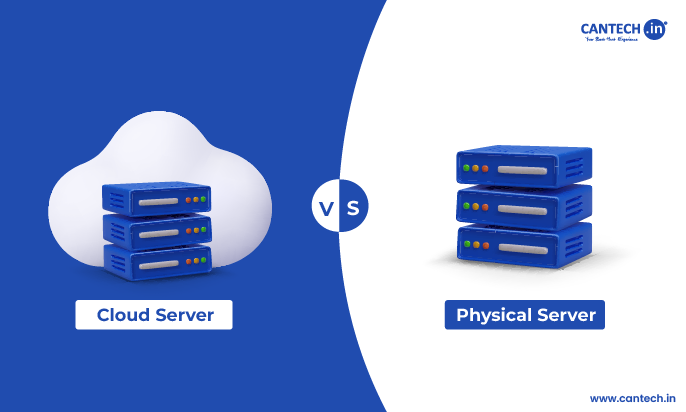
Classic hosting = a single server with set capacity.
Cloud hosting = a lot of servers, variable boundaries.
Read More : What is Cloud Hosting?
The Core Technologies Behind Cloud Hosting
Cloud hosting is feasible as a number of critical technologies interact with each other.
Physical Data Centers
Cloud services operate in large data centers. Those hubs contain thousands of physical servers, storage devices, and network equipment that have been located in numerous locations.
Each data center is designed for:
- Redundant power supplies
- Advanced cooling systems
- Blistering network connectivity
- Monitors and physical security
These are the physical components of the cloud.
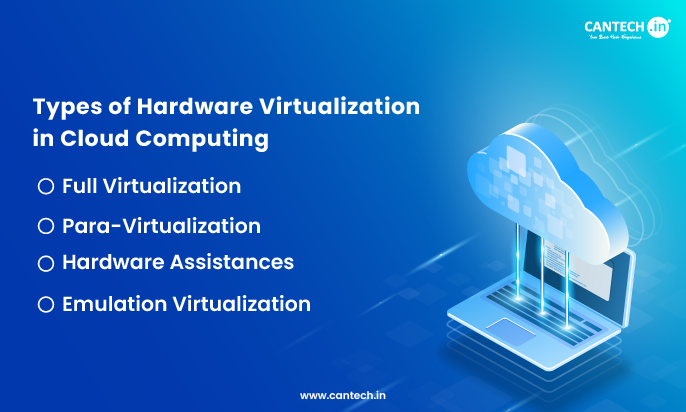
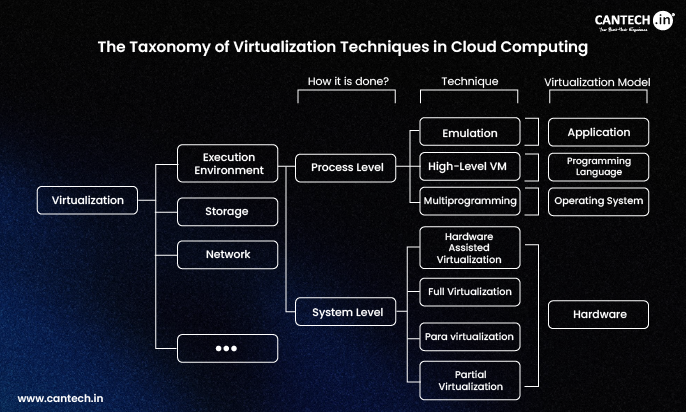
Virtualization Layer
Virtualization creates a cloud of blocks of infrastructure on a real server.
At the top of a physical server, a hypervisor, such as KVM, Xen, or VMware, divides it into a large number of virtual machines (VMs). Every VM looks and feels like its own server, has a different OS, CPU share and a different memory and storage.
- Operating system
- CPU allocation
- Memory
- Storage
This allows a large number of users to share a common physical hardware without treading on one another.
Resource Pooling
A single shared pool of all the bits is virtualized:
- CPU cores
- Memory
- Disk storage
- Network bandwidth
Once an individual launches a cloud server, the system draws the required components off the pool as opposed to a single box. The increased traffic automatically gives out a greater number of capacity by the pool.
The fact is that pooled nature that makes cloud hosting increase immediately.
How Cloud Hosting Handles Traffic and Load
Load Balancing
Load balancers distribute user requests uniformly to multiple servers.
When users visit a website:
Initially traffic goes through the load balancer.
- The load balancer directs the requests to the least overloaded server.
- The traffic is automatically redeemed in case one of the servers goes offline.
- This prevents crashing of the server, reduces latency, and enhances reliability.
Auto‑Scaling
Auto-scaling dynamically allocates resources to fit demand.
For example:
- Traffic spikes- new virtual machines are initiated automatically.
- Traffic reduces – idle servers are put offline.
The outcome is a rapid amalgamation in the time of peaks, and no additional bills in the low periods.
How Storage Works in Cloud Hosting
Cloud hosting isolates compute and storage, making each more flexible and resilient.
Types of Cloud Storage
- Block storage: Operating systems and databases.
- Object storage: Object storage is utilized in case of a backup, media files, and inactive resources.
- Storage of files: Multi-server file systems.
The information is replicated in numerous computers and locations. Should the disk or server that contains the copy die, another copy is all set to take its place immediately.
Fault Tolerance and High Availability
Cloud hosting has anticipated failures and repairs themselves.
Redundancy
There is a backup to every crucial element:
- Servers
- Storage
- Networking
- Power
Failover
If a server crashes:
- Loads are transferred to a new server.
- Users do not feel a lot of downtime.
Such a design renders cloud hosting much dependable compared to a single-server system.
Cloud Hosting Control and Management
All the resources of the cloud are controlled by the operators with a single dashboard or API.
Users can:
- Launch or delete servers
- Scale resources
- Monitor performance
- Configure security rules
- Automate deployments
This control allows the teams to make changes to infrastructure, without actually altering very real hardware.
Security in Cloud Hosting
Cloud hosting is based on shared responsibility.
What the Provider Handles
- Physical security
- Data center protection
- Network infrastructure
What the User Handles
- Operating system updates
- Application security
- Access control
- Data protection policies
Firewalls, encryption, DDoS protection, monitoring are also provided by cloud vendors, no extra tools are needed.
Who Should Use Cloud Hosting?
Cloud hosting is ideal for:
- Increasing websites and startups
- Sites with ecommerce peak traffic
- SaaS products
- Mobile and API‑heavy apps
- Flexible and high uptime companies
The cloud is most advantageous to any workload with poor predictability in traffic.
Conclusion
Combining virtualization, pooling, balance and automation, cloud hosting provides you with the flexibility, reliability and power offered by the cloud. Your app does not run on one server but on a distributed system, which remakes itself in the instant.
The result is scaling with no downtime, high-performance with no extra complexity, and the savings of costs with no contract lock-in.
Knowing the mechanics of cloud hosting can enable you to select the appropriate design, and prevent over-provisioning, sluggishness, and unexpected costs when your business grows.