How to Terminate Multiple Accounts in WHM?
Introduction
The termination of an account is the procedure of deleting an account permanently in your server. This removes all the website files, email databases, and configuration settings of that user. This action cannot be reversed unless you have a separate backup stored elsewhere.
This feature is usually used by administrators who want to migrate to new servers or they want to close old projects.
In addition, you clear server resources by deleting several old or inactive accounts simultaneously. This keeps your hosting environment clean and gives a lean and efficient hosting machine. This is a quick method of performing clean up operations that would otherwise take hours.
Steps to Bulk Delete Multiple Accounts in WHM
You can manage the removal of several accounts with the special termination interface in your root dashboard. This will enable you to select certain users while keeping others safe.
Follow these instructions to clear out unwanted accounts from your system.
- To log in to your WHM panel, use your main root access information.
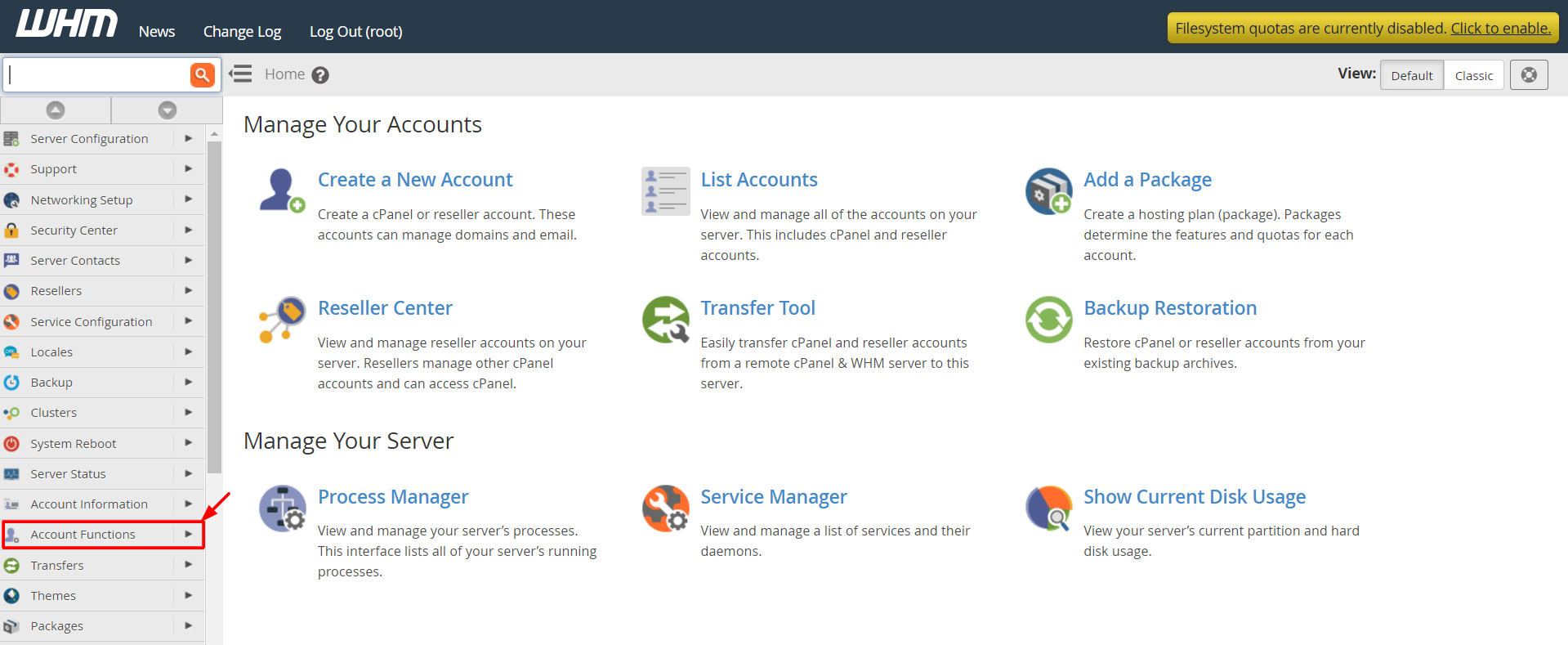
- Locate the Account Functions category in the left-side menu.
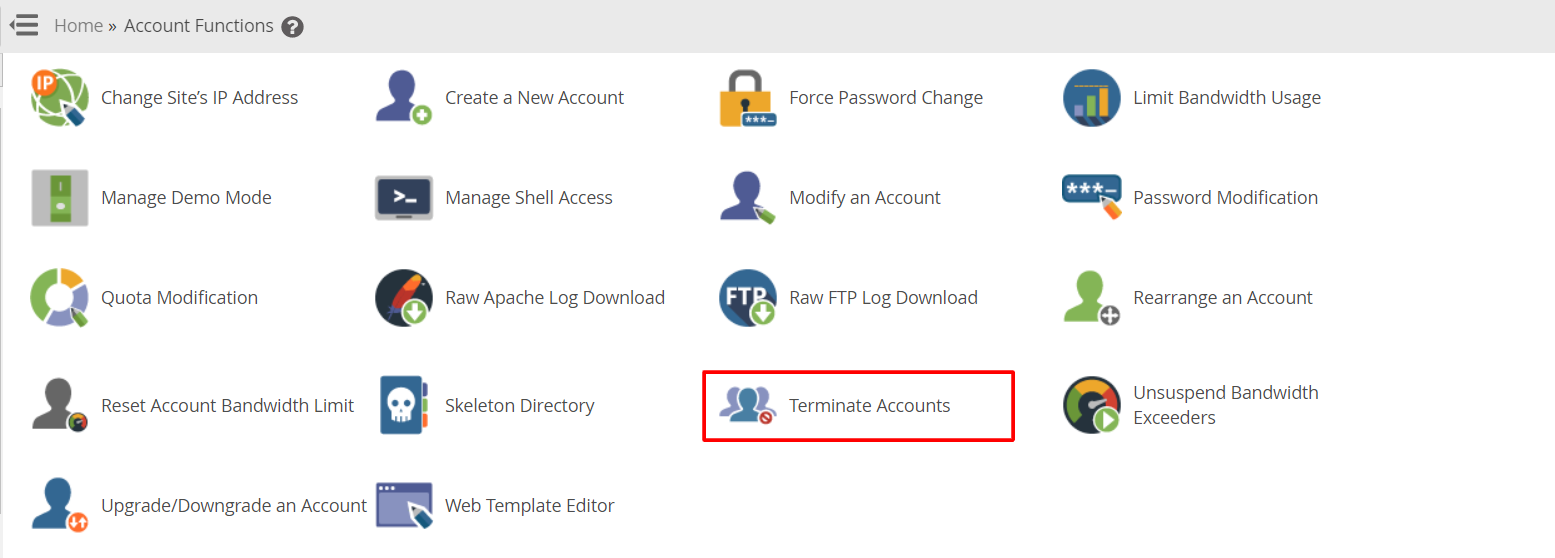
- Click the Terminate Accounts option to view the list of all the hosted domains.
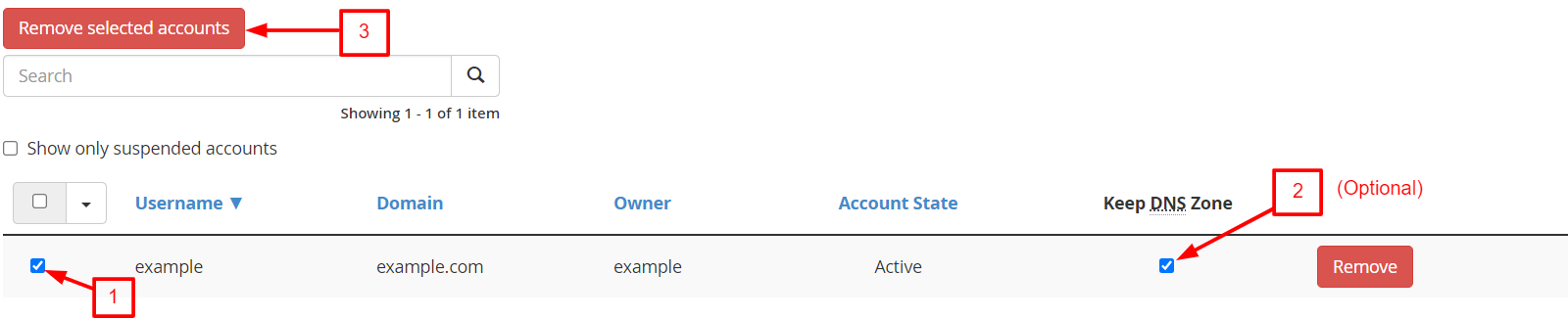
- Select the checkboxes of all the usernames you wish to delete off the server.
- Select the Keep DNS Zone box in case you wish to save the domain records but remove the files.
- Click the Remove selected accounts button at the top of the list.
- Tick the final confirmation box and click Yes, permanently remove the selected accounts to finish.

FAQs
Can I restore an account after I terminate it?
You cannot restore a terminated account directly from the WHM interface. The deletion process destroys all the data in the server disks. To restore the account and its data, you need to have a separate backup file.
Why should I keep the DNS zone?
Keeping the DNS zone is helpful if you plan to host the website on a different server but want this server to keep managing the traffic records. If you do not need the domain records anymore, it is better to leave this box unchecked. This keeps your DNS server clean and organized.
Related: How to remove a DNS zone from WHM?
Does terminating an account cancel the customer’s billing?
No this action only removes the files from the hosting server. You must manually cancel the service in your billing software like WHMCS to stop future invoices. Always synchronize your server actions with your billing records to avoid charging customers for deleted sites.
Is there a limit to how many accounts I can delete at once?
WHM allows you to select as many accounts as you need for a single termination batch. However, deleting hundreds of accounts at the same time might put a temporary load on the server CPU. It is best to delete accounts in medium-sized batches if your server is currently very busy.
