How to Enable FTP Access in WHM?
Introduction
You should configure FTP services on your server to upload files to the website. This means choosing a service and customizing it to suit you. A properly configured FTP service offers secure and fast data transfers and serves as the primary bridge between your local computer and the web hosting space.
What is FTP Configuration?
FTP setup refers to the process of enabling and configuring the file transfer service. It regulates the way the server handles incoming connections and manages file permissions.
Using these settings, you are able to specify security rules and connection limits, ensuring that only authorized users can modify server content.
Steps to Enable FTP Access
You must first choose a software type to start using FTP on your VPS, and then these steps will allow you to activate the service through the dashboard.
- Log in to WHM using your root account.
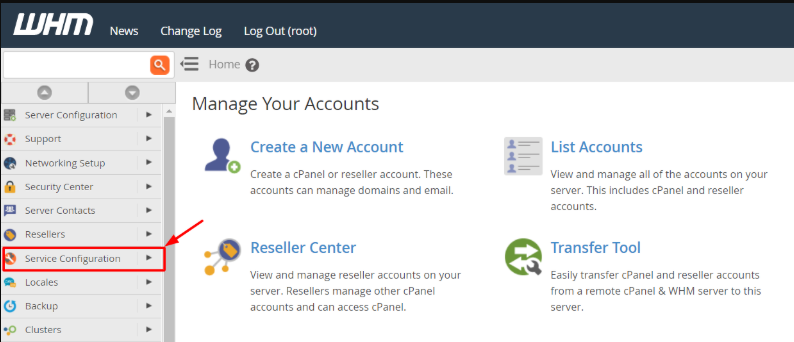
- Go to Service Configuration from the main navigation menu.
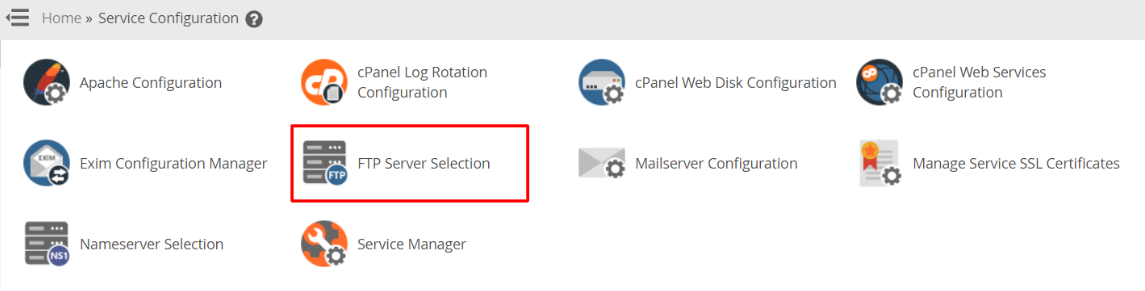
- Click the FTP Server Selection icon to see available software.
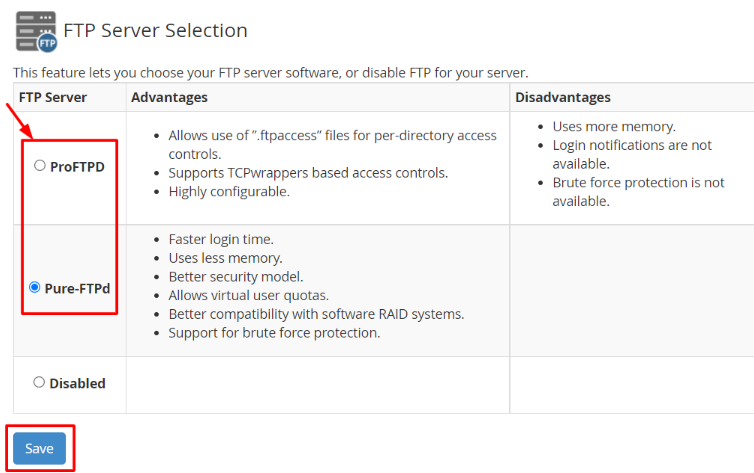
- Choose a service. Choose either Pure-FTPD or Pro-FTPD depending on your needs.
- Click Save to initiate the automatic installation process.
How to Configure FTP Server Settings?
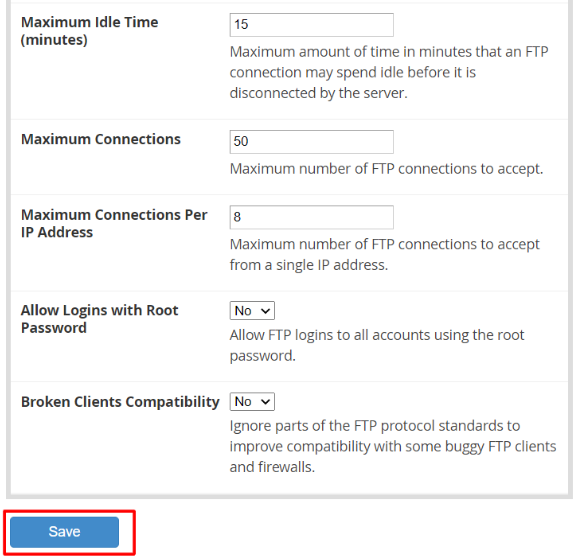
The system requires specific rules to manage how files move across the network. These settings can be changed in the configuration interface after the installation ends.
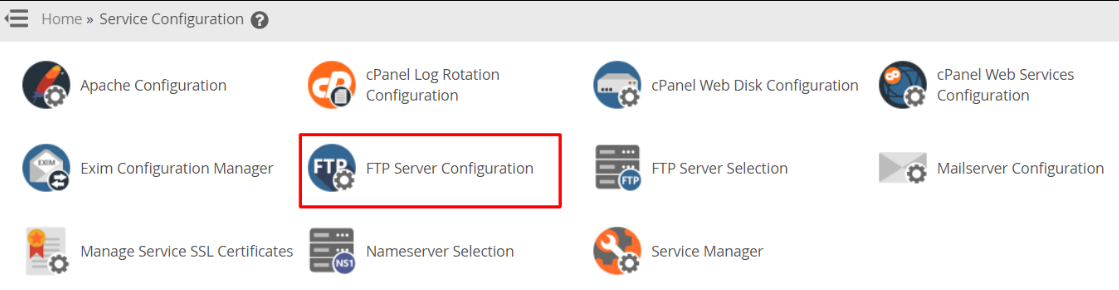
- Choose FTP Server Configuration from the Service Configuration menu.
- Adjust the Settings. Check and adjust the values for your server on the panel.
- Read Descriptions. See the short descriptions below each field to understand the options.
- Apply Changes. Press the Save button at the bottom to finalize your new settings.
Conclusion
FTP access is critical to any website owner. The WHM interface allows you to install and configure these services with no manual coding, and you can manage the files of your websites as soon as you save your settings.
FAQs
Which FTP service should I pick during the setup?
Pure-FTPD is the most suitable for the majority of users since it consumes fewer resources, is simple to operate, and provides a high level of security.
Can I change my FTP settings later?
Yes, you can visit the FTP Server Configuration page at any time. You can update your connection limits or security rules whenever you need.
How do I know if the installation worked?
When the installation is complete, the system will show a success message, and the FTP service will be listed in the Service Status list.
Do I need a special tool to upload files?
You can use any standard FTP client software like FileZilla on your computer. You just need to enter your server IP and the login details.
Does enabling FTP affect my website speed?
No, the FTP service only works when you are actively transferring files. It does not slow down the loading speed for your website visitors.
Related: How to get raw FTP logs from the WHM panel?
Related: How to change FTP servers in WHM?
