How To Create a cPanel Account in WHM?
WHM is the top web-based tool for managing Linux servers today. It gives you a simple dashboard to handle complex server tasks without any technical stress.
What is cPanel Account Creation
Creating a cPanel account means setting up a private space for a website on your server. This process gives every user their own login and keeps their files separate from others.
Steps to Create a New Account
The process is very direct and takes only a few minutes to complete. You just need to provide the basic details of the website and its owner.
Initial Login and Navigation
- Open your WHM login page in your browser.
- Enter your admin username and secret password.
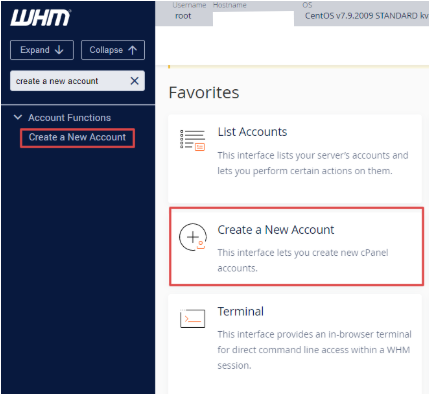
- Look at the home dashboard for the Account Functions icon.
- Click on the Create a New Account link.
- Use the search bar on the left if you cannot find the icon.
Filling the Account Information
You must enter specific data to set up the hosting environment correctly. Each section controls a different part of how the website will work on the server.
Detail Categories and Settings
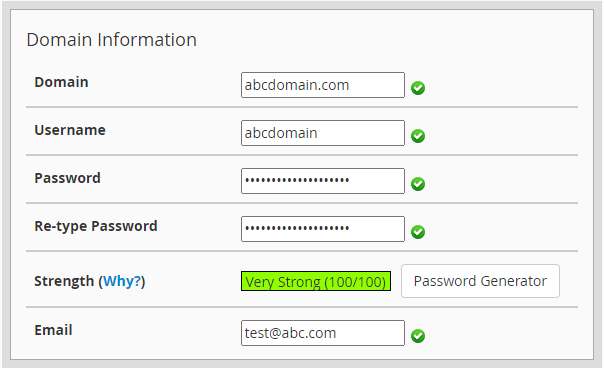
- Domain Information: Type the domain name without the www prefix at the start. Create a strong password or use the built-in generator tool. Add a valid email address to receive important system alerts.
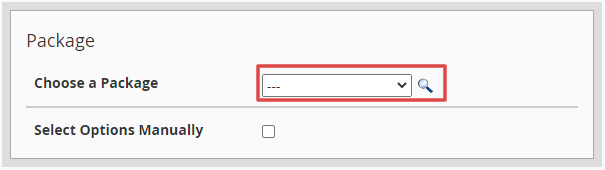
- Package Selection: Pick a predefined plan from the dropdown list for your user. You can also select settings manually if you have no saved packages.
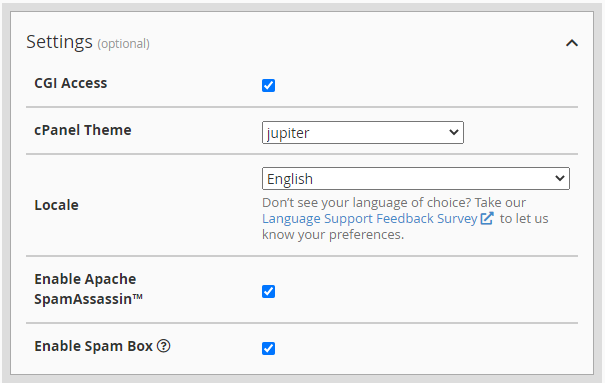
- Settings: Choose the latest theme for the user interface of the client. Select the local language of the user from the locale menu.
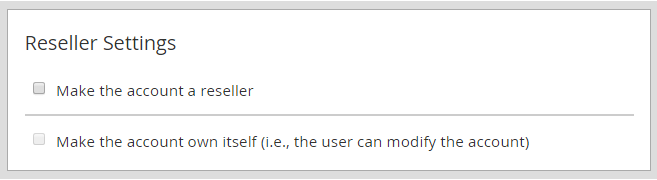
- Reseller Settings: Tick the reseller box if this user needs to create their own sub-accounts. This option usually appears for VPS or dedicated server owners.
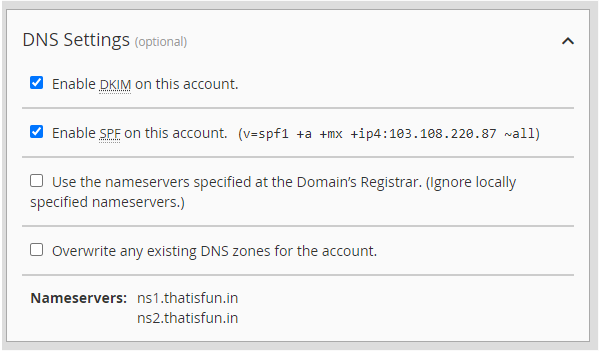
- DNS Settings: Enable DKIM and SPF to prevent email spam issues for the domain. Leave the nameserver box unticked to use the default server values.
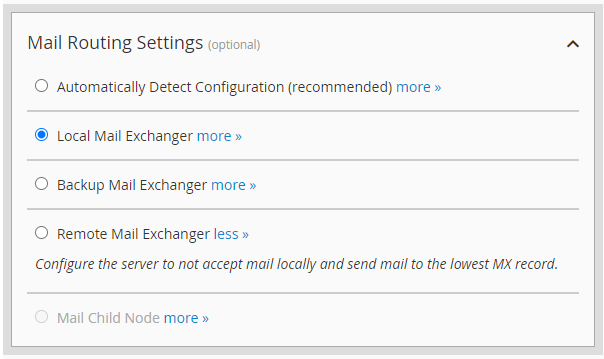
- Mail Routing: Select the Local Mail Exchanger option for standard email hosting. This ensures the server handles all incoming and outgoing messages correctly.
Conclusion
Building new accounts in WHM is the best way to organize your hosting business. It allows you to sell space and manage clients with high efficiency. Once you hit the create button the system handles the rest of the technical work automatically.
FAQs
Do I need a registered domain to create an account?
You can create the account using any domain name in the dashboard. However the website will only go live after you register the name. You must also point the domain to our server IP address.
What is the purpose of the Password Generator?
The generator creates a very long and complex password for better security. It uses a mix of symbols and numbers to stop hacking attempts. You should always copy and save this password in a safe place.
Can I change the account package later?
Yes you can upgrade or downgrade any account after the creation. You just need to use the Upgrade/Downgrade an Account tool in WHM. The website files and emails will stay exactly the same.
Why should I enable DKIM and SPF?
These tools verify that your emails are authentic and safe. They stop your messages from landing in the spam folder of the receiver. This is very important for business communication and marketing.
