How to Change the Language in Your WHM?
Introduction
The WHM panel displays all menus in the English default mode. You can adjust this setting to simplify the dashboard for yourself.
A friendly language will enable you to manage your server without any confusion. WHM supports many global languages for administrators around the world.
What is the Server Locale?
The server locale is the setting that controls the display language of your admin interface. It changes the text for buttons and menu labels across the entire WHM panel.
Using your own language makes daily management tasks easier, and you can be sure that you understand all the technical alternatives.
How to change the WHM Interface Language
Language settings can be updated through the configuration menu. Follow these steps to set your preferred language for the dashboard.
- Use your root login information to log in to the dashboard.
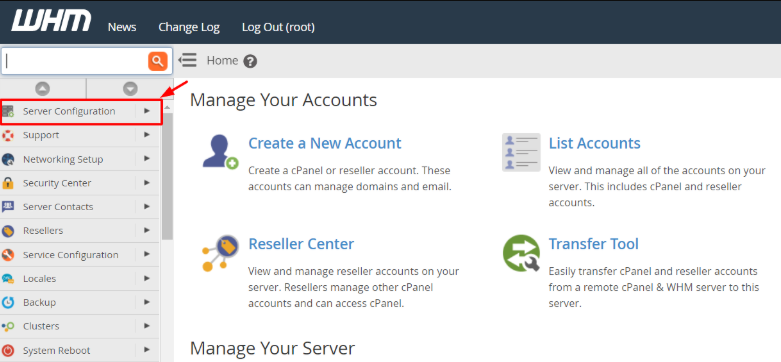
- Choose Select Server Configuration from the side menu.
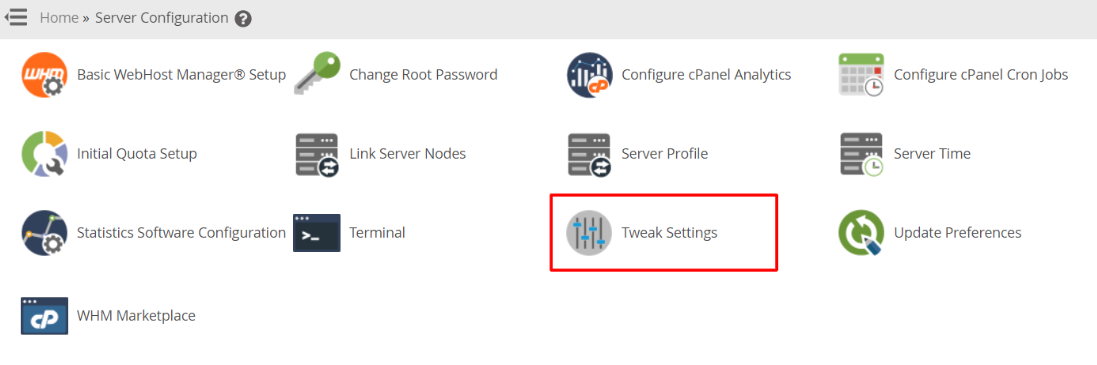
- Click the Tweak Settings link to open the configuration page.
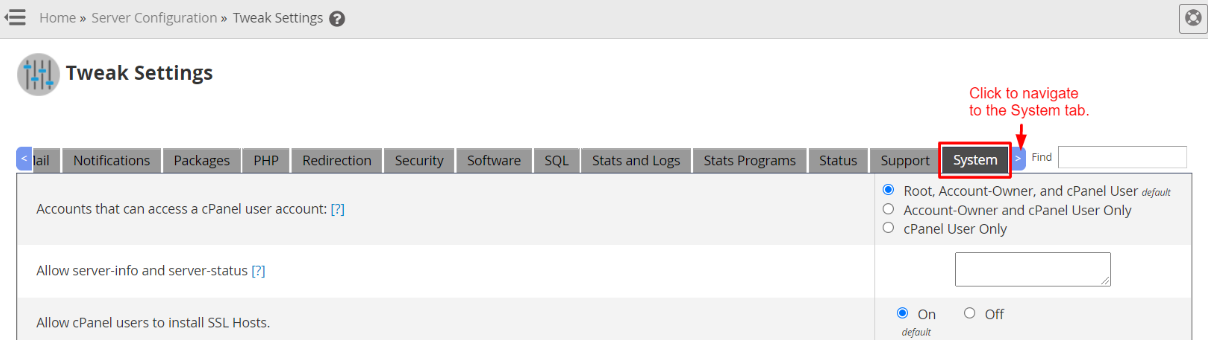
- Select the System tab to see core server settings.
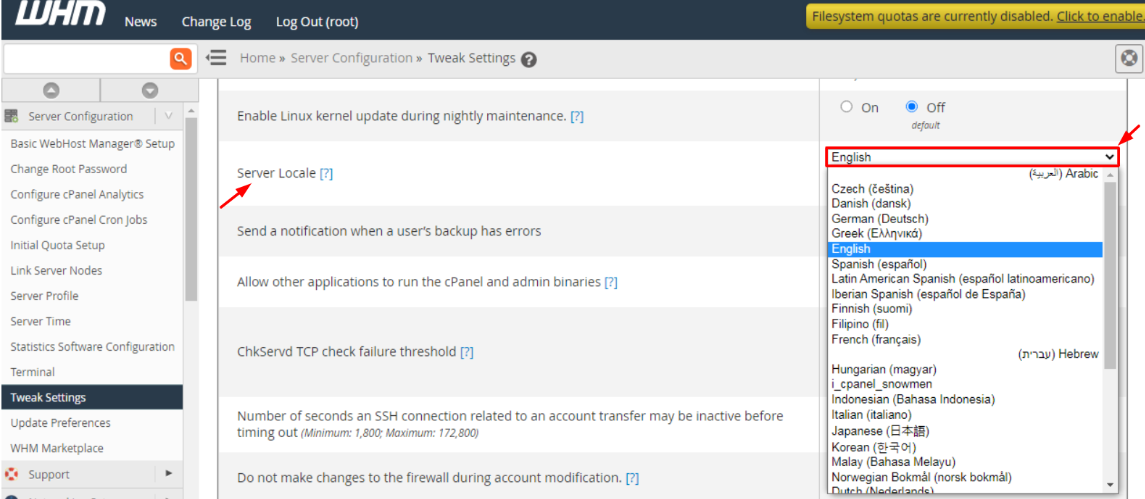
- Find the Server Locale section and select a language from the list.
- Move to the bottom of the page and click the Save button.

Tips for Language Configuration
Choose a language that you can read and write in to prevent the possibility of making mistakes accidentally when setting up key server features.
Check the Translation
Some technical terms might look different in other languages. You should familiarize yourself with the new labels after you apply the change.
Verify Login Screen
The system implements the new language on your next login session. The chosen language will be shown on the main login page immediately.
Conclusion
Switching the language of WHM personalizes your hosting experience, eliminates language barriers, and allows you to concentrate on your business. Alternate to English at any time, following the same steps.
FAQs
Does this change the language for my cPanel users?
No, this setting only changes the language for the WHM root administrator. Each cPanel user must set their own language preference in their own account.
Will my website language change too?
No, it does not affect the admin interface. The content of your website and the display language remain the same.
What if I select a language by mistake?
Find the Tweak Settings icon to go back to the language menu. In case you are unable to read menu labels, a browser translation tool can be used.
Are all languages available in WHM?
WHM has numerous popular languages, such as Spanish and French. See the entire list in the Server Locale dropdown menu.
Do I need to pay for extra language packs?
No, the language settings are a built-in feature of the WHM software. You can change the locale as many times as you want for free.
