Every time that you click on a link or type in an address of a website into your browser, a string of events works behind the scenes. Visualize the internet as a massive library where your various websites and their files take on the form of separate volumes on the shelves. To get that particular book, you cannot just have it magically appear in your hands. You have to ask the librarian to get it for you. Your web browser works much like you ask the librarian, and your browser then engages like the dutiful librarian that is scrupulously efficient, finding and handing over the content you require. Now, let us look at what a web server actually does. The core work is the delivery of those digital pages and therefore this will ensure that one is able to access websites from all parts of the world.
In this guide, we’ll break down what a web server actually is, how it works, its key features and security essentials, and what it takes to configure one properly.
What is a Web Server?
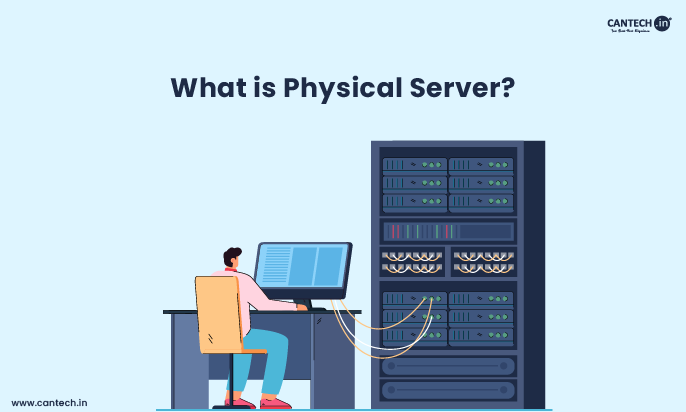
A web server is a combination of hardware and software that stores website files and delivers them to users on request. The hardware is the physical machine built with fast processors, ample storage, and a strong internet connection that hosts the website’s files. The software is the program that listens for requests from browsers like Chrome or Safari, and responds by sending back the right files. Popular web server software includes Apache, Nginx, and Microsoft IIS.
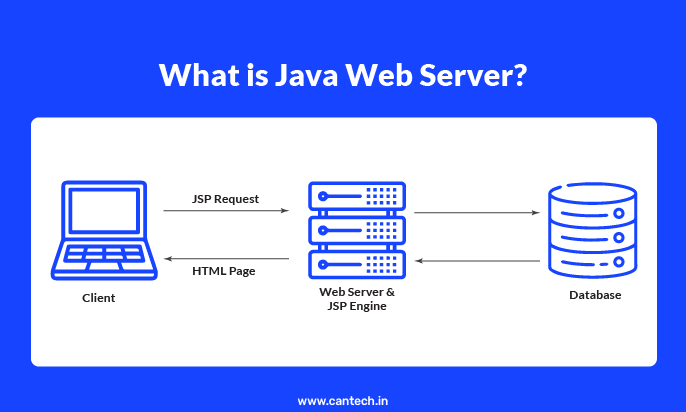
Technically, it works using HTTP (Hypertext Transfer Protocol). Every time you visit a website, your browser sends an HTTP request, and the server responds with the requested files (HTML, images, scripts, etc.), which your browser then renders as the page you see.
Think of it like a librarian managing a massive digital library: your browser asks for a specific “book” (webpage), and the server acting as the librarian finds it instantly and hands it over, all in a fraction of a second, 24/7, without ever closing.
Read more about what is a web server in detail.
What is the Purpose of Web Servers?
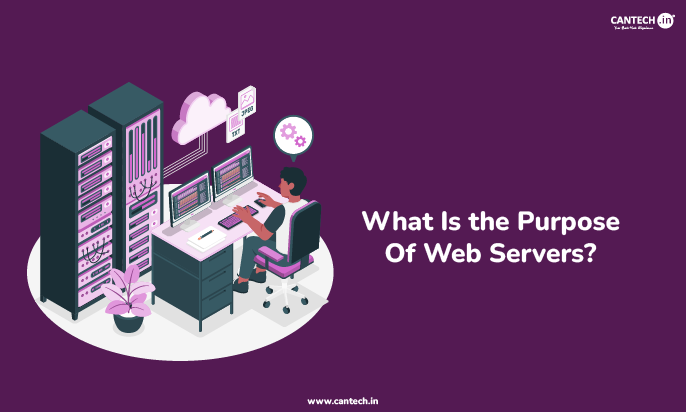
The core purpose of a web server is to store website files and deliver them to users the instant they are requested.
But that single job involves a lot working behind the scenes:
- Handling requests at scale: Popular websites can receive thousands of concurrent visitors. Web servers are built to process many requests in real time without slowing down or crashing.
- Keeping websites available 24/7: Servers are always listening and ready to respond, which is why your favorite sites are accessible any time, day or night.
- Managing traffic smoothly: Through techniques like multithreading, a single server can serve many users at once without performance dropping.
- Generating dynamic content: For pages that change based on user input (like a logged-in dashboard), the server can run scripts in real time to build the page before sending it back.
- Securing the connection: Modern web servers also handle encryption (HTTPS/SSL-TLS), so the data moving between your browser and the website stays private.
In short, the web server is the backbone that makes any website actually work; without it, there is nothing for your browser to load.
How Does Web Server Work?
The process of web server work begins when a user enters a website’s URL into their web browser or clicks on a link. This action initiates an HTTP request from the user’s browser to the specific web server associated with that URL. The request contains information about what the browser is looking for, such as the name of the webpage or a specific file.
Once the web server work starts and it receives the HTTP request, the server software processes this request. It examines the request to determine which files are being asked for. The server then locates these files within its file system. If the request involves dynamic content, the server might also execute server-side scripts to generate the requested information in real-time before sending it back.
The final stage of web server work involves the server sending an HTTP response back to the user’s browser. This response contains the requested files (the HTML document, CSS files, JavaScript files, images, etc.) along with status codes that indicate whether the request was successful or if any errors occurred. The user’s browser then interprets these files and renders the webpage on their screen, completing the cycle of how we access information on the internet.
What are the Key Features of a Web Server?
Modern web server features extend far beyond simply serving static files. One crucial feature is security, which includes implementing protocols like HTTPS (HTTP Secure) using SSL/TLS certificates to encrypt communication between the server and the browser, protecting sensitive data from interception. Firewalls and access controls are also common security features to prevent unauthorized access to the server and its resources.
Another important aspect of web server features is their ability to handle multiple requests concurrently. Through techniques like multithreading or asynchronous processing, a single server can efficiently manage numerous connections from different users at the same time without significant performance degradation. This scalability is essential for handling the traffic of popular websites.
Furthermore, web server features often include logging capabilities, allowing administrators to track website traffic, user activity, and server performance. This information is invaluable for monitoring website health, identifying potential security threats, and understanding user behavior to optimize the website. Virtual hosting, which allows a single server to host multiple websites with different domain names, is another key feature that enhances resource utilization and cost-effectiveness.
How is Web Server Security Maintained?
Web server security is a critical aspect of maintaining a safe and reliable online environment. Given that web servers store and deliver vast amounts of data, they are prime targets for various malicious attacks. Robust security measures are essential to protect against data breaches, where sensitive information can be stolen or compromised, leading to significant financial and reputational damage.
A cornerstone of web server security is the implementation of HTTPS through SSL/TLS certificates. This encryption ensures that the communication between the user’s browser and the web server is secure and cannot be easily intercepted by third parties. Regularly updating server software and applying security patches is also vital to address known vulnerabilities that attackers could exploit.
Beyond encryption and updates, web server security involves configuring firewalls to control network traffic and block malicious requests, implementing strong access controls and authentication mechanisms to prevent unauthorized logins, and regularly monitoring server logs for suspicious activity. Proactive security measures and a layered approach are crucial for mitigating the ever-evolving threats in the digital landscape and ensuring the integrity and availability of web services.
Learn More: What is PHP Web Server?
What is Web Server Configuration?
Web server configuration refers to the process of setting up and customizing the web server software and its environment to meet specific requirements. This involves modifying configuration files that control various aspects of the server’s behavior, such as how it handles requests, manages security settings, and serves different types of content. Proper configuration is essential for optimal performance, security, and reliability.
One key aspect of web server configuration is setting up virtual hosts, which allows a single server to host multiple websites with their own unique domain names and settings. This involves defining how the server should respond to requests for different domains and mapping them to the correct directories on the server. Configuring access controls, such as user authentication and authorization rules, is another crucial part of securing the server and its resources.
Furthermore, web server configuration often involves tuning performance-related parameters, such as the number of worker processes or threads, caching settings, and compression levels, to optimize the server’s ability to handle traffic efficiently. Properly configuring logging options to capture relevant information for monitoring and troubleshooting is also a vital part of server management. Effective web server configuration is an ongoing process that requires careful planning, implementation, and regular review to ensure the server operates smoothly and securely.
Learn More: What is Server Management?
What are the Advantages of a Web Server?
1. Centralized Data Management
Websites provide a major benefit in that they centralize resources for storing and administering website information. As opposed to individual users who host files in their own devices, web files are managed to remain secure and centralized under a server. Through web servers, it is far easier for the owners and administrators of websites to maintain their online presence tidy, current, and efficient. Imagine the chaos that would ensue if running updates to a website with hundreds of pages became an issue where the files were left anywhere etc – it would be an intractable problem. Web servers avoid disorder and give administrators centralized control over all aspects of the site by merging website data onto a central server.
2. Enhanced Reliability and Availability
A prominent benefit of web servers is the capability to strengthen the stability and availability of a website. Unlike the occasional downtime experienced in normal computers, web servers are designed to run continuously and also without frequent interruptions. By being located in professional data centers with strong backup facility, cooling technology as well as easy access to the internet, web servers ensure highest availability and constant provision for visitors. Companies that rely on their sites to serve customers around the globe instantly need uninterrupted access.
3. Improved Performance and Speed
Also, web servers also provide significant enhancements in terms of outputting website content much faster and efficiently. The web servers are usually built with better hardware that compliments ordinary desktop computer systems with higher performance processors, greater memory, and better networking speeds. The very nature of such infrastructure means that web servers are capable of handling numerous concurrent user requests and that the content of websites is delivered without delay and seamlessly. When customers access websites faster, they realize more pleasure, leading to reduced bounce rates, increased visitor levels.
4. Enhanced Security Measures
Earlier, we highlighted that web servers provide great security benefits. Security protocols of dedicated servers allow businesses to protect websites against threats, which is rather challenging to accomplish using personal devices. Examples include the use of firewalls, implementing intrusion detection mechanisms, conducting security evaluation frequently, and installation of security patches in the software of the server. In such a situation, the security measures are essential to protect websites and their sensitive data from the threats posed online
Learn More: Web Server Advantages and Disadvantages
Conclusion
So, the next time you browse the internet, take a moment to appreciate the tireless work of web servers humming away in data centers around the world. They are the unsung heroes of the digital age, diligently serving up the information that keeps us connected, informed, and entertained.
Understanding their purpose, their features, and the critical importance of security gives you a deeper appreciation for the complex yet seamless experience of navigating the World Wide Web. And when you’re looking for reliable web hosting, remember that the quality and configuration of the underlying web servers are absolutely crucial for your website’s performance and security!
FAQs
What is the Purpose of Apache Web Server?
The purpose of the Apache web server is to deliver website pages to users when they visit a site. It handles requests, processes files, and sends the right content to the browser. Apache is popular because it’s flexible, easy to configure, and works well with many types of websites.
What’s its Main Job?
Its core function is to deliver website content. It makes websites viewable to everyone online.
What is the Purpose of Web Server Software?
Web server software is basically the brain that runs on the server. When you type a website address or click a link, it’s this software that gets your request, finds the right files (like HTML pages, pictures, etc.), and sends them back to your browser so the site loads for you. Without it, websites simply wouldn’t work!
What is the Purpose of Web Servers in a Network?
A web server’s job in a network is pretty straightforward, it delivers the website when someone asks for it. If you click a page, the server picks up that request and sends the files back to your browser. It is basically the middleman that keeps everything loading properly for everyone on the network.
What is the Role of a Web Server?
The role of a web server is to take a user’s request and deliver the right website files back to their browser. It handles things like loading pages, sending images, and managing web traffic so the site works smoothly. This role of web server is what makes websites accessible anytime you open them.
Why is Web Server Security Important?
It protects your website from cyber threats. It keeps sensitive information safe from unauthorized access.