Every industry is transforming with the help of Artificial Intelligence. All startups and large corporations are looking for the best way to use Large Language Models. Some want to use the power of the cloud. Other people desire to keep their information private on their own machines.
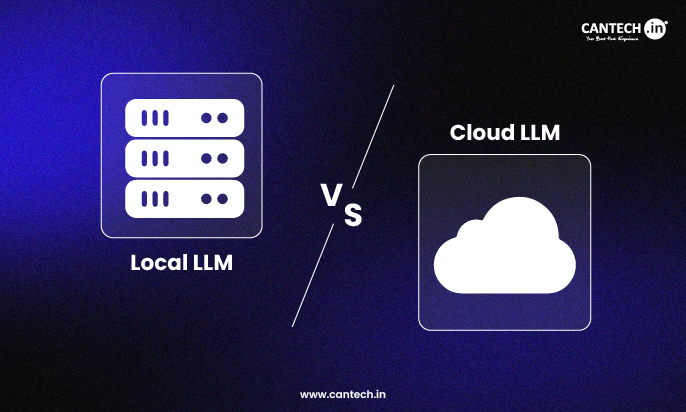
That is why the debate of Cloud LLM vs Local LLMs is so heated nowadays.
Speed is not the only factor in selecting the appropriate platform. It is also about your budget and your data security. This guide will help you compare Cloud LLM vs Local LLMs.
What is Cloud Large Language Model (LLM)?
Let’s first know the technology. The question most frequently asked by many users is, ‘What is the Cloud Large Language Model (LLM)?’
In simple terms, they are the powerful AI models that live on a provider’s server. You do not own the hardware and access the AI through the internet using an API or a web interface. Also, you do not manage the software.
Companies like OpenAI, Google, and Microsoft manage these models. They handle the massive computing power needed to run them.
To summarise for ‘What is Cloud LLM?’ It is a service that you rent. It allows you to use powerful AI without purchasing any costly GPUs. This model is very popular because it is easy to start.
You send a prompt to a remote server over the internet. The provider processes your request on their high-end GPUs. The server then replies to you with the answer.
Some of the most popular are GPT-4 and Gemini.8 They are enormous and highly intelligent. They are able to cope with complicated tasks without difficulties.
The Benefits of Cloud Models
There are various benefits in cloud-based models for fast-moving teams:
- No Hardware Costs. You do not have to purchase any physical servers. You only pay what you consume.
- Instant Scaling. You can handle one request today and a million requests tomorrow. The cloud service provider takes care of the scaling.
- Always Updated. The providers continually upgrade the models. You always have access to the most intelligent and new AI features.
What are Local LLMs?
On the other side of the debate, we have on-premise solutions. What are Local LLMs? These are AI models that you can install on your own physical hardware. This hardware can be a powerful workstation. It may also be a private server in a data center.
You might run them on a high-end laptop or a dedicated server in your office.
Local models are becoming very popular among developers and privacy-conscious companies. You have full ownership of the model and the data. Popular open-source models like Llama 3, Mistral, and Gemma are great for this.
With local running, you can do everything with your model. The AI does not require an internet connection, and your data is not going outside your building. This is highly used in companies that handle sensitive data like healthcare and finance.
You can also customize these models deeply and fine-tune them on your own private documents without any risk.
The Benefits of Local Deployment
Below are some of the advantages of running models on your own gear.
- Total Privacy. Your data stays on your computer. No third party can see your private prompts.
- No Monthly Fees. You pay for the hardware once. Once this is done, then it is free to run the model.
- Offline Access. Your AI can be used even when the internet is not available. This is excellent in secure environments.
Comparison of Local and Cloud LLMs
This comparison of local and cloud LLMs shows the key differences you need to take into consideration.
| Feature | Cloud LLM | Local LLMs |
| Setup Time | Instant (API based) | Slow (Hardware setup) |
| Data Privacy | Lower (Sent to provider) | Highest (Stay on-premises) |
| Model Quality | Top-tier (GPT-4o, Gemini) | Good (Llama 3, Mistral) |
| Initial Cost | Zero / Low | Very High (GPU purchase) |
| Recurring Cost | Plan, Subscriptio | Electricity + Maintenance |
| Internet Need | Mandatory | Not Required |
| Hardware Management | Done by provider | Done by you |
How to choose between local vs cloud LLM?
Here is how to choose between local vs cloud LLM?
Analyze Your Data Sensitivity
In case you are dealing with extremely sensitive data, go local. This includes patient records or secret financial information. You cannot afford to send this information to a public cloud. Local models guarantee that your data remains within your walls.
Think about Your Budget and Usage
Cloud LLMs are best when you have small projects. You only pay a few rupees for thousands of words. However, when you process millions of words per day, the API expenses will go through the roof. Then, it is cheaper to purchase a dedicated GPU server for local models. It turns out to be a single investment with low operating costs.
Assess Your Technical Ability
In Cloud LLM vs Local LLMs, cloud models are highly accessible and user-friendly. It only requires a basic API key. Whereas local models need more work. You should be familiar with how to manage servers. You must know about GPU drivers and model quantization, too. When you have a non-technical and small team, the cloud is a safer choice.
Consider Latency and Uptime
Cloud services can sometimes go down. They also have latency since data travels over the internet. Local models provide instant responses. They even operate when your office internet is offline. This is essential to real-time apps such as factory automation.
Cantech’s GPU Solutions for LLM Workflows
We are aware of the Cloud LLM vs Local LLMs dilemma. We provide high-performance NVIDIA GPU servers that you can rent. This enables you to operate “Local” models on a “Private Cloud” infrastructure.
High-Performance Dedicated GPUs
We offer NVIDIA A100, H100, and other GPU server plans. They are ideal for running small to large open-source models. You have the performance of a local setup without purchasing the costly hardware yourself. Servers can easily cope with the heaviest AI workloads with ease.
Safe Private Cloud Environment
Our infrastructure is built for privacy. When you run a model on our dedicated GPU servers, the data remains on your instance. You have control of a local setup with full root access, but there is accessibility to the cloud as well. This is an ideal choice for businesses that need privacy but lack space to install a server room.
Scalable Infrastructure for AI Growth
We make it easy to scale. You can start with one GPU for testing and easily add additional GPUs when your traffic increases. This flexibility assists you in managing your costs. You are not tied to old hardware, as we always provide the most advanced technology for your AI projects.
Conclusion
In Cloud LLM vs Local LLM, the cloud is the way to go in case you require the most intelligent models and simple scaling. It is the quickest method of gaining results. In case you require total privacy and long-term cost savings, go local.
Get assistance from Cantech to make decisions in terms of local vs cloud LLM. We ensure that your AI experience is a successful one.
FAQs
What is Cloud LLM?
Cloud LLM is a powerful AI that lives on the internet. You do not have to install anything on your own machine. Thus, it is a smart software program you rent over the web.
Do I need the internet to run Local LLMs?
No, you do not need the internet to use Local LLMs. They run directly on your own hardware or server. You only need an internet connection to download the model for the first time.
Is it free to use a Local LLM?
Yes, most Local LLMs are free to download and use. You do not have to pay a monthly fee to use them. Your only real expenses are the computer hardware and the electricity.
Cloud LLM vs Local LLMs: which one is better for my private files?
In the comparison of local and cloud LLMs, local is the safer option. Your private files stay on your own hard drive or room. They do not travel to a big company server on the internet. This means no one else can read your personal data or notes. It gives you full control and privacy for your work.
Is it hard to set up a local LLM?
Setting up a local LLM is getting easier every day. Tools like Ollama and LM Studio allow you to run models with just one click. You do not need to be a deep learning expert anymore. However, managing a professional-grade server for a business still requires some technical knowledge.
Is it possible to run a local LLM on my regular laptop?
A modern laptop with 16 GB of RAM can be used to run small models such as Phi-3 or Llama-3-8B. However, the performance will be slow. To have a smooth experience, you must have a dedicated GPU with 8 GB to 12 GB of VRAM.