How to Configure DNS Resolver in WHM?
Introduction
A DNS resolver is a server tool that translates website names to IP addresses. It initially checks a local cache to find the address you are interested in, and if the cache is not found, it contacts external name servers to find the correct IP address.
This configuration is required of your server to communicate with the rest of the internet. Your server will not be able to download updates or send emails to other domains without working resolvers. These addresses are easy to handle using the WHM dashboard.
What is a DNS resolver?
A resolver is like a bridge between human-readable domain names and machine-readable numbers. It is crucial in all the connections that your server has with the external world. These particular IP addresses are stored in a core file called /etc/resolv.conf.
Fast and reliable resolvers improve the overall speed of your server tasks. You may use addresses of data-centers or publicly available addresses such as Google DNS.
Steps to Configure Resolvers in WHM
You must enter the IP addresses of at least two different name servers for safety. These are the steps to follow to update your resolver configuration.
- Log in to WHM: Log in to your administrator interface with the root user and password.
- Open Networking Setup: Find the ‘Networking Setup’ in the sidebar menu. This is an area that controls how your server talks to other networks.
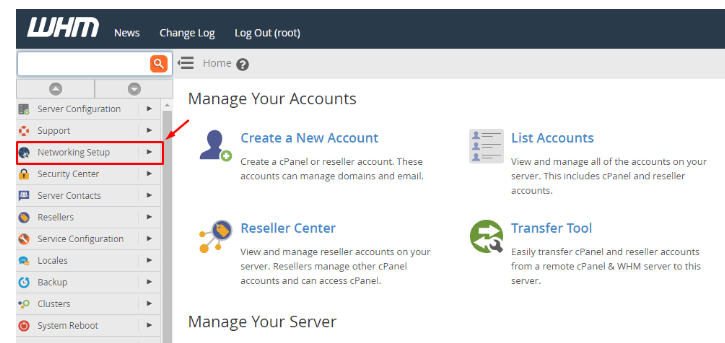
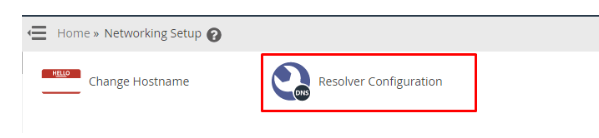
- Click on Resolver Configuration: Choose ‘Resolver Configuration’ from the list of tools.
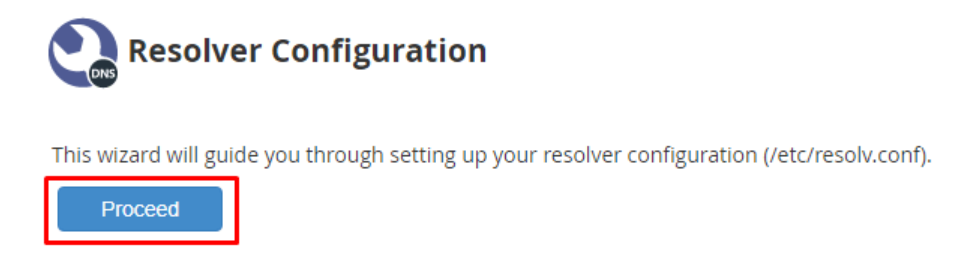
- Click Proceed: The system will show a brief explanation of the tool. Click on Proceed to get into the setup page.
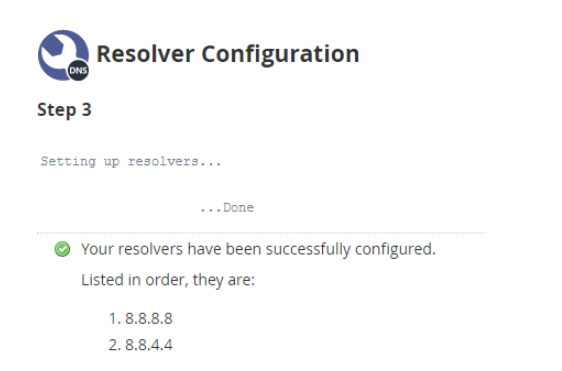
- Enter Primary and Secondary IPs: Enter the IP address of your first nameserver in the Primary Resolver box. Enter an alternative IP in the Secondary Resolver field to provide a backup.
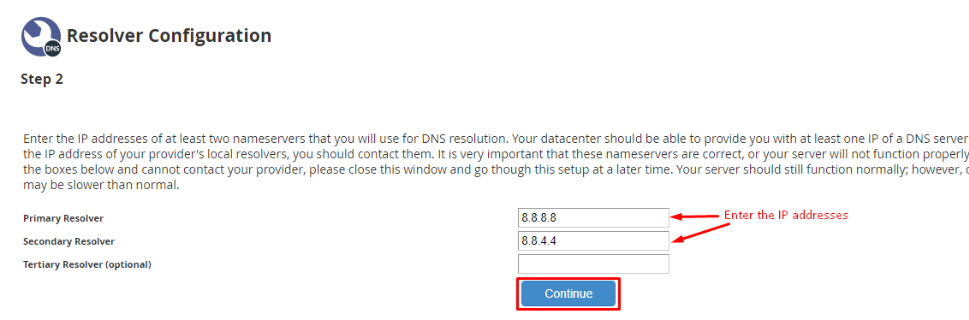
- Optional Tertiary Resolver: For extra reliability, enter a third IP address in the Tertiary Resolver field. Click on Continue to save your entries.
Conclusion
Setting up your DNS resolvers is a simple yet fundamental task of server maintenance. It also guarantees that your server can locate other sites and services across the global internet. Always update these addresses to ensure that there is a healthy and fast server connection.
FAQs
Can I use Google or Cloudflare IPs as resolvers?
Yes, you can use public IPs such as 8.8.8.8 or 1.1.1.1 in your resolver configuration. The services are quite fast and can be used on any Linux server. Many administrators prefer these compared to the regular data center IPs because of better speed.
What happens if I enter an incorrect IP address?
If the IPs are incorrect, your server will not be able to resolve domain names. This means that you cannot download any software or send emails to external addresses. You should always test your connection after making any changes to these fields.
Why do I need two separate resolver addresses?
The secondary resolver is a backup in case the primary one fails, and your server does not go offline because of a single DNS failure. Adding a third address provides even more security for your server connectivity.
Will this change affect my website visitors?
No, these settings simply control how your server reaches out to other machines. It does not change how visitors access your site using their own computers. It is a completely internal setting for your server software.
