
What is AWS Managed Service?
AWS Managed Services is the management of your AWS infrastructure by a dedicated team that handles monitoring, security, maintenance, performance, troubleshooting, and optimization, so your business does not have to manage everything on its own.
Introduction
With the power of the AWS cloud infrastructure comes the challenge of managing that infrastructure. It can be a full-time job to monitor resources, fix problems, install updates, handle security, and control costs.
This is where AWS Managed Services can help. It allows you to focus on building the business while your AWS infrastructure is managed by experts to keep it secure, reliable, optimized, and running smoothly.
But what exactly does AWS Managed Services include, how does it work, and when is it worth using? Let’s take it down to basics.
What is AWS Managed Service?
AWS Managed Services is a service that lets you have your AWS cloud infrastructure managed by an experienced team, rather than managing all the tasks in-house. The managed team handles the day-to-day tasks required to maintain a secure, stable, and performing AWS environment.
The term “managed” just means that someone else will take care of the day-to-day running of your AWS infrastructure. This can encompass infrastructure monitoring, security management, software patching, backups, incident response, troubleshooting, performance optimization, cost management, and regular maintenance, among other tasks, contingent upon the type of service.
For businesses, this translates to their internal developers and IT teams not having to spend all their time monitoring servers, troubleshooting alerts, addressing infrastructure problems, or dealing with routine AWS tasks. The managed services team can concentrate more on the cloud environment, and they can focus more on applications, customers, and business growth.
AWS also provides its own managed infrastructure operations with features that can help lower operational burden and risk through AWS Managed Services.
In simple terms: AWS Managed Services allows you to leverage the AWS cloud infrastructure while a dedicated team takes care of the continuous work needed to ensure the smooth operation of the infrastructure.
How Does AWS Managed Services Work?
AWS Managed Services operates on the principle of having a dedicated team that manages and maintains your AWS environment on a day-to-day basis. The specifics of the process will vary based on your infrastructure and service needs, but it usually begins by learning about your current infrastructure and then involves monitoring, maintenance, security, and continual optimization.
1. Assess your AWS environment
The first step is to know your AWS infrastructure, workloads, applications, security requirements, current performance, and business needs. This assists the managed services team to determine what is in need of attention and how the environment should be managed.
2. Configure and manage your infrastructure
The team sets up AWS resources according to your workload and operational needs. This can be anything from servers, storage, networking, databases, security settings, and more AWS services.
3. Monitor your environment
Your AWS infrastructure is constantly monitored for performance problems, odd activity, resource issues, and potential failures. Monitoring can detect issues before they cause significant issues to your applications or users.
4. Maintain and secure AWS resources
The management process includes routine tasks like patching, backups, security management, configuration checks, troubleshooting, and infrastructure maintenance.
5. Optimize as your business grows
Over time, AWS resources are evaluated to enhance performance, reliability, scalability, and cost efficiency. The infrastructure can be scaled up or down to fit the changing workloads.
To put it simply, AWS Managed Services handles the day-to-day tasks of your AWS environment, freeing up your team to focus on other aspects.
What Does AWS Managed Services Include?
AWS Managed Services can cover much more than simply keeping your AWS servers running. Depending on the provider and the level of management you choose, it can include the day-to-day tasks needed to keep your cloud infrastructure secure, reliable, and efficient.
| AWS Managed Service | What It Does |
| AWS infrastructure management | Manages your AWS resources, configurations, and cloud environment. |
| Infrastructure monitoring | Keeps track of resource health, performance, and potential issues. |
| Security management | Monitors security settings and helps address infrastructure risks. |
| Patch management | Applies required updates and security patches to supported systems. |
| Backup management | Helps protect important data and workloads through regular backups. |
| Incident management | Identifies infrastructure problems and works to resolve them quickly. |
| Performance optimization | Reviews resources and configurations to improve performance and efficiency. |
| Cost optimization | Looks for unused or inefficient resources that may be increasing AWS costs. |
| Scaling support | Adjusts resources as your traffic, applications, and business requirements change. |
The exact services included can vary depending on the AWS environment, service provider, and management plan. Some businesses may need complete infrastructure management, while others may only need monitoring, security, or ongoing technical support.
AWS also includes capabilities such as monitoring, incident management, security, patching, backup, and cost optimization within its managed services approach.
What Are the Benefits of AWS Managed Services?
The biggest benefit of AWS Managed Services is simple: your team does not have to handle every cloud management task on its own. A dedicated team can take care of routine operations while your developers and IT staff focus on the work that directly moves the business forward.
Reduced IT workload
Managing AWS can involve dozens of small tasks every day. Outsourcing routine infrastructure work reduces the administrative load on your internal team.
24/7 infrastructure monitoring
Continuous monitoring helps spot performance problems, resource issues, and unusual activity early, giving the support team a chance to respond before a small issue becomes a bigger one.
Better security management
Regular security checks, updates, patches, and infrastructure monitoring can help reduce common operational security risks.
Improved performance
A managed team can regularly review your AWS resources and configurations to identify performance bottlenecks and areas that need improvement.
Easier scalability
As traffic and workloads grow, your infrastructure may need additional resources. Managed AWS support can help scale the environment without requiring your business to build a large cloud operations team.
Better cost control
AWS costs can rise when resources are poorly configured or left running unnecessarily. Regular reviews can help identify inefficient resource usage and potential savings.
More time for business priorities
When routine cloud operations are handled by experienced professionals, your internal team has more time to build products, improve applications, serve customers, and work on growth.
In short, AWS Managed Services helps businesses reduce the operational burden of running AWS while improving the way their cloud infrastructure is monitored, maintained, secured, and optimized.
AWS Managed Services vs Self-Managed AWS
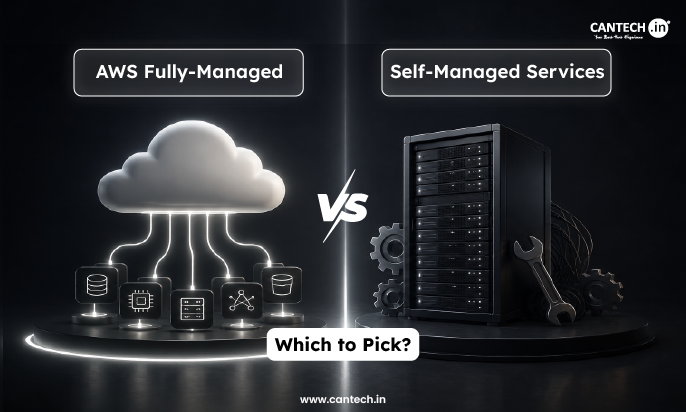
The main difference between managed and self-managed AWS is who takes care of the day-to-day cloud operations. With managed AWS, a service provider handles the agreed management tasks. With self-managed AWS, your internal team takes responsibility for managing the environment.
| Factor | Managed AWS | Self-Managed AWS |
| Monitoring | Managed by the service provider | Managed by your internal team |
| Maintenance | Provider handles agreed tasks | Internal team handles maintenance |
| Security | Managed according to the service scope | Managed internally |
| Technical workload | Lower for your internal team | Higher for your internal team |
| Control | Based on the management agreement | Full control remains with your team |
| AWS expertise | External AWS expertise is available | Requires in-house expertise |
| Support | Ongoing support is available based on the plan | Handled internally or through separate support |
| Best for | Businesses that want help with AWS operations | Businesses with experienced AWS teams |
Which Is Better, Managed or Self-Managed AWS?
Neither option is better for every business. Managed AWS can make sense when you want to reduce the workload on your IT team, need additional AWS expertise, or require ongoing infrastructure support.
Self-managed AWS may be a better fit when you already have an experienced cloud team that can handle monitoring, security, maintenance, troubleshooting, and other AWS operations internally.
The right choice depends on your infrastructure, technical resources, budget, security requirements, and the level of control you want over your AWS environment.
When Should You Use AWS Managed Services?
AWS Managed Services can be useful when your team needs help handling the ongoing work involved in running cloud infrastructure. It is particularly helpful as an AWS environment becomes larger or more difficult to manage internally.
You may need AWS Managed Services if:
- Your team does not have dedicated AWS expertise
- Managing AWS is taking time away from your developers
- You need continuous infrastructure monitoring
- Your AWS environment has become more complex
- Downtime could have a serious impact on your business
- You need ongoing security and maintenance support
- Your applications and workloads are growing
- You want regular performance optimization
- You need help controlling AWS infrastructure costs
When You May Not Need Managed AWS
Managed services are not necessary for every business. If you already have an experienced AWS team with enough time and resources to manage infrastructure, security, monitoring, backups, maintenance, and incident response, you may prefer to manage AWS yourself.
The decision should be based on the skills available in your team, the complexity of your infrastructure, and how much operational responsibility you want to keep in-house.
How Can Cantech Help With AWS Managed Services?
Running AWS infrastructure involves continuous monitoring, maintenance, security checks, troubleshooting, and optimization. Cantech provides AWS Managed Services to help businesses manage these ongoing infrastructure responsibilities.
What Does Cantech Manage?
Cantech’s AWS Managed Services cover key areas of AWS infrastructure management, including:
- AWS infrastructure management
- 24/7 infrastructure monitoring
- Performance optimization
- AWS cost optimization
- Security and compliance support
- Proactive infrastructure management
- Technical issue resolution
- Customized AWS environments
- Ongoing infrastructure support
The exact management scope can be aligned with the requirements of your AWS environment, rather than treating every business infrastructure in the same way.
How Does Cantech’s AWS Management Process Work?
Cantech follows a straightforward process for managing AWS environments:
Consultation
The team reviews your AWS infrastructure, workloads, requirements, and existing setup to understand what needs to be managed.
Design and Planning
A management approach is planned around your infrastructure and operational requirements.
Deployment
The required AWS environment and management services are configured and implemented.
Ongoing Management
Cantech provides ongoing monitoring, maintenance, optimization, security support, and technical assistance for the AWS environment.
If managing AWS infrastructure is taking too much time from your internal team, you can explore Cantech’s AWS Managed Services to see how its team can handle the ongoing cloud management work.
Is AWS Managed Services Right for Your Business?
AWS provides the infrastructure, but keeping that infrastructure secure, reliable, and optimized requires ongoing management. AWS Managed Services can be a good fit for businesses with growing cloud environments, limited in-house AWS expertise, or a need for continuous monitoring, maintenance, and technical support.
If your internal team already has the skills and resources to manage AWS operations, self-management may be the better choice. But if cloud management is taking time away from development and business priorities, working with a managed services provider such as Cantech can take that operational workload off your team.
FAQs
What is the difference between AWS Managed Services and self-managed AWS?
With AWS Managed Services, a provider handles agreed cloud management tasks for you. With self-managed AWS, your internal team is responsible for monitoring, maintenance, security, troubleshooting, and other infrastructure operations.
What does AWS Managed Services include?
Depending on the provider and service scope, it can include infrastructure monitoring, security management, patching, backups, incident management, performance optimization, cost management, maintenance, and scaling support.
Is AWS Managed Services worth it?
It can be worthwhile if your business has limited AWS expertise, a growing cloud environment, or an internal team that cannot dedicate enough time to infrastructure management. Businesses with strong in-house AWS teams may prefer self-management.
Does AWS Managed Services include 24/7 support?
24/7 support is not automatically included with every AWS managed service. It depends on the provider and service plan. Cantech’s AWS Managed Services includes 24/7 monitoring and technical assistance for managed AWS environments.
Can a managed AWS provider manage an existing AWS infrastructure?
Yes. A managed AWS provider can work with an existing AWS environment instead of requiring you to start from scratch. The provider can assess the current setup and take over agreed management, monitoring, security, maintenance, and optimization tasks.