Moving an ecommerce site is a complicated procedure, which entails a shift of items, customer records, and design features, and search engine settings to a new system or platform. Lack of proper planning puts the businesses at risk of losing search ranking, traffic and sales.
This guide contains a full ecommerce migration checklist that can be used to make sure your performance and user experience of your site is not affected during a transition.
What Is an Ecommerce Migration Checklist?
An ecommerce migration checklist is a checklist that is structured into a list of activities to be undertaken during the migration of an online store to a new platform, domain, or hosting environment. It guarantees that the most important elements, including product data, customer records, SEO options, and integrations are effectively moved to the store without interfering with its operation and searchability.
What Is Ecommerce Migration?
Ecommerce migration is the act of relocating an online shop using a different platform, system, or infrastructure. Companies are used to migrate their stores to enhance its performance, scalability, design flexibility or access to more desirable ecommerce tools.
Typical migration situations comprise:
- change of ecommerce platform.
- changing hosting providers
- redesigning the website
- upgrading outdated systems
A significant number of companies switch between popular online shop providers like Shopify, WooCommerce, Magento, and BigCommerce to acquire more functionality and scalability.
Why Ecommerce Migration Requires a Checklist
Ecommerce migration entails the transfer of a significant amount of data and settings. Lack of a clear plan can cause businesses to suffer a number of problems in the process.
Some common risks include:
- loss of organic traffic
- broken links and lost pages.
- incomplete product data
- broken payment gateways.
- SEO ranking drops
A properly designed migration checklist can be used to guarantee that all the important steps are taken and minimize the chances of making expensive errors.
Pre-Migration Ecommerce Checklist
You need to get ready to pack up your existing shop and collect all the information before the migration process.
1. Define Your Migration Goals
Begin with establishing why you are migrating to ecommerce. Identifying specific objectives will enable you to select the appropriate platform and migration model.
Common goals include:
- increasing the performance of websites.
- enhancing ecommerce capabilities.
- enhancing user experience
- enhancement of scalability in the future.
The knowledge of these objectives guarantees that the process of migration is in tandem with your business requirements.
2. Backup Your Store Data
The importance of backing up your data of the website is one of the most important steps before migration. This is to make sure that you have a copy of all the important information that is safe in case anything goes wrong in the transfer.
Significant information to support comprises:
- product listings
- customer accounts
- order history
- website content
- images and media files
- database files
Complete backup would enable you to restore your store in case something goes amiss during migration.
3. Audit Your Existing Website
Conduct a complete audit of your existing site to discover valuable pages, content, and SEO factors that should be retained.
The important aspects to be considered are:
- product pages
- category pages
- blog posts
- internal links
- meta descriptions and titles.
SEO audit tools are available like Screaming Frog SEO Spider and Google Analytics can be used as an indicator of the important pages and traffic sources that will need to be preserved during migration.
4. Create a URL Redirect Map
In the process of migration, URL mapping plays a vital role in sustaining the search engine ranking. It is the process of mapping old URLs on your current site to the new URLs on the new platform.
Example:
Old URL – New URL
Redirect mapping enables you to avoid broken links and also makes sure that your pages can still be accessed by the user and search engines even after the migration.
5. Export Store Data
Prior to the migration, copy all the necessary data in your existing ecommerce system.
This typically includes:
- products and variations
- categories and collections
- customer accounts
- order history
- product reviews
Exporting data will provide you with everything you will need to be imported into the new platform.
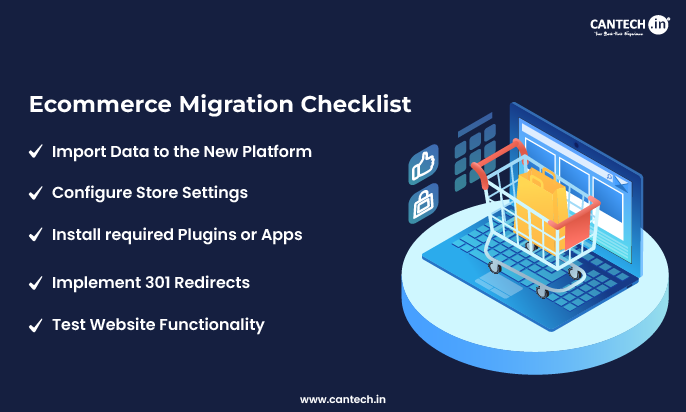
Ecommerce Migration Checklist
After the preparation is made, your next event is to transfer your store to the new platform.
1. Import Data to the New Platform
Begin with the importation of your data that you have exported into the new ecommerce system. Make sure that transferred information on products, photos, type and customer databases are precise.
Once the data has been imported, inspect it thoroughly to ensure that it does not lack any information or that it has not been formatted improperly.
2. Configure Store Settings
Following data importation, you need to set up key settings in stores to make your ecommerce site work properly.
Important settings include:
- payment gateway setup.
- shipping options
- tax rules
- currency settings
- email notifications
Customers are guaranteed a smooth shopping experience as a result of proper configuration.
3. Install required Plugins or Apps
The rest of ecommerce sites depend on extensions in the form of a plugin or an application.
Depending on the requirements of your business, you might be required to install:
- SEO optimization
- analytics tracking
- marketing automation
- integrations email marketing.
- inventory management
Ensure that the required integrations are installed and properly configured.
4. Implement 301 Redirects
The 301 redirect plays a critical role in ensuring post-migration maintenance of SEO rankings.
These redirects will automatically divert the visitors who used the old URLs to the new URLs. This will make sure that the users as well as search engines will be able to locate your pages even when the structure of the site is modified.
In case of inadequate redirects, loss of traffic and ranking drops might occur.
5. Test Website Functionality
Test all significant functionalities of the new site before its launch to make sure that nothing goes wrong.
It is important to test the following:
- product pages
- search functionality
- shopping cart
- checkout process
- payment gateway
- customer registration and log in.
Testing assists in detecting problems earlier than they are faced.
Post-Migration Ecommerce Checklist
Once the new store is launched, performance should be monitored and any arising problems corrected.
1. Measuring Web Page Performance
Monitor post migration traffic and user activities to track the performance of the site.
Monitoring tools like Google Search Console and Google Analytics assist in defining the possible issues and following the performance indicators.
2. Check for SEO Issues
Check your site on search engine optimization issues like the lack of metadata, duplicate content, or failing redirects.
Make sure that:
- important pages are indexed
- meta titles and descriptions are not lost.
- canonical tags are appropriately used.
These checks are used to secure your search engine positions following the migration.
3. Submit the Updated Sitemap
Once it has migrated, create a new XML sitemap and add it to search engines via Google Search Console.
The search engines will find and index the new pages more quickly by submitting the updated sitemap.
4. Fix Broken Links
Broken links would have an adverse effect on the SEO and experience. Find 404 errors and correct them within minutes by using the tools of the website audit.
The broken links should be replaced or redirected so that the users can have an easy time navigating through your site.
5. Monitor Rankings and Traffic
Monitor your key words ranking and organic traffic within the post-migration weeks.
The presence of minor fluctuations is natural in the beginning, but keeping an eye on the long-term results will assist in maintaining the performance of your SEO or even enhancing it.
Common Ecommerce Migration Mistakes
Poor planning or failing to consider some of the steps is a major challenge that many businesses face when they are migrating.
Common mistakes include:
-
forgetting to implement 301 redirects
-
losing SEO metadata during migration
-
failing to test checkout functionality
-
migrating without backing up data
-
ignoring mobile performance
Avoiding these mistakes can significantly improve the success of your migration.
Ecommerce Migration Checklist (Quick Summary)
| Stage | Key Tasks |
|---|---|
| Pre-migration | define goals, backup data, SEO audit, URL mapping |
| During migration | import data, configure settings, install plugins, implement redirects |
| Post-migration | monitor traffic, submit sitemap, fix broken links |
This quick checklist helps ensure that every important step is completed during the migration process.
Conclusion
Ecommerce migration is a critical process that requires careful planning and execution. Following a detailed migration checklist helps businesses transfer their online stores smoothly while protecting SEO rankings, customer data, and website functionality.
By preparing thoroughly, testing your store before launch, and monitoring performance afterward, you can ensure a successful migration that supports your business growth and improves your ecommerce platform’s capabilities.
Frequently Asked Questions
What is ecommerce migration?
Ecommerce migration refers to transferring an online store from one platform, system, or infrastructure to another. This process typically involves moving product data, customer information, order history, and website content while ensuring the new system functions correctly and maintains SEO performance.
How long does ecommerce migration take?
The time required for ecommerce migration depends on the size and complexity of the website. Small online stores may complete migration within a few days, while larger ecommerce platforms with thousands of products and integrations may require several weeks of planning, testing, and implementation.
Does ecommerce migration affect SEO?
Yes, ecommerce migration can affect SEO if not handled properly. Changes in URLs, missing redirects, or lost metadata can lead to ranking drops and traffic loss. However, implementing proper redirects, preserving SEO data, and monitoring performance can minimize negative SEO impact.
How do you migrate an ecommerce website without losing traffic?
To migrate an ecommerce website without losing traffic, create a detailed migration plan, back up your data, map old URLs to new ones, implement 301 redirects, and monitor performance after launch. These steps help maintain search engine rankings and ensure users can still access your pages.
What data should be migrated in an ecommerce store?
During ecommerce migration, businesses should transfer all essential data including product listings, images, customer accounts, order history, product reviews, and website content. Migrating this information ensures that the new platform maintains the same functionality and user experience as the previous store.