How to Set Global Email Filters for your Domain from cPanel?
Introduction
Global email filters allow you to apply these filters to every email account under a specific domain, instead of worrying about setting filters to every account one by one. In the below article we have explained how to set global email filters via cPanel.
Steps to Set Global Email Filters
Step 1: Firstly log in to your cPanel account.
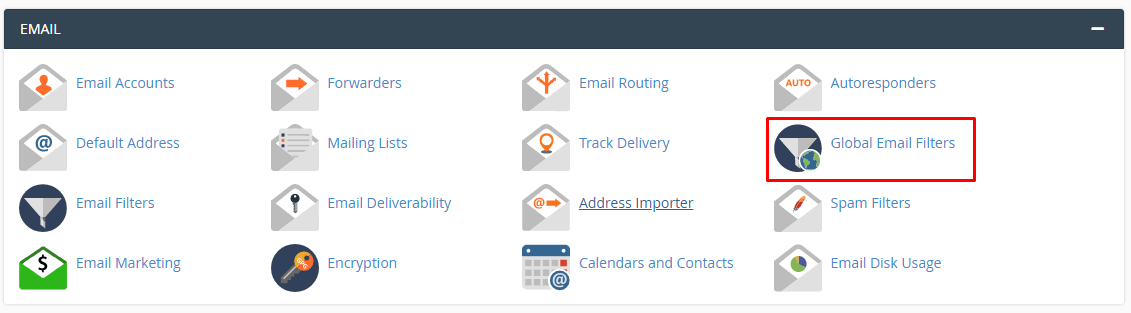
Step 2: Click on global email filters from the email section.
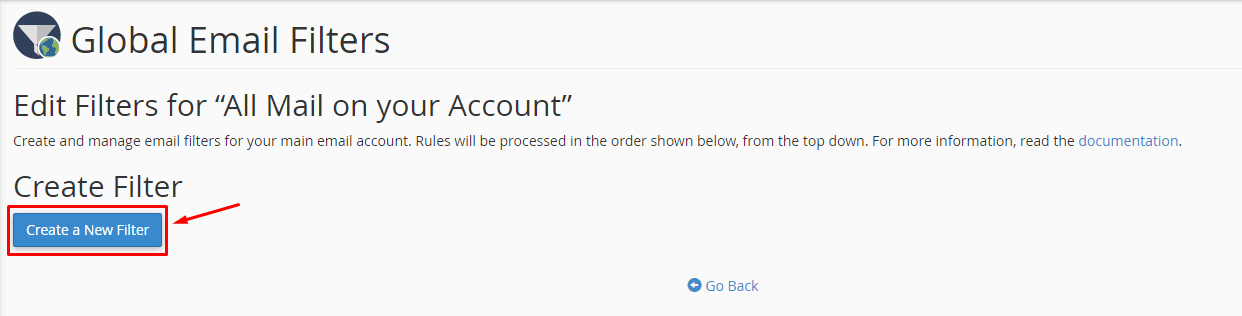
Step 3: Select and create a new email filter.
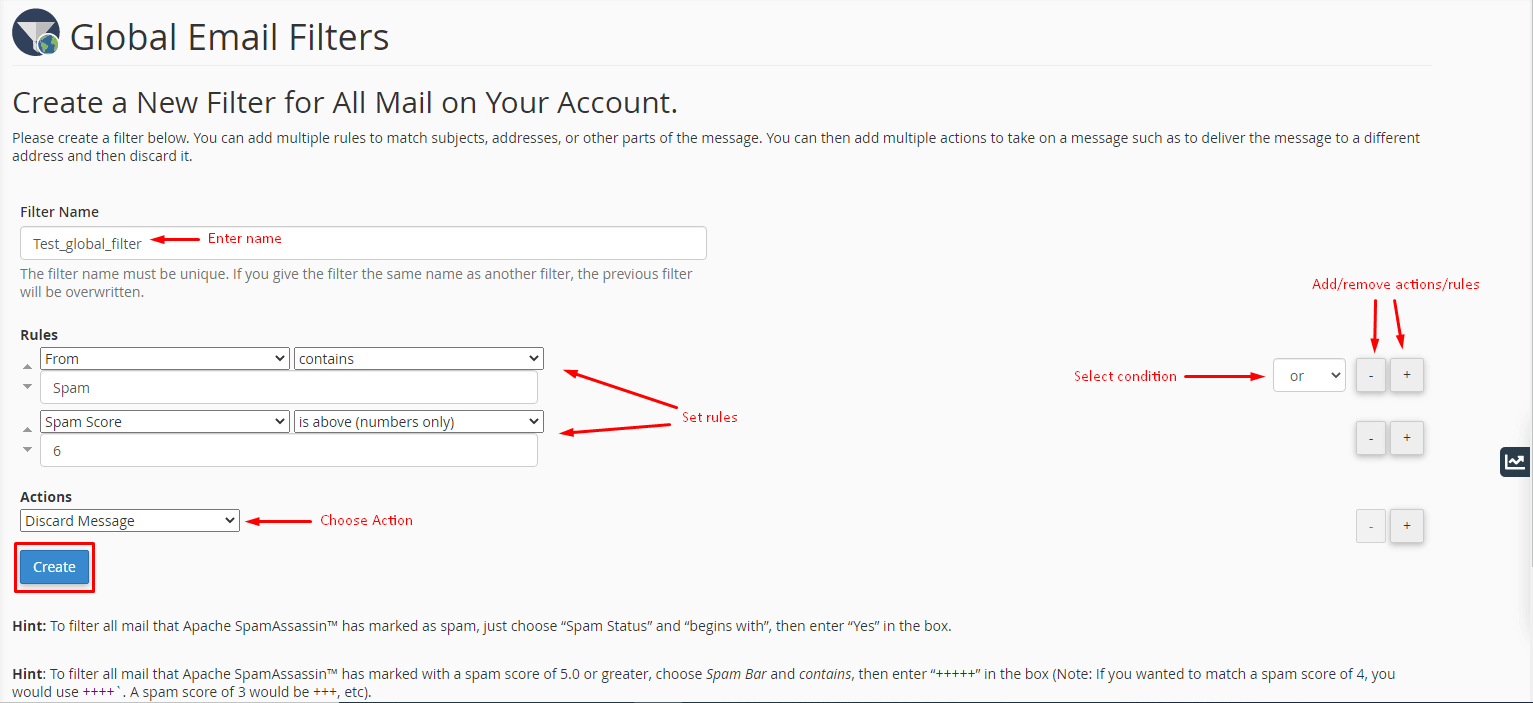
It opens a form where you can customize the filter.
- Enter a filter name
- Select and set the Rules to filter emails.
- Choose the action to take for the filtered email via Actions.
You also can add or remove new Actions or Rules by clicking the + or – with them.
Grant conditions to trigger multiple rules or actions.
Step 4: Click create when you have made proper settings.
Conclusion
The system sets a global email filter and flash a success message. These filters apply to all the email accounts under cPanel account.
