Process to Restore Home Directory Backup in cPanel
The Home Directory (`homedir` or `/home/username`) folders have all your important website files. This includes the content that your visitors see (in the `public_html` folder), the configuration files, and some emails. Knowing how to restore the Home Directory backup quickly saves a lot of downtime when you lose important files due to accidental deletion, malware corruption, or a server issue.
To assist you in recovering your files and restoring your website to a properly functioning state, this instructional guide will try to restore Home Directory backup in cPanel.
Step 1: Go to your cPanel and log in. Click here.
Step 2: Press backup icon that is in the files section on cPanel.
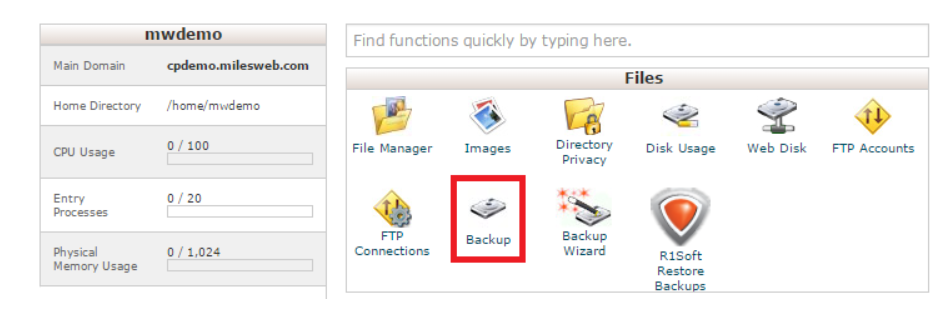
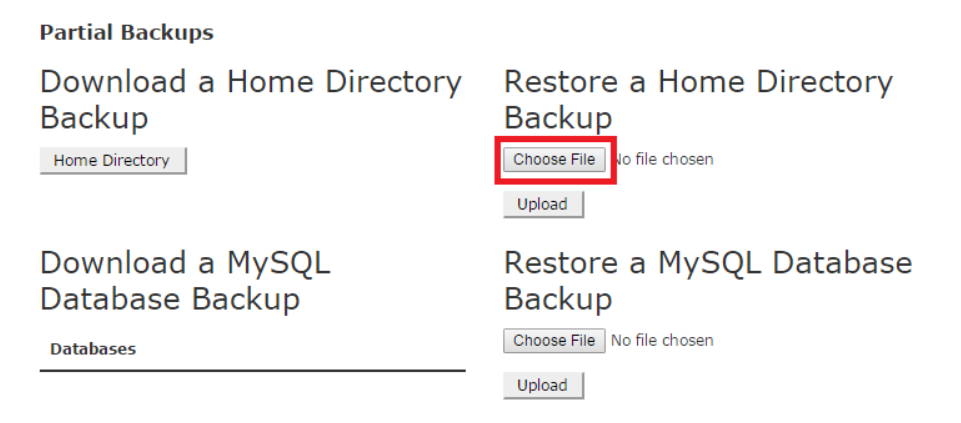
Step 3: Press `Choose File` and select the file that you want to restore.
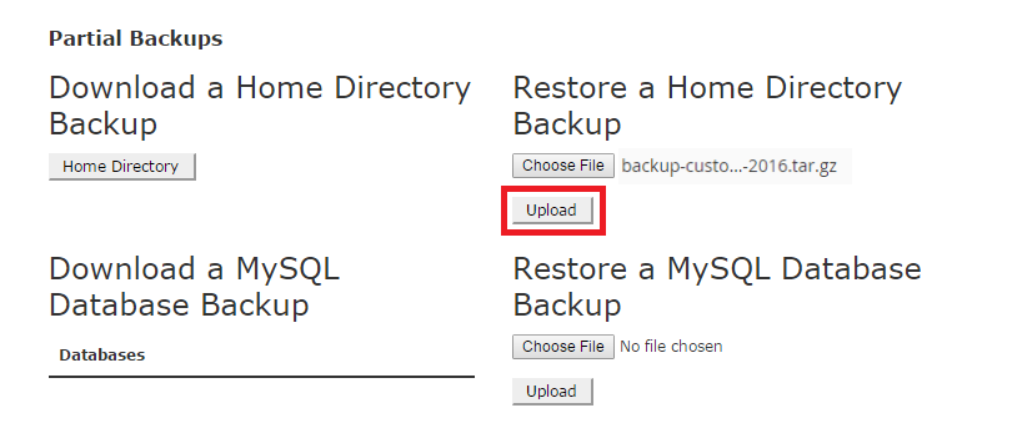
Step 4: Click on `Upload` to start the backup upload process.
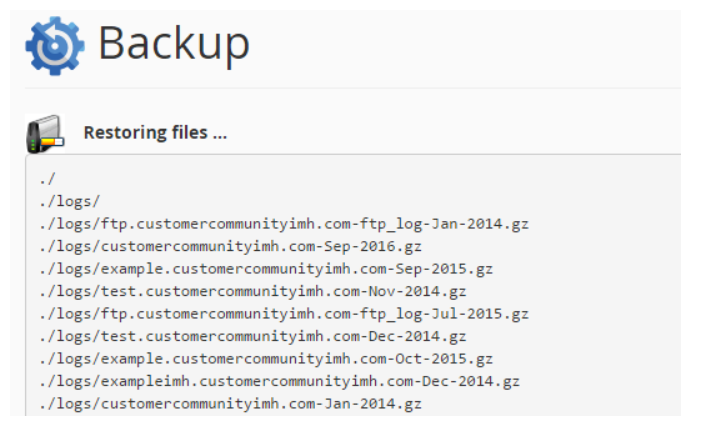
Step 5: You can see the home directory restore process on cPanel. Progress of restoring your files will be displayed.
Conclusion
Based on the Home Directory restore in cPanel, you have completed the process of restoring your website’s core files. If you recovered one file, or if you restored the entire directory structure, this process is your dependable safety net. Please confirm the functionality of your website after the restore, and always keep your backup file in an off-site safe location for extra protection.
