Password Protect Directories
Most often, you can host information on your website which can only be accessible to authorized users. For this, you can add password protection to specific directories. Once it is enabled, any user who attempts to access that section of your site will see a pop-up that requests a username and password. The content will not load until proper credentials are provided. In this article, we explain how to enable password protection.
How to enable password protection?
- Log into cPanel
- Navigate to the Files section and click File Manager.
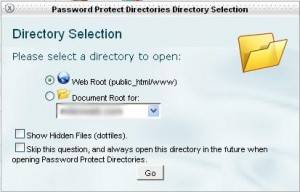
- Locate the folder you wish to secure. Right-click the folder and select Password Protect (this will open the Directory Privacy menu).
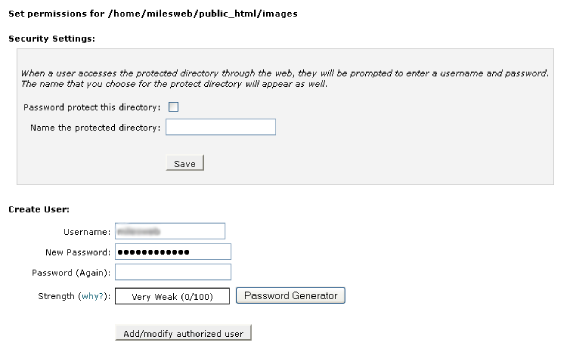
- In the Security Settings section, check the box labeled Password protect this directory.
5. Enter a display name for the protected directory; this is the label visitors will see in the login pop-up.
6. Click Save.
How to create authorized users ?
Once you have enabled protection, you must authorize specific users to access the folder.
On the same Directory Privacy page, scroll down to the Create User section.
Input a username and password.
Note: Use the password generator to ensure a high level of security.
Click save or add or modify authorized users.
You can repeat this process to add more users with different credentials.
Conclusion
Now you have protected your directory using a password and when a user provides the correct user name password, they can view the contents of your directory.
