How to Update Contact Information in WHM?
Introduction
In this article, we will explain how to update an account’s contact e-mail address in WHM in a step by step process. It is very important to keep your client’s contact information up to date just in case you might want to get in touch with them.
Steps to Update Contact Information
1) Log into WHM
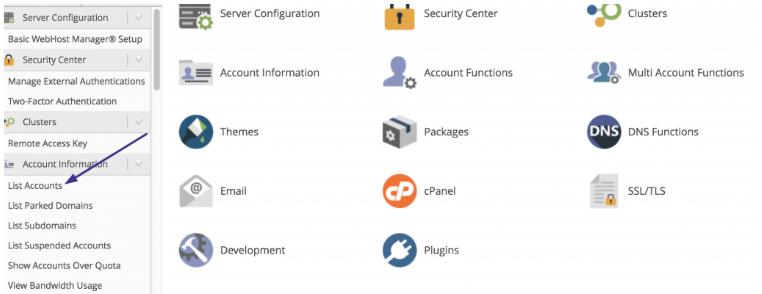
2) Scroll down and select on the List Accounts button located under the Account Information section.
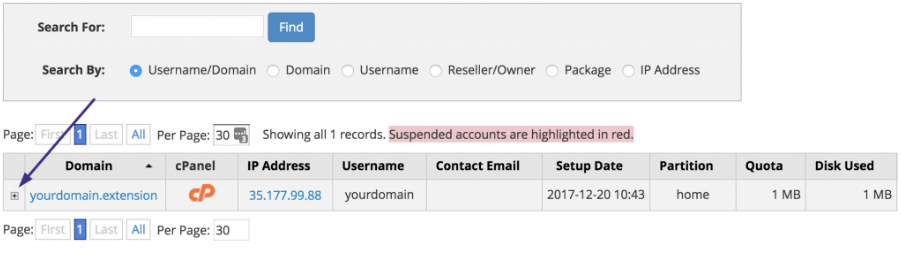
3) At the account list page, simply click the plus sign [+] located in the front of the account you want to update.
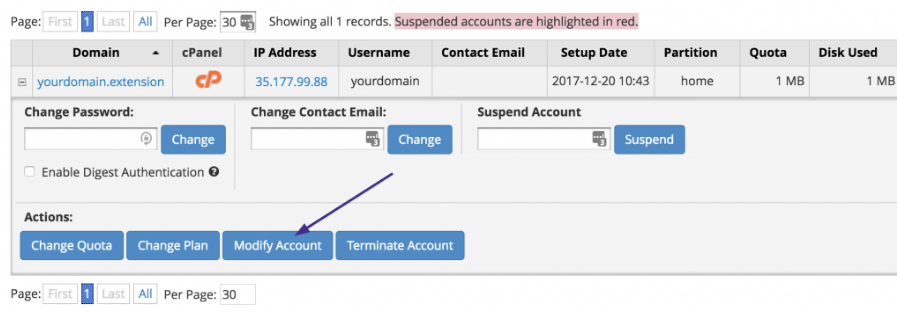
4) In the expanded panel click on the Modify Account button.
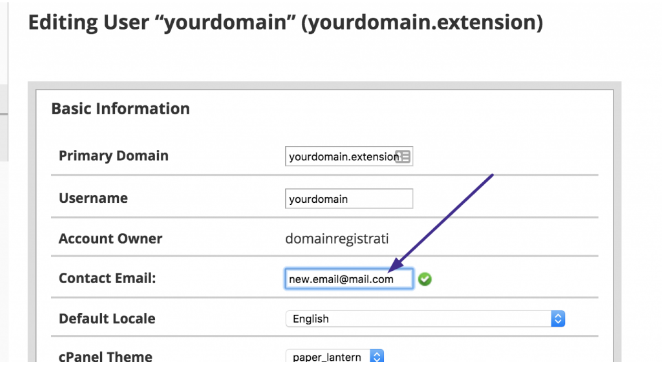
5) Add the new email address in the text box located next to the Contact Email.
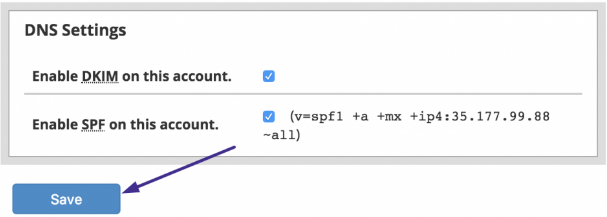
6) Scroll down and click Save to update the account email address.
If you go back to the List Accounts section, you will see that the email address of the account has been updated.

Conclusion
By following the above steps, you can successfully update the contact information of clients listed in your WHM.
