How To Update Contact Information And Preferences From cPanel?
Updating contact information in cPanel ensures that you receive critical notification about your hosting account, like SSL certification expiration, disk space warnings, password changes. cPanel has its own settings on updating contact information and user notification. By default, the email related to cPanel is the one that is used for cPanel account registration. If you have a shared hosting account, that means it uses the email associated with your hosting provider account. But, you can still change the cPanel contact information at any time.
The contact email address of cPanel is used for:
cPanel password reset requests
two-factor authentication settings
cPanel password change notifications
cPanel security notifications
SSL certificate’s expiration notifications
cPanel resources limit warnings
new cPanel logins notifications
It is possible to have two contact email addresses for cPanel at the same time.
In this article, we show you a step by step method to update or change your contact information and preferences from cPanel.
Steps to change contact email address for cPanel
1. Log in to your cPanel.
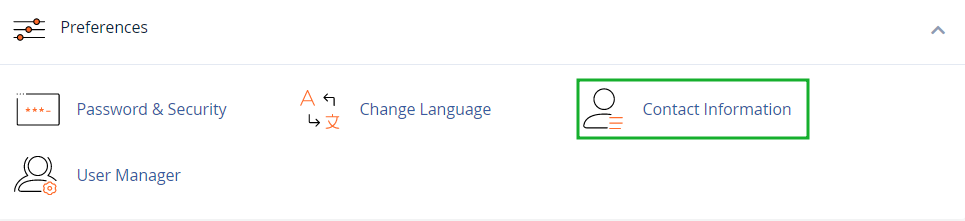
2. Go to cPanel settings and select the “preferences” section.
3. Select the “Contact Information” menu.
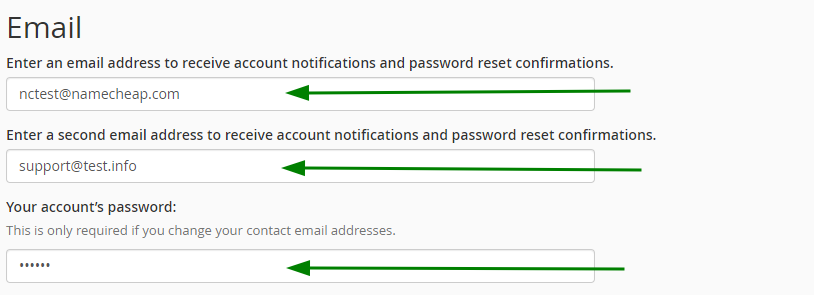
4. The primary email address can be edited in the top row and a secondary email address can be added in the second row. Both the email addresses are used for notifications. It is also required to enter the cPanel account password to be able to save changes.
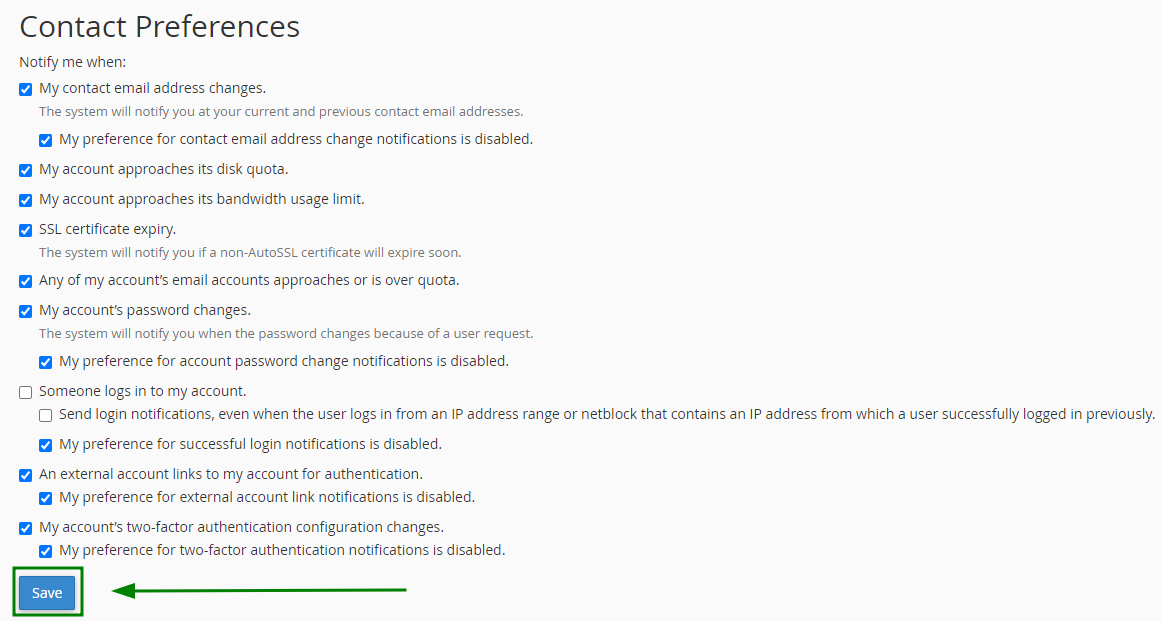
5. This menu lets you set the notification preferences using the check marks.
6. Once the changes are done in the content mailbox and preferences. Click the save button to apply changes.
Conclusion
By following the above steps you can successfully make the changes in your cPanel contact information.
