How to Reset Email Account Password from cPanel?
Changing or resetting your email password in cPanel is an easy process and an important step to maintain your emails safety and security. There are usually three ways to change your cPanel email account password. This article will walk you through all the three ways of resetting an email account password from cPanel.
Steps to Reset or Change Email Account Password
Through Email Accounts Menu
1. Log in to cPanel with your credentials.
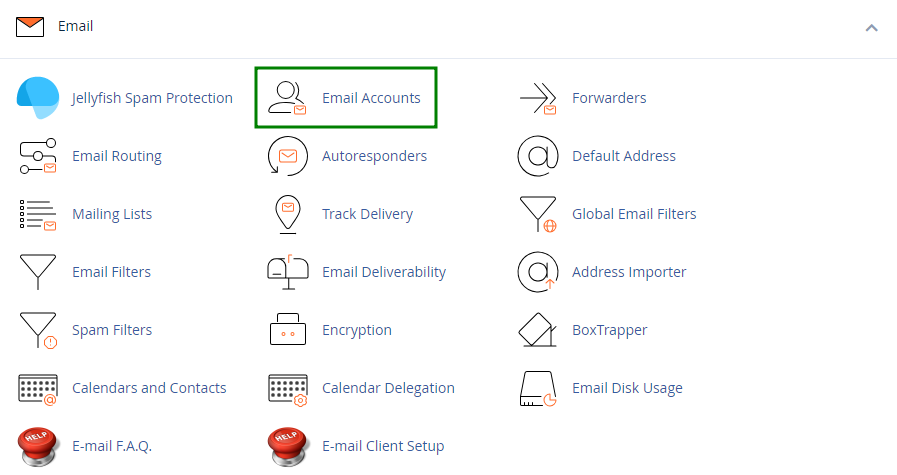
2. Go to the Email Accounts menu.
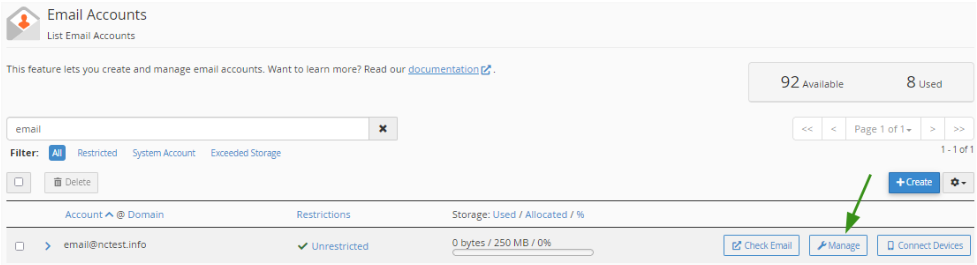
3. Choose the email address that you wish to change the password for, and click the Manage option.
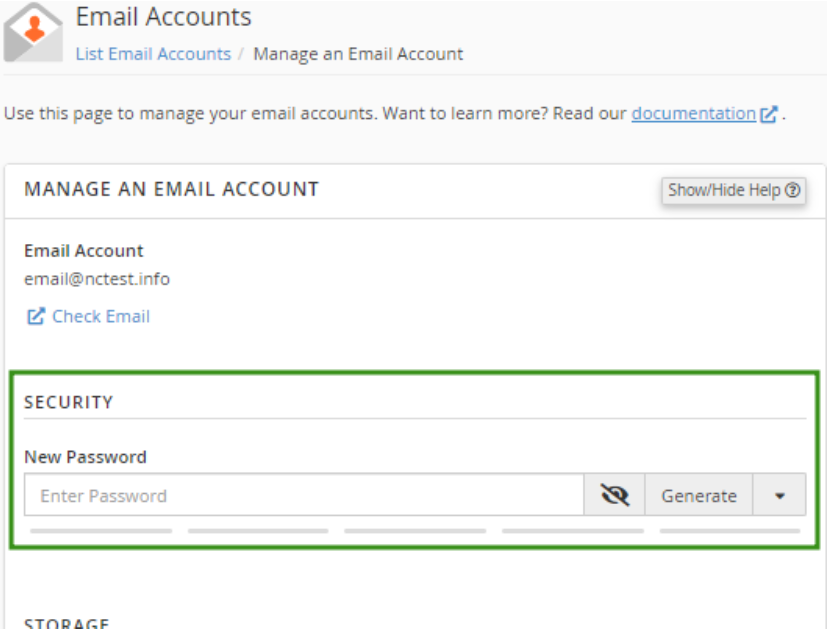
4. In the Security field and enter your desired new password. In addition, you can use the Generate option to create a password.
5. Click Update Email Settings to save the changes.
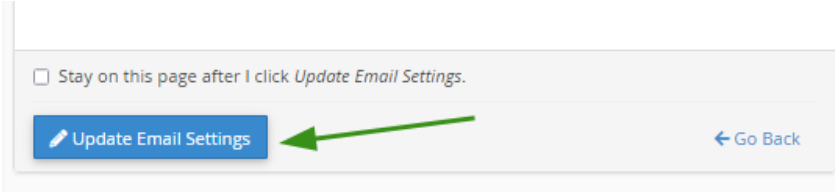
After the changes are saved, you will get a confirmation message at the top of the page.
Success!
Using the User Manager menu
- Log in to cPanel.
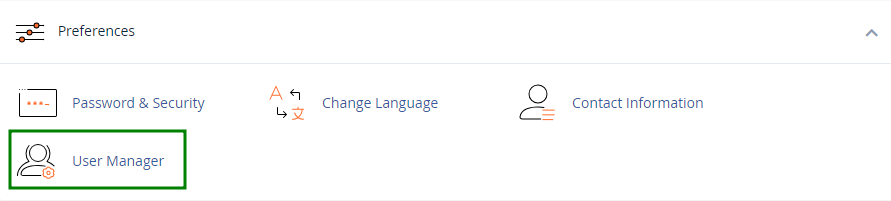
- Go to the User Manager menu.
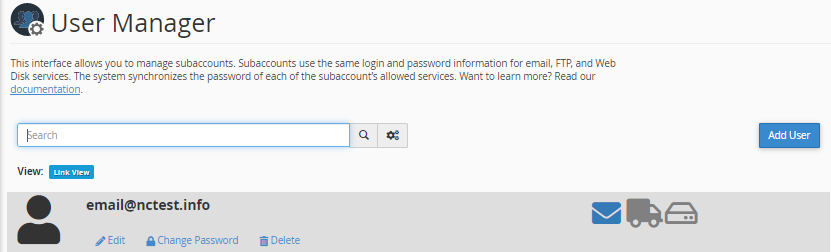
- Choose the necessary email address and click the Change Password option.
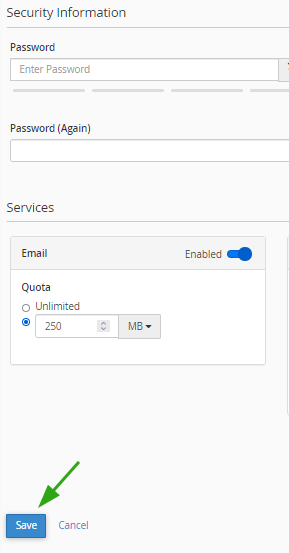
- Add a new password in the Security Information field.
- Click Save at the bottom to apply the changes.
Success!
Using Webmail
- Login into the Webmail.
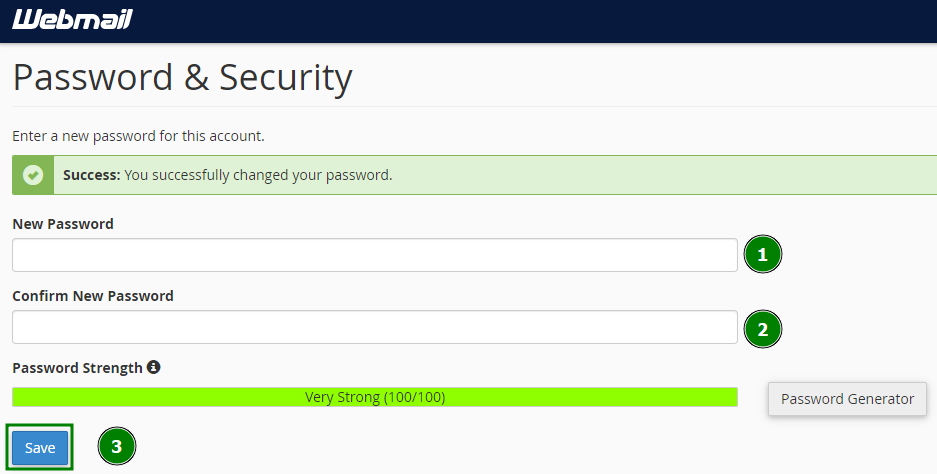
- Click on the email address name displayed on the top-right corner of the webmail and click on the “Password & Security” option from the listed menu.
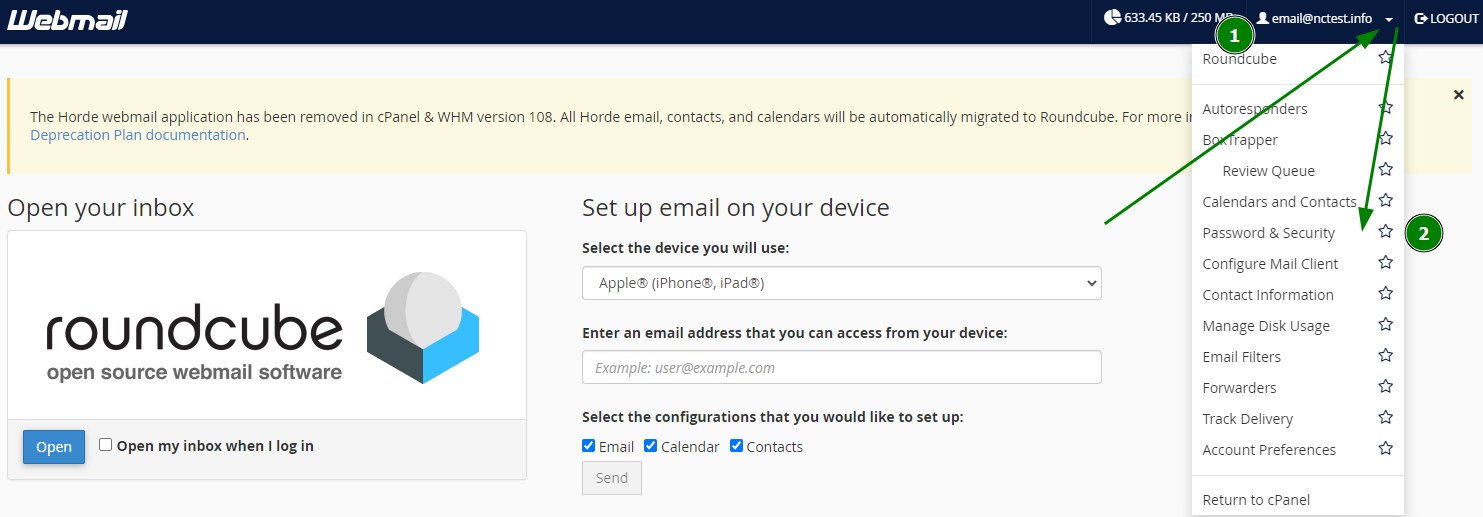
- Enter your desired new password for your email account in both boxes “New Password” and “Confirm New Password” and then click the button “Save” to reset your old password with the new password.
Success!
Conclusion
You can choose any of the three ways to reset your email account password from cPanel. On a safer note, updating the password on a regular basis is a good practice from a security point of view to safeguard your communication and privacy.
