How to Rename the Files/Folders in your cPanel Account?
Introduction
Renaming a file or folder for your website is proper procedure to disable or debug a web application. In this article below, we explore the method to rename folders or files in cPanel through the file manager tool.
Steps to Rename Folder in cPanel Account
Below are the steps to rename a folder or files in a cPanel account.
Step 1: Log in to your cPanel account.
Step 2: Go to the Files section and select File Manager.
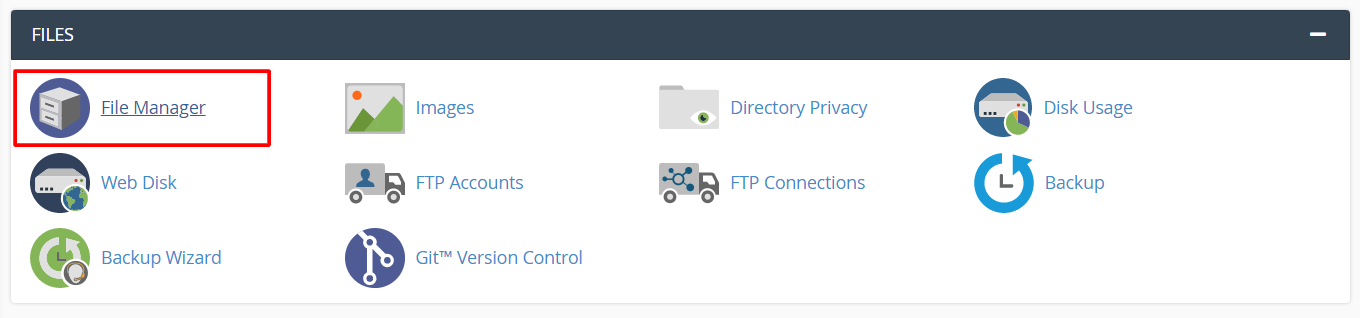
The file manager interface will open in a new tab. Here, you will see the complete collection of folders and files for your hosting.
How to Rename Folder
Step 1: Right click on the folder to open a context menu and select the Rename option.
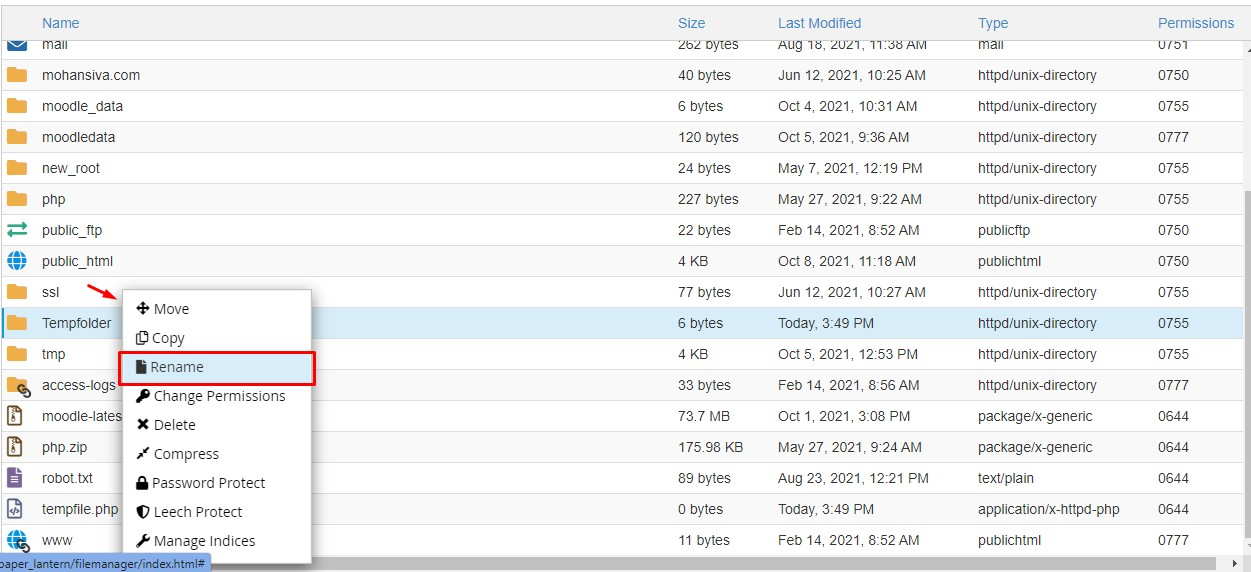
A window pops up with the current name of the folder.
Step 2: Enter the new name for the folder in text field and click on Rename File.
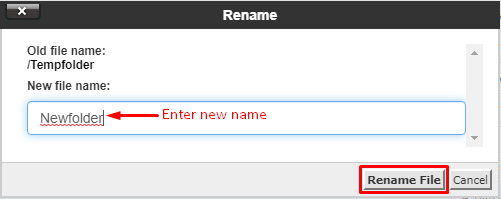
The file manager updates the name of the folder.
How to Rename File
Step 1: Right click on the file to open a context menu and select the rename option.
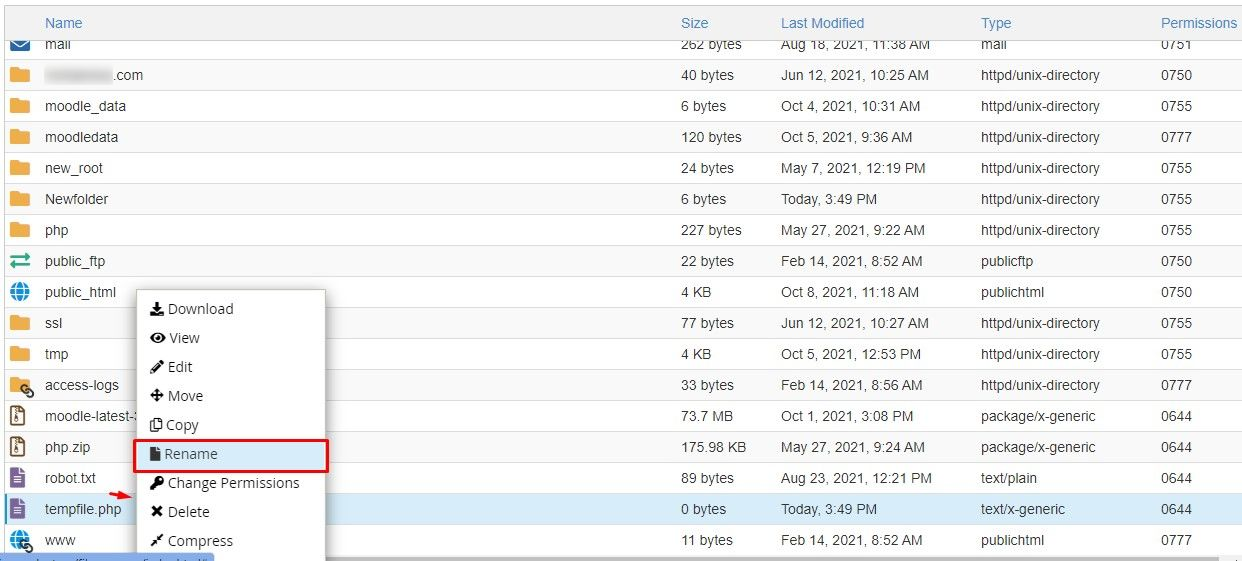
A window shows up with the existing name of the file.
Step 2: Enter a new name for file in the text field and click on Rename file.
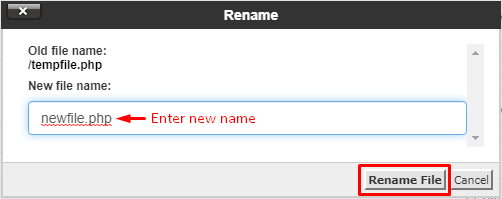
The file manager updates the name of the file.
Conclusion
By using the above steps, you can remove any file or folder of your cPanel Hosting.
