How to Remove/Delete an Email Account in Plesk?
Plesk is a web-hosting control panel that allows managing multiple domains, websites, databases, and email accounts from one place. It enables you to delete the specific mailbox of an employee who quit or a testing mailbox you created but no longer need. This can be done in the Mail section without affecting other mailboxes and the domain. In this blog we discuss how to remove an email account in plesk.
Things to Remember Before Deleting Plesk Email Account
Plesk Panel is a web hosting manager that allows you to control all your domains, web sites, databases, and emails from one place. If you no longer need a specific mailbox, for instance, because an employee changed their personal email, or you created a test account, you can delete it from the Mail section of Plesk Manager. Here are some important considerations before deleting unused mailboxes:
- First and foremost, remember to backup the mailbox, as it will be permanently deleted along with all of its contents upon removal.
- In addition, ensure that no auto-forwarders or auto-responders have been configured for the mailbox, as this can cause confusion and issues with other email accounts.
- Moreover, deleting the mailbox will only delete the email account itself, not the domain it belongs to, along with any DNS or email server settings associated with it.
Steps to Remove or Delete Plesk Email Account
Step 1: Login to Plesk Control Panel.
Step 2: Now look for the domain name for which you want to delete email address and click on Email addresses.
Navigate to Web sites and domains >> Mail >> Mail accounts.
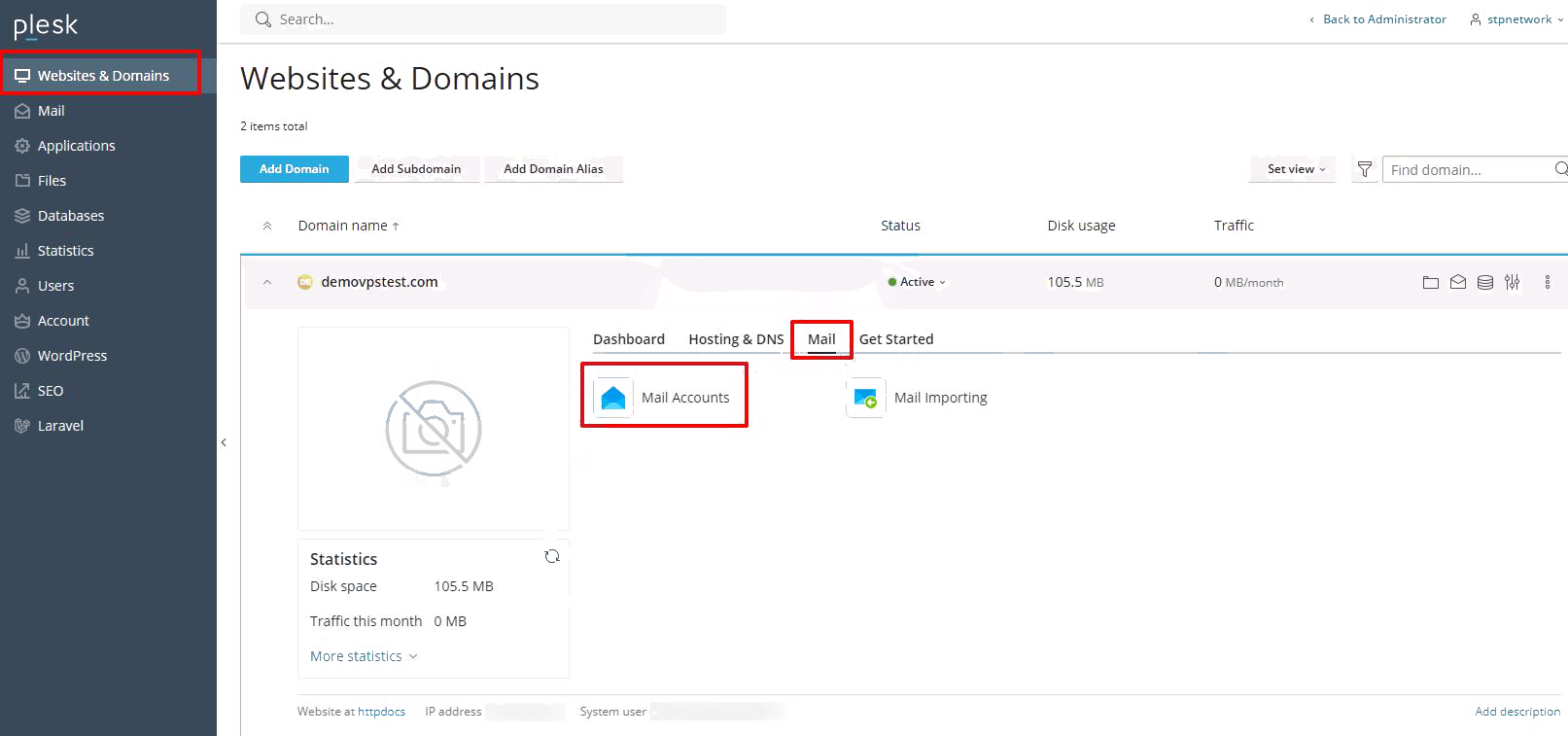
Step 3: Upon clicking on the Email address, you will see all the email accounts that you have created.
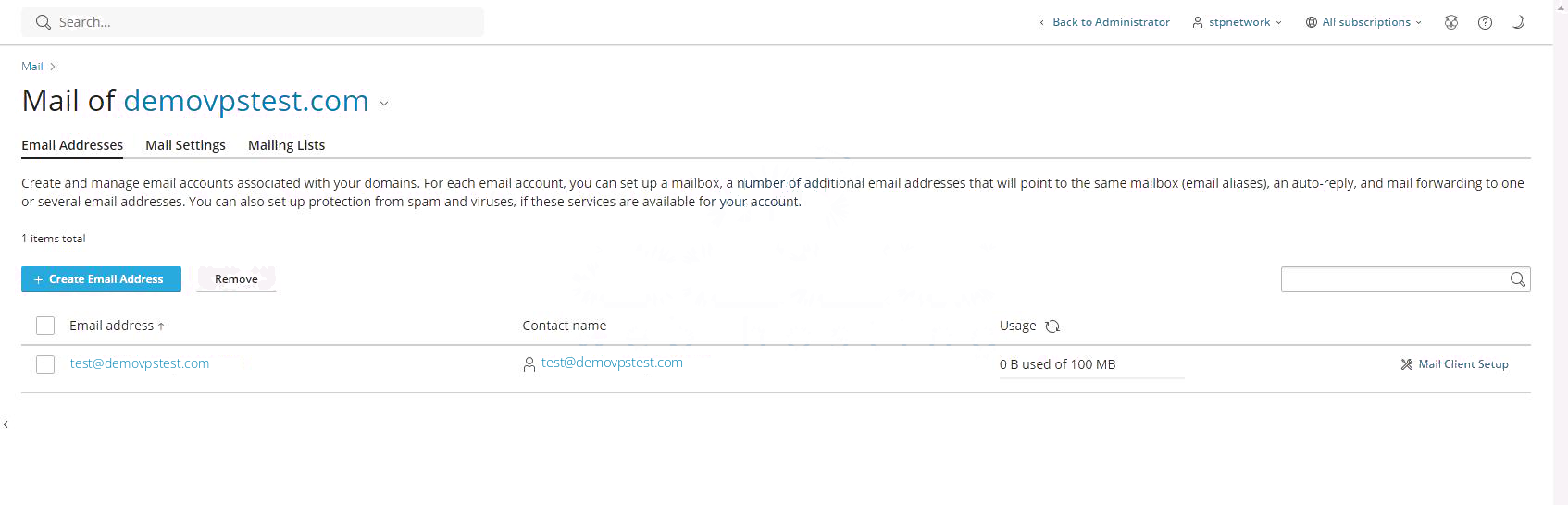
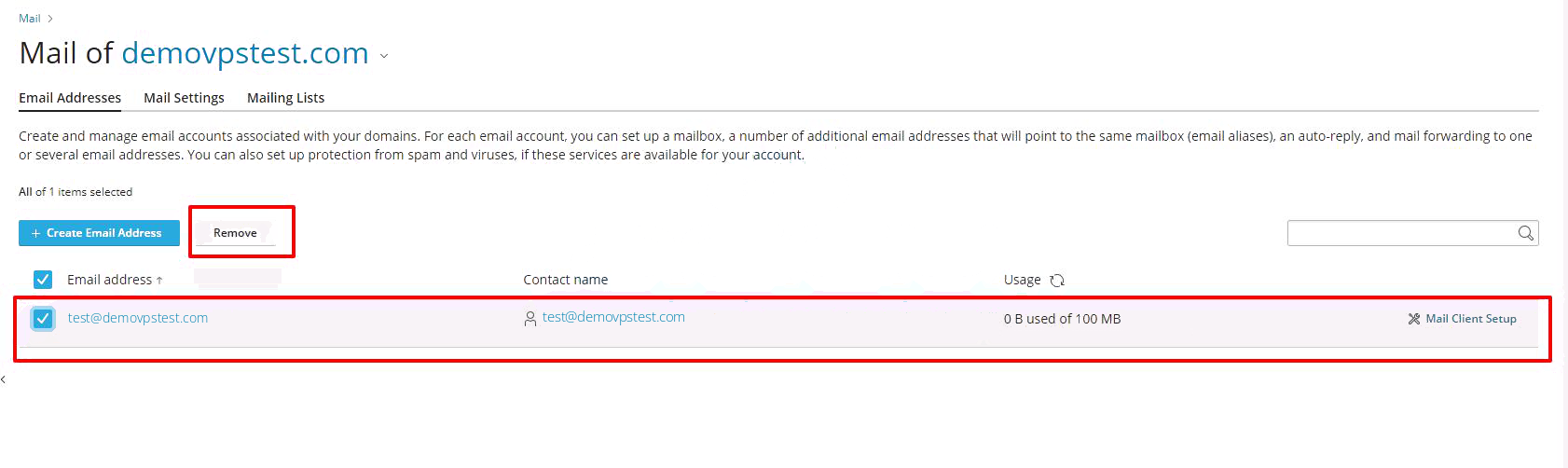
Step 4: Click on the email address delete option for the specific email account that you want to delete.
Step 5: After clicking on the delete option, you will be asked for confirmation where you need to click on the Yes option to delete the email account. You can also click on the No option if you do not want to delete the email account.
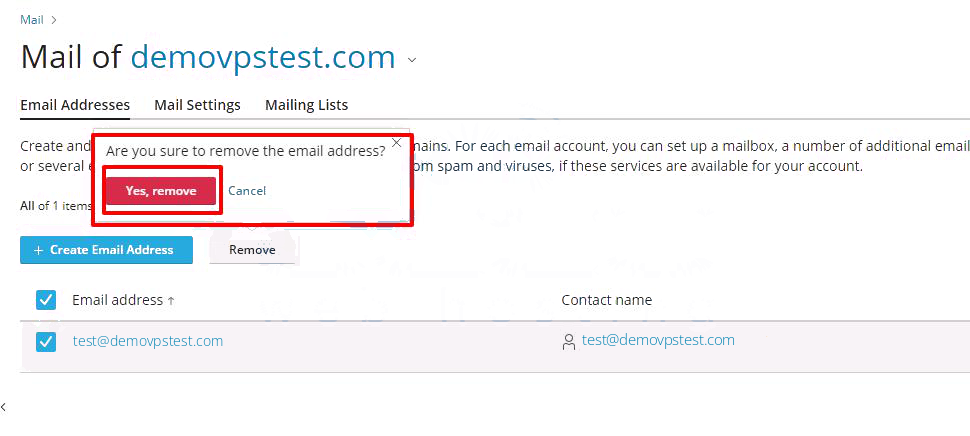
After clicking on the Yes option, you will see a success message at the top saying that the email account has been successfully deleted.
Conclusion
The email account managed in Plesk panel can be deleted quite easily. Just go to Mail tab and delete the account. The only thing to be careful is not to delete it if this is the only email address to which one is sending emails. The account should be backed up or forwarded before deleting if any emails are important. Also, updating any forwarders or other services using this email address should also be changed accordingly.
