How to Redirect www or Non-www URLs with .htaccess via cPanel?
Redirecting www from non-www URLs and vice versa would be considered a critical function of website management as this implements the same experience to users as well as SEO. This can be effectively done through an.htaccess file that is accessible through a web hosting control panel which is known as cPanel.
You may force the users to divert from www to non-www URL and vice-versa for your domain. As a cPanel user, you can add a direct to redirect from www to non-www URLs or the other way in the .htaccess file.
In this article, we explain how to redirect www or non-www URLs with .htaccess via cPanel.
How To Redirect www to Non-www URLs with .htaccess
- Log in to your cPanel account.
- Create/edit .htaccess file in document root of your domain via File Manager.
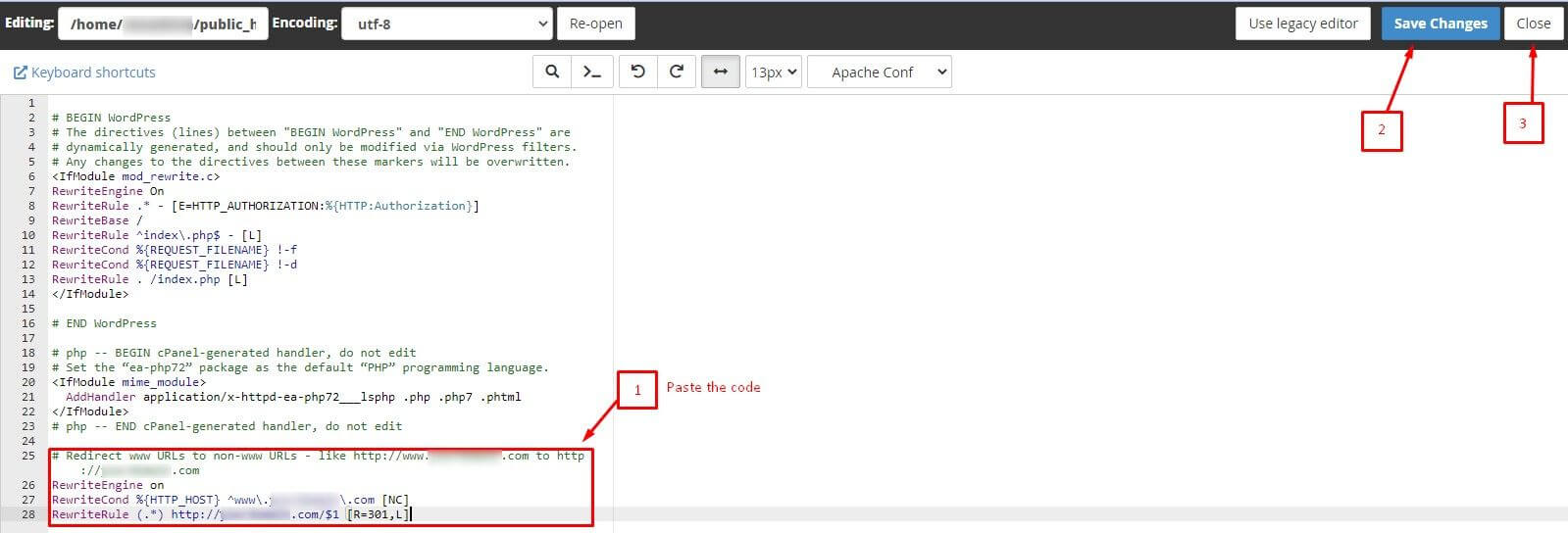
- Add this code at the end of the file:
# Redirect www URLs to non-www URLs - like http://www.yourdomain.com to http://yourdomain.com
RewriteEngine on
RewriteCond %{HTTP_HOST} ^www\.yourdomain\.com [NC]
RewriteRule (.*) http://yourdomain.com/$1 [R=301,L]
4. Click on Save Changes and Close.
How To Redirect Non-www to www URLs with .htaccess
- Log in to your cPanel account.
- Create/edit .htaccess file in the document root of your domain via File Manager.
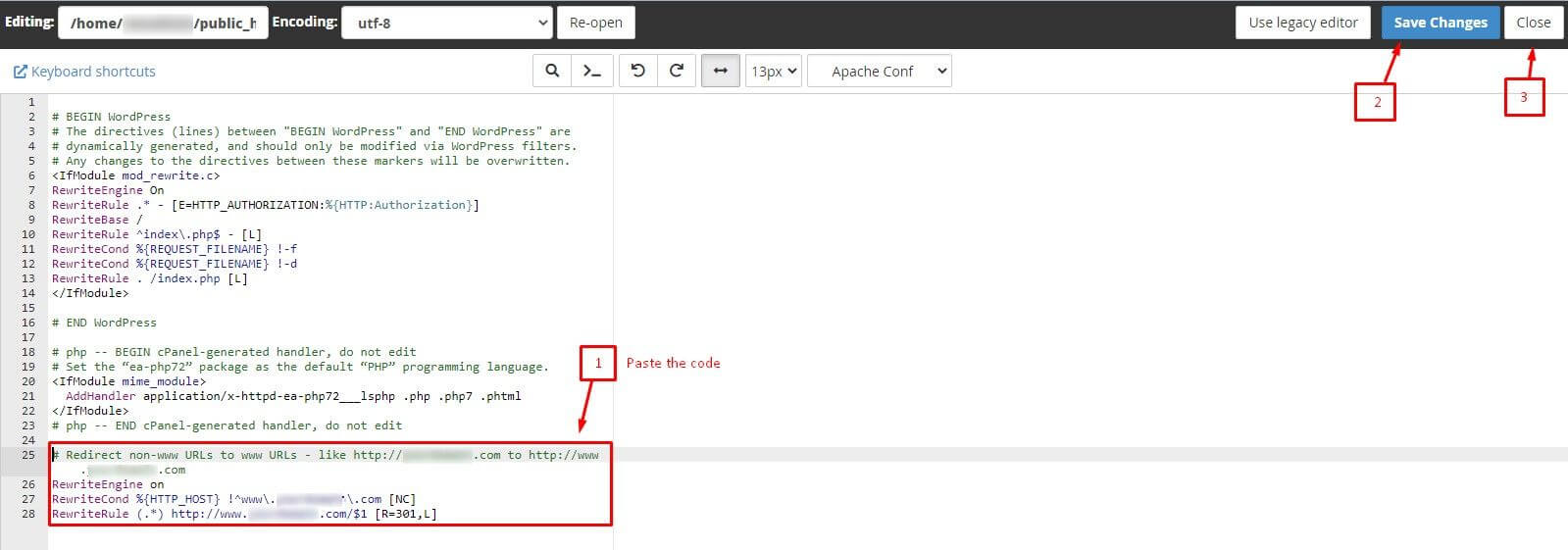
- Add this code at the end of the file:
# Redirect non-www URLs to www URLs - like http://yourdomain.com to http://www.yourdomain.com
RewriteEngine on
RewriteCond %{HTTP_HOST} !^www\.yourdomain\.com [NC]
RewriteRule (.*) http://www.yourdomain.com/$1 [R=301,L]
4. Choose Save Changes and Close.
Conclusion
Once you follow the above steps, you can successfully redirect www to non-www URLs or vice versa can be done through the .htaccess file that is used by using cPanel. This makes a significant difference in the user experience of your site and SEO.
