How to Read Manual Pages in Linux Using the man Command?
man command in Linux displays the manual page for a command, function, or file, showing its syntax, description, options, and related commands. Use it as man [command_name] (e.g., man ls) directly in the terminal, without needing internet access.Introduction
The man command in the Linux system offers detailed and manual pages for multiple commands, functions and utilities. It helps users to access complete information on command’s usage, syntax and options. This tool serves as an important resource for understanding and effectively using the system commands.
In this blog we will explain to you how to use the man command in Linux. Let’s get started
What is the Syntax of the Man Command?
Here is the basic command syntax of man
man [option] [command_name]
Option: Extra flags that change how the man command works
Command: Linux tool or command for which you want to read the manual page.
What Are the Man Command Options in Linux?
| Syntax | Description |
| man [command_name] | Displays manual page for the specified command. For example, man ls shows the manual for the ls command. |
| man [section] [command_name] | Retrieves the manual page from a specific section. For example, man 5 passwd displays the manual for the passwd file format. |
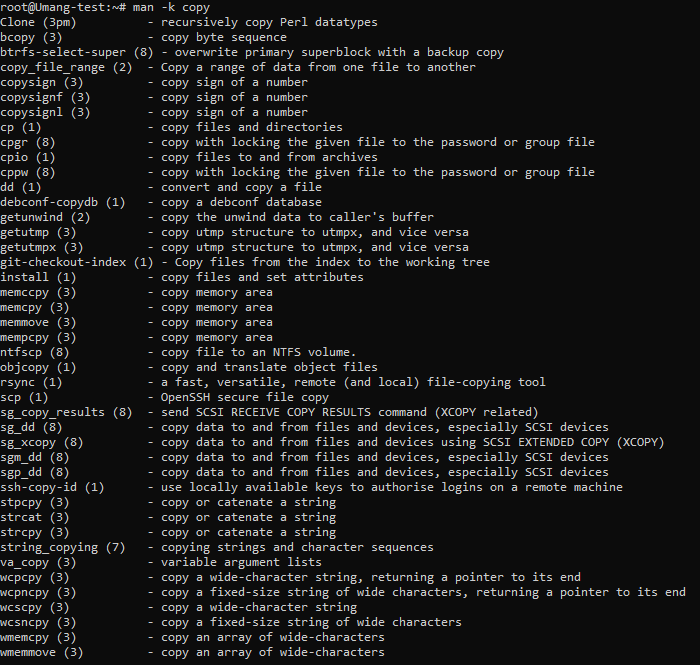
| man -k [keyword] | Does the Search for manual page descriptions for the specified keyword. For example, man -k copy lists all commands related to “copy”. |
| man -f [command_name] | Gives a short description of the specified command. For instance, man -f bash gives a brief overview of the bash command. |
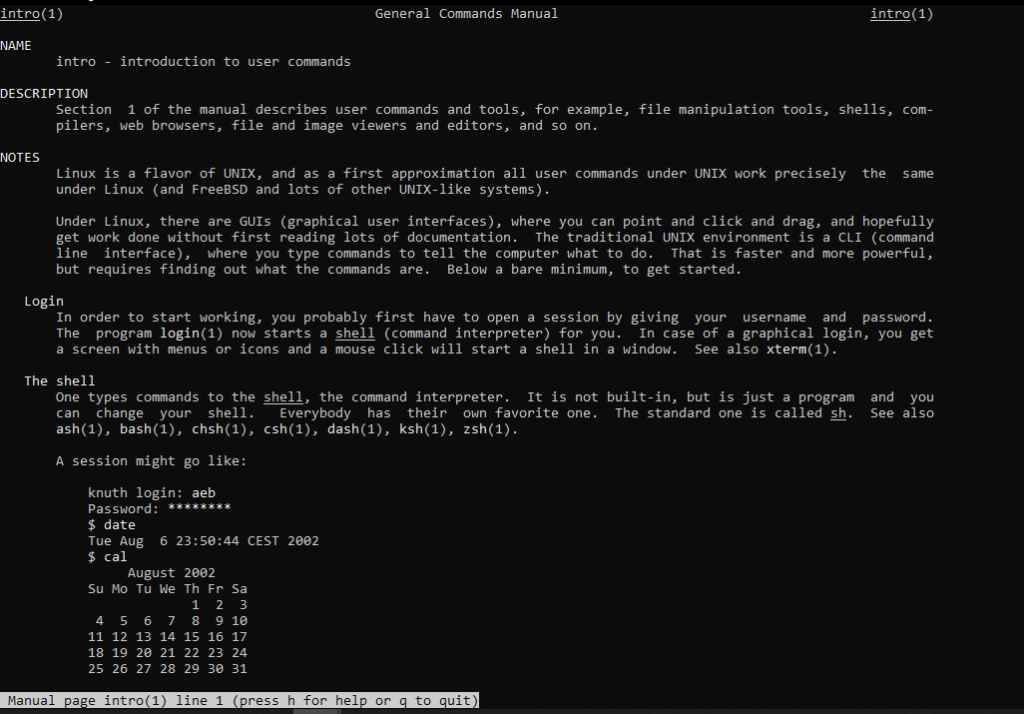
| man -a [command_name] | Displays all manual pages which match the command name. For example, man -a printf shows all manual entries for printf. |
| man -w [command_name] | Shows location of the manual page file for the specified command. For example, man -w ls displays the path to the ls manual page. |
| man -c [command_name] | Enables the reformatting of the manual page, ignoring any cached versions. For example, man -c ls reformats and displays the ls manual. |
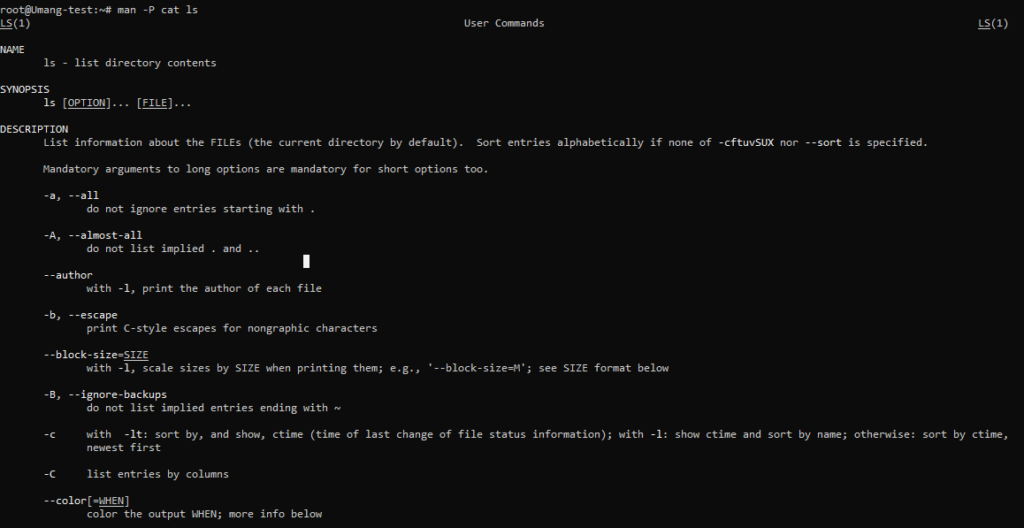
| man -P [pager] [command_name] | Uses the specified pager to display the manual page. For instance, man -P more ls uses the more pager to show the ls manual. |
Examples of man Command
1. To display the specific command’s manual page.
man ls
Output:
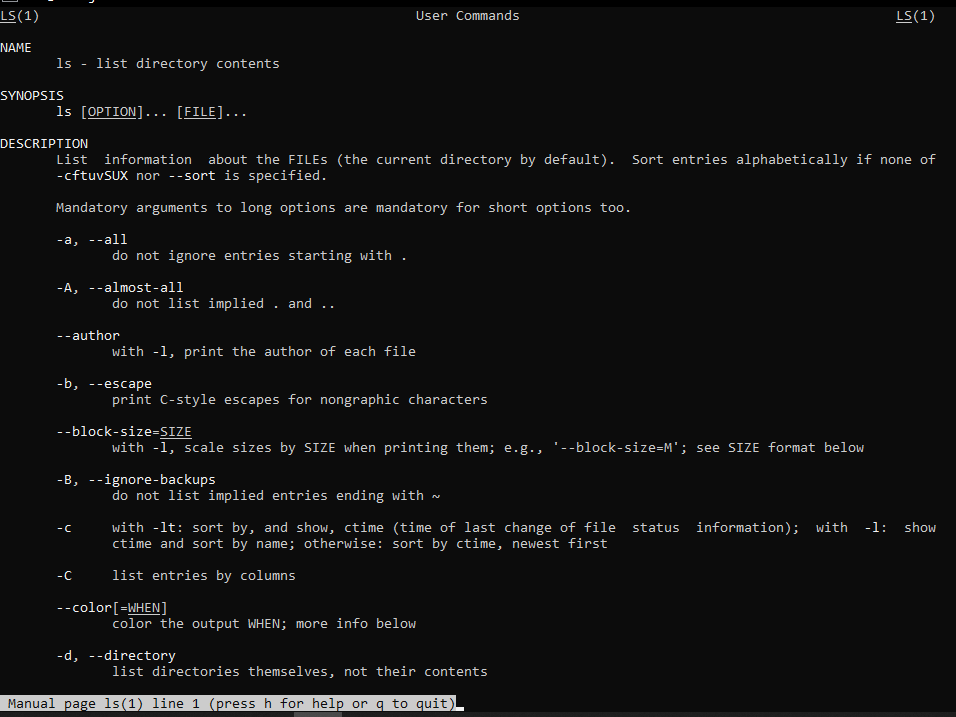
The output of man ls might vary slightly depending on the Linux distribution, but a typical output looks like this.
2. Search for a command by using a specific keyword
man -k copy
Output:
3. Display titles of the manual page
man -f ls
Output:
ls (1) - list directory contents
4. View all the manual pages
man -a intro
Output:
5. To display the location of manual page files
man -w ls
Output:
/usr/share/man/man1/ls.1.gz
6. Add man with a custom pager command
man -P cat ls
Output:
7. Mention a manual page section to look for a specific command.
man 7 passwd
Output:
PASSWD(7)                           Linux Programmer's Manual                           PASSWD(7)

NAME
       passwd - password file format

DESCRIPTION
       The  /etc/passwd  file  is  a  text  file  that  describes  user  login  accounts.   It contains one line per user, with fields separated by colons (:). Each line has the following format:

              username:password:UID:GID:GECOS:home_directory:shell

       The fields are:
       - username:        User's login name.
       - password:        Encrypted password or 'x' if stored in /etc/shadow.
       - UID:             User ID (unique numeric identifier).
       - GID:             Group ID (primary group ID).
       - GECOS:           Optional user information (e.g., full name).
       - home_directory:  Path to the user's home directory.
       - shell:           User's default shell (e.g., /bin/bash).

       The /etc/passwd file is readable by all users but writable only by root.

FILES
       /etc/passwd  - user account information.

SEE ALSO
       passwd(1), shadow(5), getpwnam(3), useradd(8)

COLOPHON
       This page is part of the Linux man-pages project. A description of the
       project, information about reporting bugs, and the latest version of this page
       can be found at https://www.kernel.org/doc/man-pages/.

Linux                                       2024                                      PASSWD(7)
How Do You Navigate a Man Page in Linux?
Use the keyboard shortcuts below to move through and search within the manual page.
| Key | Action |
| Up / Down | Scroll line by line. |
| Spacebar | Scroll down on one screen at a time. |
| b | Scroll up on one screen at a time. |
| g | Go to the beginning of the manual page. |
| G | Go to the end of the manual page. |
| q | Quit manual page. |
| n | Repeat the last search in the same direction. |
| N | Repeat the last search in the opposite direction. |
| /pattern | Search forward for a pattern. |
| ?pattern | Search reverse for a pattern. |
| Enter | Scroll down on one line at a time. |
| k | Scroll up one line at a time. |
What Are the Man Page Sections in Linux?
The man command in Linux helps organize the manual pages into sections based on the type of file or command that will be documented. Each section is identified by a number.
| Section | Description |
| 1 | User Commands |
| 2 | System Calls |
| 3 | Library Functions |
| 4 | Special Files |
| 5 | File Formats & Configuration Files |
| 6 | Games & Screensavers |
| 7 | Miscellaneous |
| 8 | System Administration Commands |
| 9 | Kernel Routines |
Conclusion
You can execute the man man to view the command’s manual page for detailed information about the man command.
FAQs
What is the man command used for in Linux?
The man command displays the manual page for a Linux command, function, or configuration file. It shows syntax, available options, and usage details directly in the terminal, without needing internet access.
What is the difference between man and –help?
--help shows a quick summary of a command’s flags, usually a few lines. man gives the full manual page — detailed descriptions, all options, related files, and cross-references to similar commands. Use --help for a fast reminder and man when you need complete documentation.
Is there a one-page manual for Linux commands?
Linux doesn’t ship a single combined manual, but you can generate a condensed reference yourself. Running man -f </command> gives a one-line summary for any command, and combining this with the shortcut keys and section table above gives you a practical one-page cheat sheet for daily use.
How do I search within a man page?
Press / followed by your search term and hit Enter to search forward. Press n to repeat the search in the same direction, or N to search backward. Use ? instead of / to search upward from your current position.
How do I exit a man page?
Press q to quit and return to the terminal prompt.
Why does man say “No manual entry for…”?
This usually means the man pages package isn’t installed for that command, or the command belongs to a section not installed on your system. On Debian/Ubuntu, install the full manual set with sudo apt install man-db manpages. On RHEL/CentOS, use sudo yum install man-pages.
Are man pages the same on every Linux distribution?
The core content is largely the same since most distributions use the same man-pages project (maintained by the Linux kernel documentation team), but package-specific commands and some formatting can vary slightly between distros.
