How to Modify Database User Privileges in Plesk Panel?
Plesk Panel makes it easy for you to manage a website or server. One of the excellent things about this service is the ability to manage the database user privileges right in the control panel. Whether you need to run WordPress or any other CMS or a custom-made web application on your server, you will need to grant your users access to a specific database. This blog will show you how to change database user privileges in Plesk Panel.
Steps to Modify Database User Privileges in Plesk Panel
In this article, I will show you how to edit MySQL/MariaDB database user rights in the Plesk Panel.
Step 1: First, you need to log in to your Plesk Control Panel.
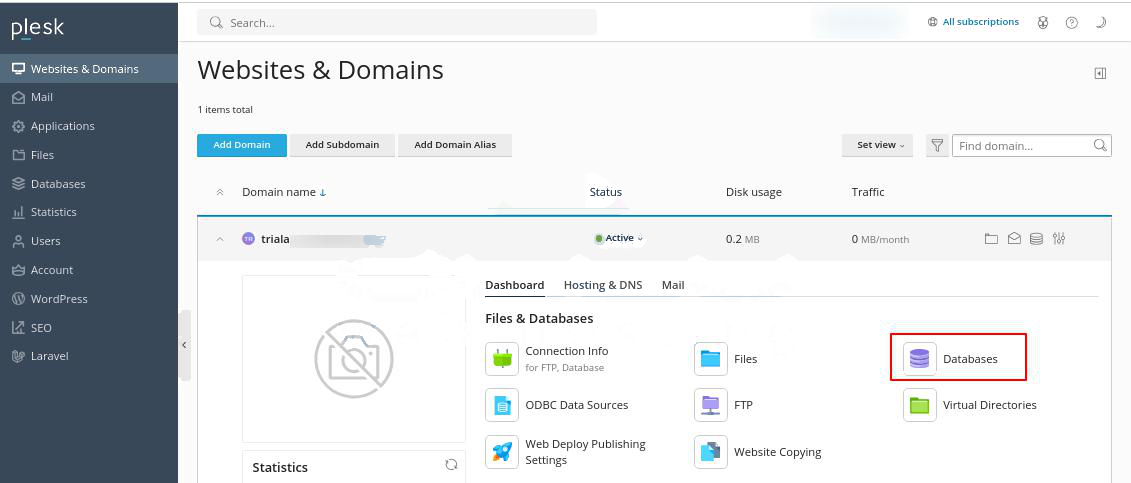
Step 2: Then, go to the Databases icon in the Websites and Domains module.
Step 3: Click on User Management
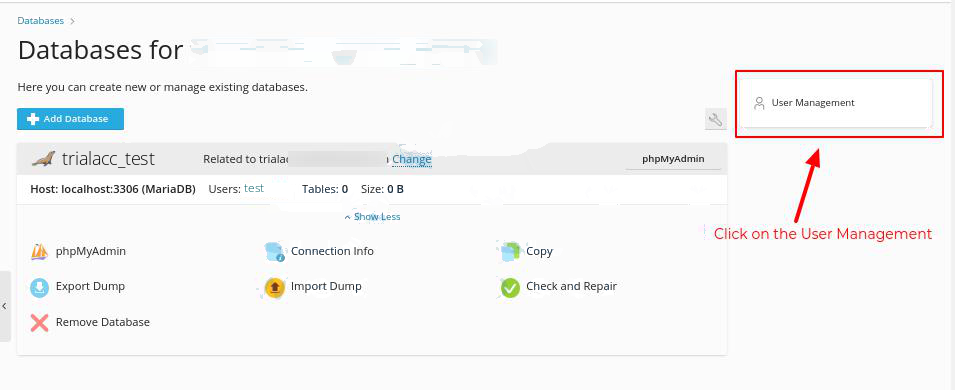
Step 4: Click on the Database user’s name to modify its privileges.
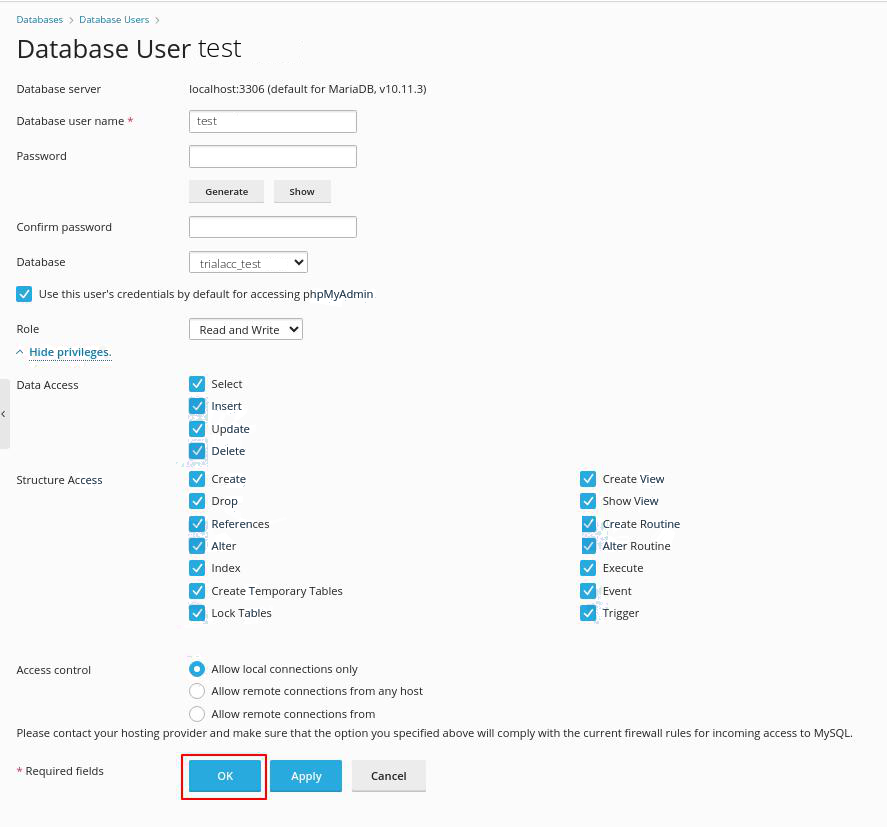
Step 5: Down the page, under Privileges, the user’s privileges fall into the categories of Data Access and Structure Access.
There should be a list of privileges that have been assigned to the user.
To add or delete a privilege, simply click on the box next to it to check or uncheck it.
Step 6: The user can select the privileges they want, then click OK at the bottom of the page.
This way, it is possible to modify the database user privileges in the Plesk model.
Conclusion
The changes to the database user privileges in Plesk Panel can be made easily to ensure that only the necessary people have access to the MySQL/MariaDB databases. In turn, this allows a person to control access to specific databases on the server with ease. It is important to note that only those privileges should be granted that are necessary for the user to perform their work. Besides, it is vital to check the user privileges over databases at least once in a while to maintain the safety of the Plesk hosting platform.
