How to Mention Connection String in web.config Using Plesk?
If you are hosting an ASP.NET website on a Windows server managed by Plesk, it is vital to set up your database connection string correctly to ensure your application communicates with SQL Server or MySQL smoothly. Plesk’s user-friendly interface may simplify server management, but many developers encounter difficulties when trying to add or modify the connection string in web.config within the Plesk environment correctly. This tutorial will guide you through the required steps to add, edit, or verify a connection string in web.config when using Plesk for Windows servers to ensure your database connections are properly established, whether deploying a new application or migrating an existing one.
Steps to Modify a Connection String Through the Plesk Control Panel
Step 1: Log into Plesk
Open your browser and go to plesk login user.
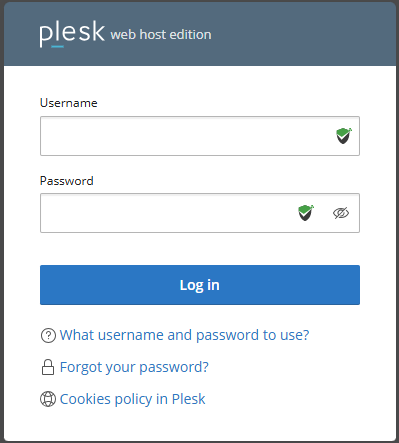
Put your credentials and log in to the Plesk dashboard.
Step 2: Access the Files
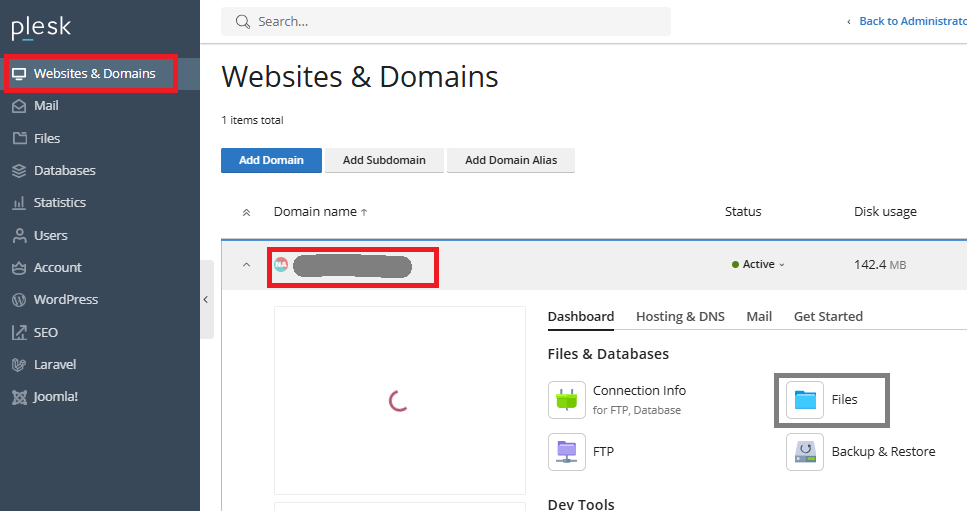
- In the dashboard, go to Websites & Domains.
- Select the domain or subdomain that hosts your website.
- Click on Files.
Step 3: Locate and edit web.config
- In the root directory (commonly httpdocs or wwwroot), locate the web.config file.
- Click on file and select the edit in the code editor (or just edit).
- Look for the <connectionStrings> section. If it does not exist, you can add it manually inside the <configuration> tag.
Step 4: Add Your Connection String
Below is the standard format for a SQL server connection string.
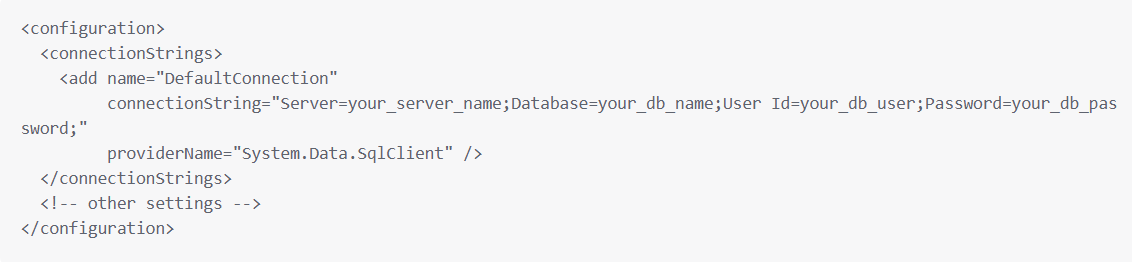
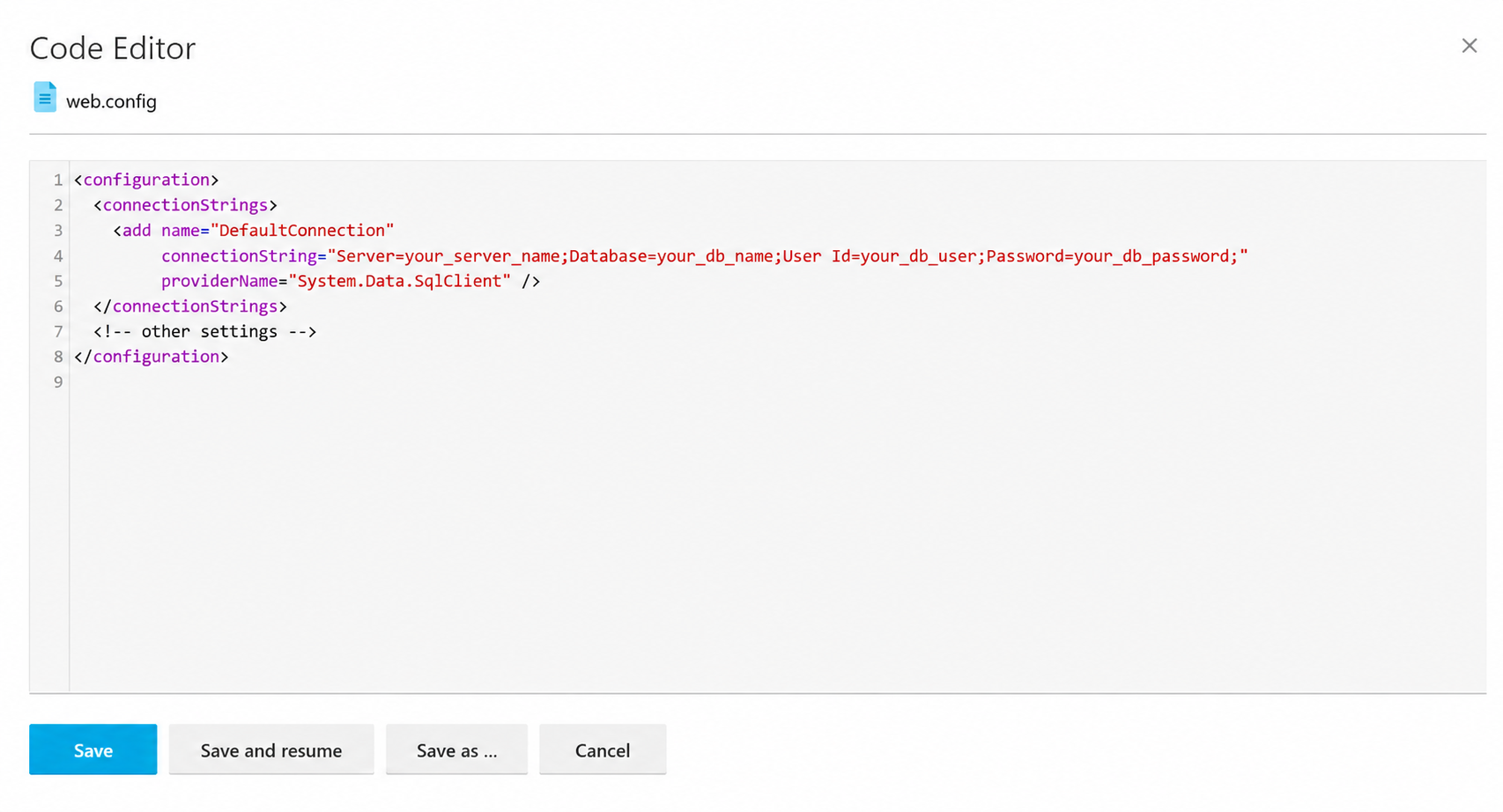
Replace:
Replace your_server_name with the host of your database, which typically either localhost or an IP address.
Replace your_db_name, your_db_user, and your_db_password with the corresponding actual values.
For MySQL, use:

Step 5: Save changes and Test
- After editing, click Save.
- Check your website or application to ensure it successfully connects to the database without any issues.
- Check error logs through Plesk or logs/ folder if any issues occur.
Conclusion
Editing the web.config in Plesk Control Panel permits one to configure the database connection strings required by ASP.NET applications. With the help of the File Manager, anyone can edit this file without even having to use FTP. By doing so, one would add the connection string to the tag which then allows the application to communicate with either the SQL Server or MySQL databases. Overall, it is a convenient way to host an application with a database.
