How to Enable Spam Protection in Plesk?
Currently, inboxes are almost always a target for unwanted advertising and phishing attempts. Those who administer a server or web site using Plesk know that beyond being a bothersome annoyance, spam can deplete server resources and endanger your users. The good news is that Plesk provides users with spam filters, including the enterprise caliber SpamAssassin. Once you configure the filters, you will be able to better manage your communications to ensure that only good messages will be delivered to you.
To customize your spam filters in Plesk, first:
1. Access your Plesk account.
2. On the left menu, choose the Mail option.
3. Select the email account for which you want to set the spam protection.
4. Next, go to the Spam Filter section.
5. Tick the box to enable spam filtering for the chosen email address.
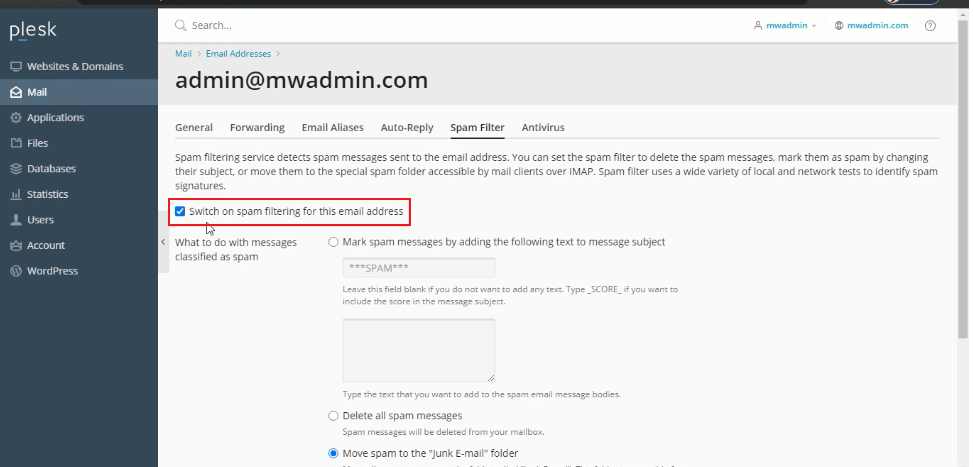
6. You can select any of the given options.
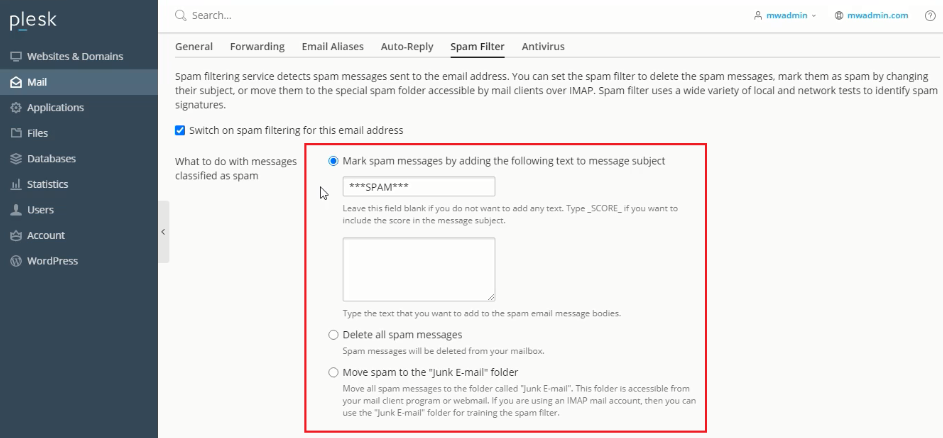
7. Choose this option to enable the filtering of spam messages based on the spam subject line.
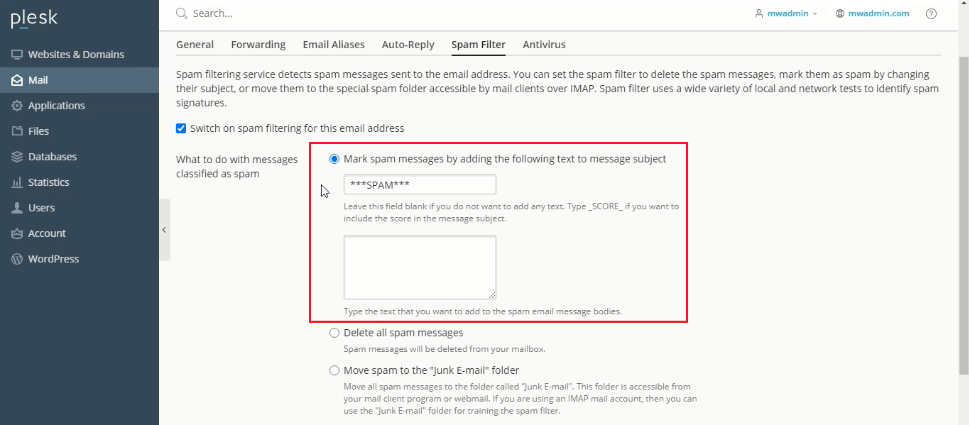
8. Choose this option if you want to erase every spam messages.
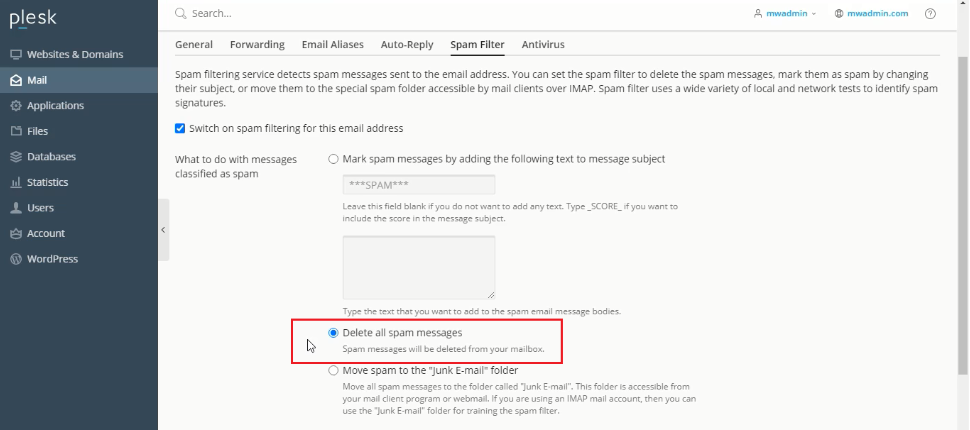
9. Choose this option to filter spam messages to the designated junk mail folder.
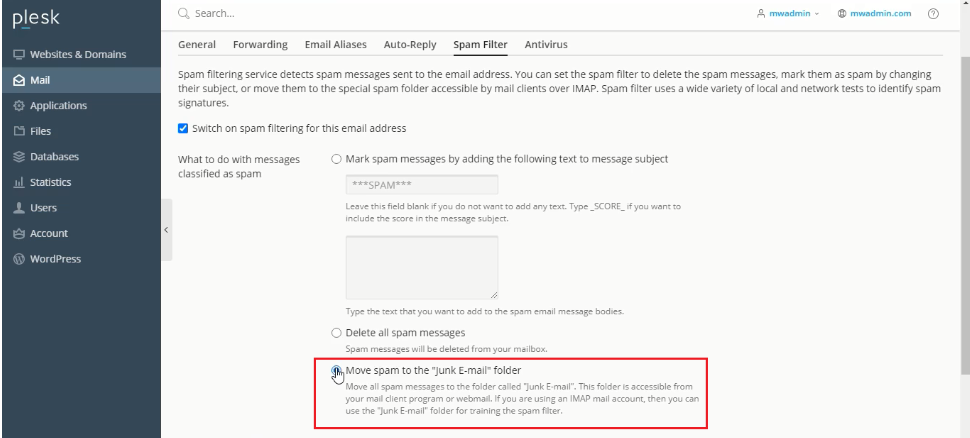
10. Finally, click the Advanced Settings option for more filtering customization.
In the Spam filter sensitivity field, you can set the spam filter sensitivity by entering the sensitivity value.
The default value is seven. Smaller values increase filter sensitivity, while larger values decrease sensitivity.
You may enter certain mail accounts or domains in the whitelist textbox. Emails from those addresses will not be filtered.
If you want certain domains or email addresses to be filtered, add them to the blacklist.
In the trusted languages and trusted locales section, you can select different languages and regions that will always pass the filter.
If you want to permit certain IP addresses to pass the filter, enter those IP addresses in the IP addresses textbox.
Click OK, and after finishing, you will get a success message.
Final Thought
Configuring a spam filter helps improve your daily activities and the overall security of your server. You can choose between general filtering criteria that can be applied at the server level or give users the ability to create their own custom filters. Plesk is designed for flexible workflows, so the approach does not have to be rigid. With the new customizations, you have to check your spam folder to ensure your filters balance. With the tips above, you mitigate the risk of spam and enhance the experience for your domain users.
