How to Deny Access to .htaccess File using cPanel?
The .htaccess files are important hidden files of your hosting and we recommend securing them .htaccess rules. One way to do this is to deny access to the .htaccess file via cPanel file manager.
Steps to Deny Access to .htaccess File
- Log in to your cPanel Account.
- Open the File Manager and edit the .htaccess file.
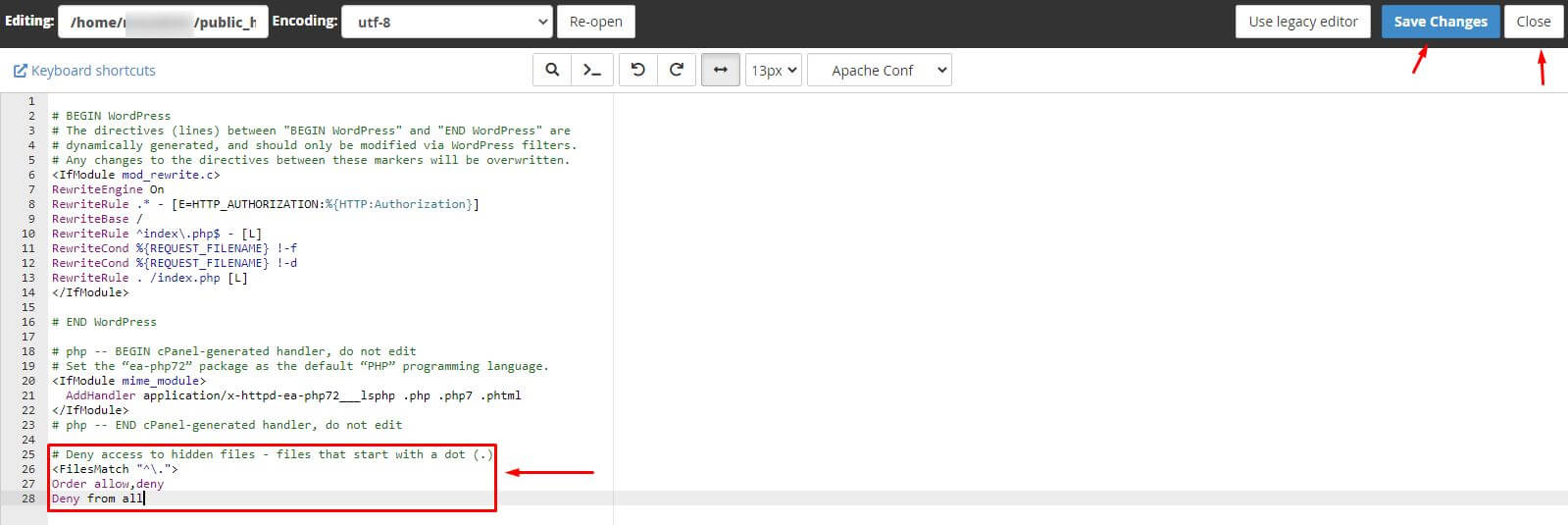
- Add this code at the end of the file:
# Deny access to hidden files - files that start with a dot (.)
<FilesMatch "^\.">
Order allow,deny
Deny from all
- Choose Save Changes and Close the file.
Conclusion
If you own a VPS or dedicated server, you can save the .htaccess/hidden files on all the sites on it. You may have to edit the /home/.htaccess file and enter the code there.
