How to Create a MS SQL Database and Database Users in Plesk?
Data management and backend control are essential to keep everything organized on your site. Plesk is a widely used web host control panel and integrates Microsoft SQL Server (MS SQL) database with a control panel to make things easy.
You need to make sure you have a secure and protected system for your data before you deploy a new ASP.NET application, or before you migrate a project and or set up a Content Management System (CMS).
This article will focus on how to work with MS SQL in Plesk.
Log in to Plesk.
Go to Databases.
Click on Add Database to create a new database.
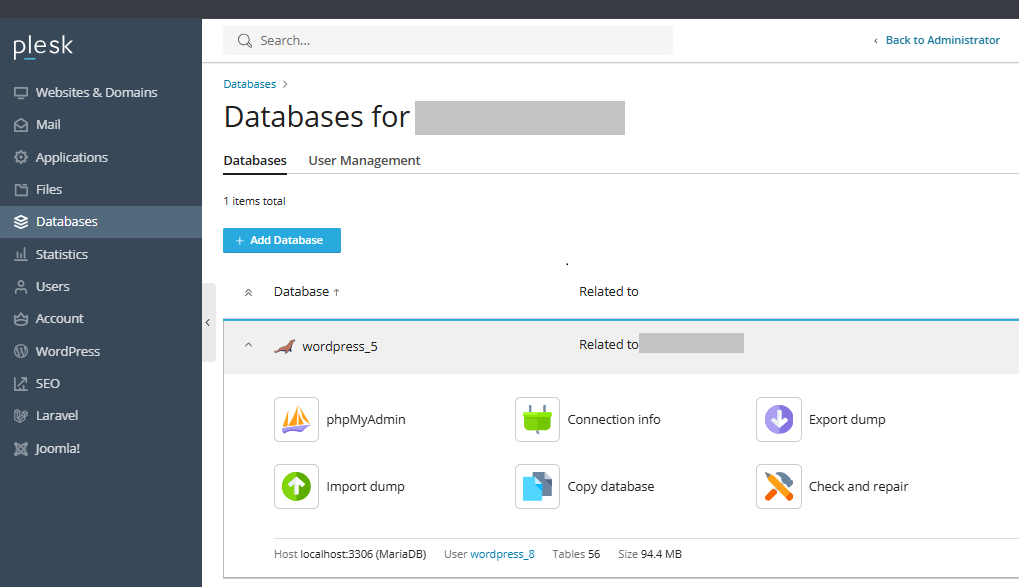
Add a Database page with the details below will open.
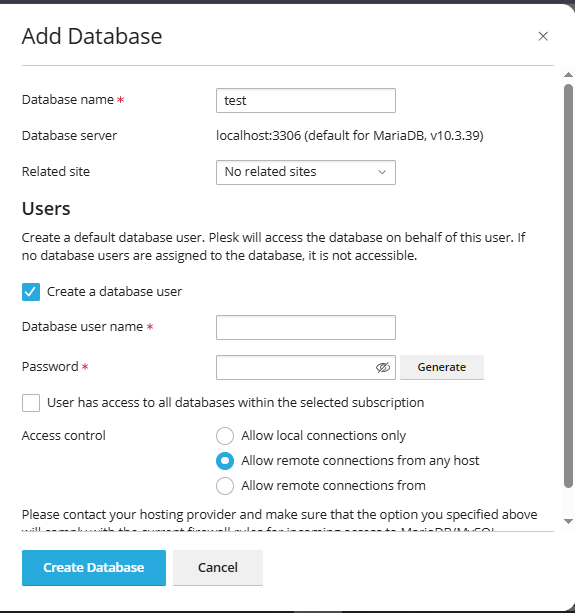
For the Database name, enter a name for your new database.
For the Database server, choose an MS SQL database server from the dropdown.
Choose a website from this dropdown to assign the database to a specific website.
To create a database user, enter the user name in the Database user name field.
Your password should be made of letters (that can be upper or lower case), numbers and also some special characters.
Repeat the same password in the Confirm password field.
If you want to use an auto-generated password, you can click on the ‘Generate’ button. It will automatically fill both the Password and Confirm Password fields.
You can click on ‘Show’ to view the password.
Please copy the password and paste it in some notepad file in case you need it later.
To get the passwords back to its blank state, you can click on ‘Hide’.
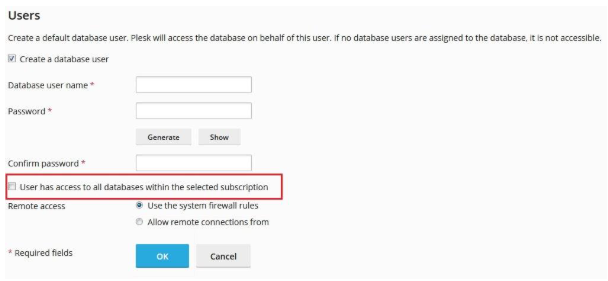
If you want this user to have access to all databases created under this subscription, you can check this checkbox. This should be left by default though.
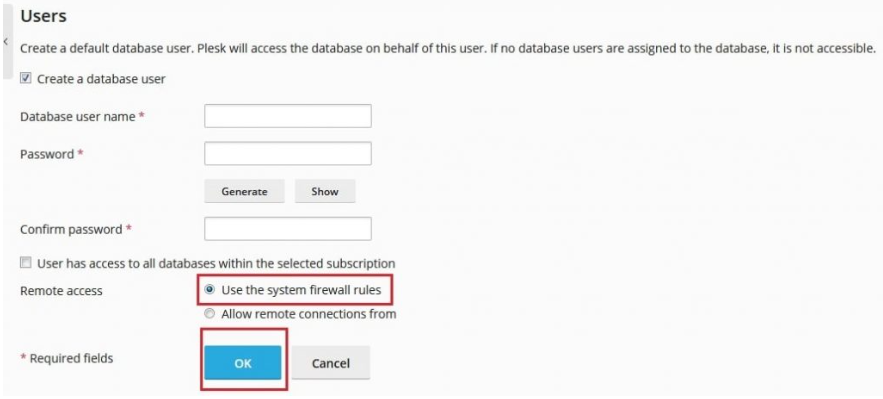
In the Remote Access section, the default option Use the system firewall rules is fine. If you select Allow remote connections from, it means you are giving the particular IP address(es) the access to the database on behalf of this user. Just stick with the first default option.
Click on OK to create a database and users.
You will see a success message Your new database user can be found in User Management.
At any point, feel free to click on the username to modify its settings.
conclusion
In conclusion, creating an MS SQL database and users in Plesk is an uncomplicated and practical way to prepare a secure home for the data of your web application. By using the integrated features of the Databases section, you sidestep elaborate manual setups while retaining complete power over user access and remote control settings.
Please bear in mind the importance of using secure and unique passwords for your database users and the assignment of the least privilege access to protect your data. Your SQL Server setup is now complete and poised to run your applications with the best performance and reliability.
