How to Check Current Disk Space and Bandwidth Usage in Plesk?
Maintaining a healthy server involves a great deal of disk space and bandwidth monitoring. Problems like database failures and backup errors can happen when servers run out of storage. Additionally, if users hit their bandwidth threshold, their websites can get suspended or they can incur additional fees.
However, users can see how their resources are being allocated, whether it’s databases, emails or web files, thanks to Plesk’s visual monitoring reports. The following explains how to monitor disk space and bandwidth.
Steps to view disk space and bandwidth in Plesk:
Access Plesk.
Select Statistics from the left sidebar.
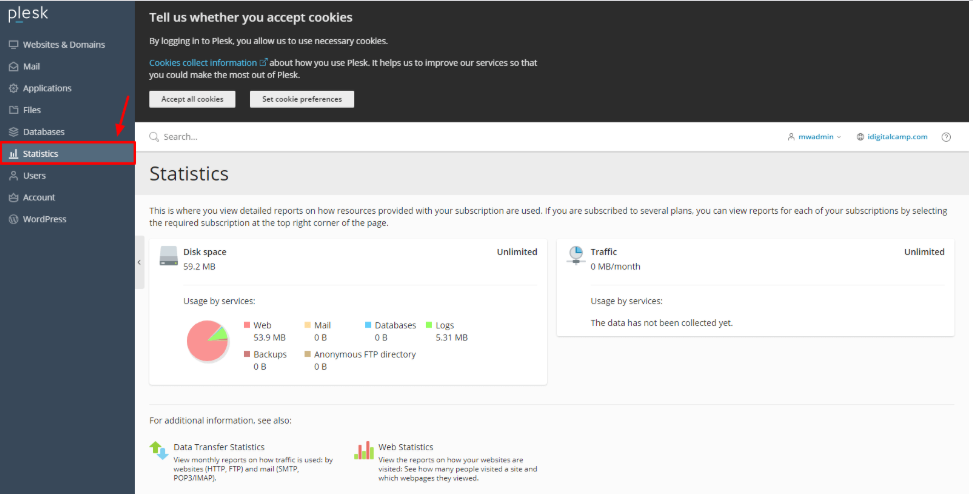
Your disk space and bandwidth usage are in this section.
And that is how you view disk and bandwidth space in Plesk.
Conclusion
Your websites can continue to perform well when you monitor your resource usage. Anticipating when to remove expired backups or upgrade to a more expensive hosting service plan can be accomplished by checking the Statistics panel and automating summary reports. It’s the best way to prevent usage from becoming a detrimental issue.
