How To Change The PHP Version On A Plesk Server?
The ability to run a particular version of PHP on your Plesk server can be critical, depending on the needs of each site. Whether you have an incompatible CMS, need a newer version for a plugin, or simply want to move off an unsupported version in favor of the latest security and performance improvements, the ability to change PHP versions in Plesk is required knowledge for any admin. But Plesk makes the task relatively straightforward and easy. In this tutorial, we will show you how to check what PHP version you are running and change it to another version if needed.
Steps to Change PHP Version on Plesk
If you want to change the Php version, follow the steps below:
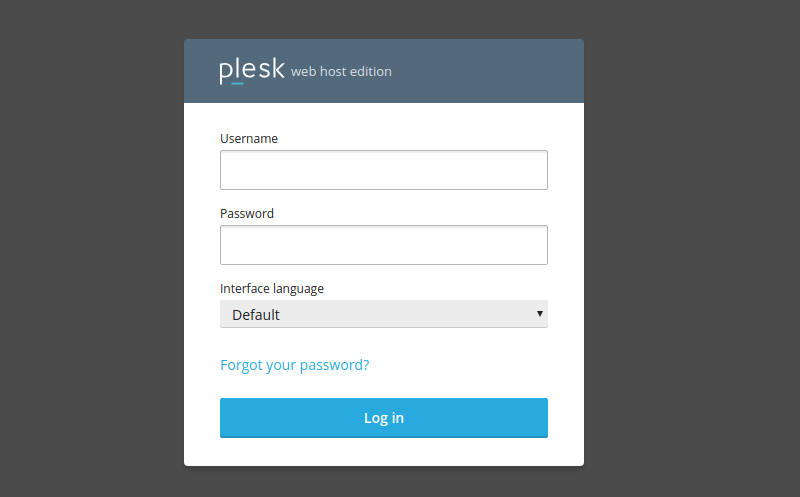
1. Log in to Plesk with your password and username given by the hosting provider.
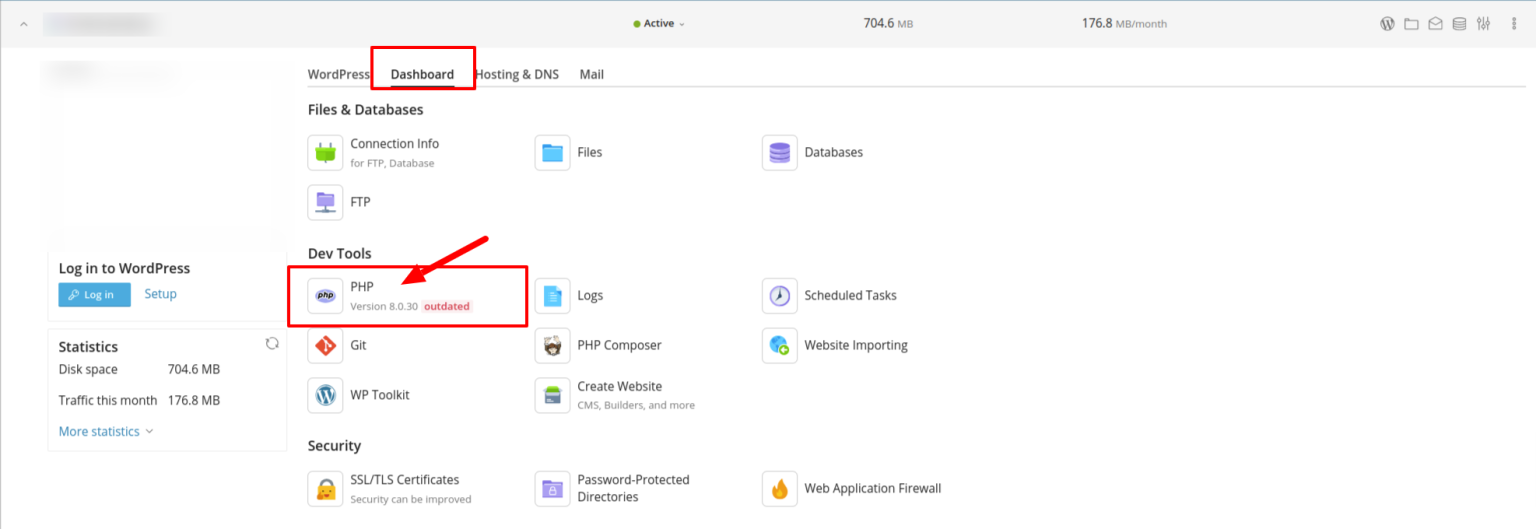
2. Go to Dashboard and select PHP.
3. From the drop-down menu, in the field PHP Support, select the PHP version you prefer, click Apply and ΟΚ
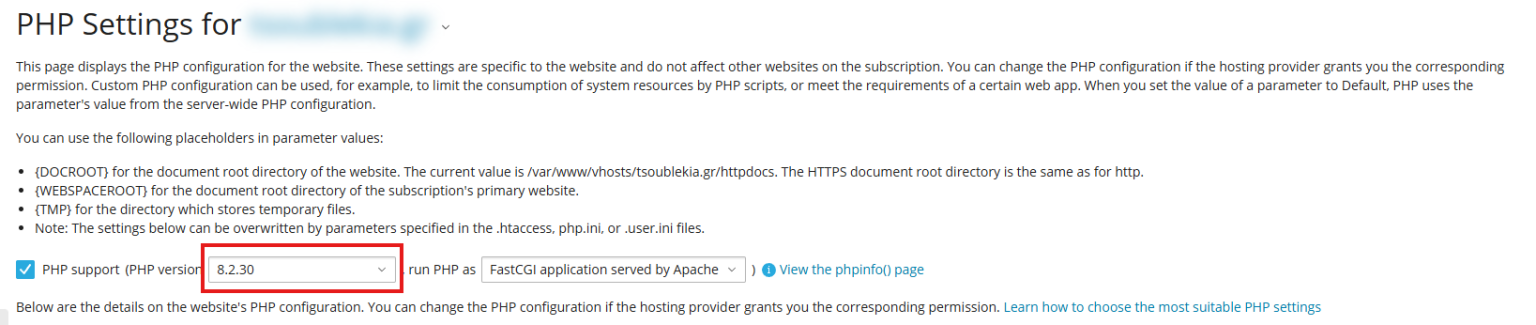
4. Adjust additional PHP Settings (Optional)
While you are here, you can modify or review other PHP related settings like:
Memory limits
Upload file size limits
Execution time limits
Error reporting settings
5. Save your changes
6. Verify the Change
To confirm if the switch was successful, you can check the PHP version by checking the PHP version that is displayed again in the PHP settings page.
Conclusion
Upgrading your server PHP version in Plesk is a quick and easy procedure that can greatly enhance the performance, as well as the security, of your website. While it may be tempting to update your version right away, it is always a good idea to test your website and its features to make sure that nothing breaks in the process, especially if you are using PHP plugins or scripts. Luckily, should anything go wrong, you can always switch back to the previous PHP version in Plesk as it is just as easy as switching to the newest one.
Remember that PHP version changes are essential to the proper functioning of your website and that using the latest PHP version in Plesk is crucial for your online presence’s security and performance.
