How to assign permissions to Files and Folders in Plesk
To make sure your website stays functional and safe, it’s your job to manage File Permissions in Plesk. Plesk’s File Manager lets you avoid working with the command line and lets you set write access for specific scripts, or keep files hidden from the public.
You can follow the steps below to help guide you through the process of setting and changing File Permissions.
To start, you’ll need to log in to Plesk.
Click File Manager.
Next, click the file you want to set or change permissions for.
Then click the drop down to Change permissions.
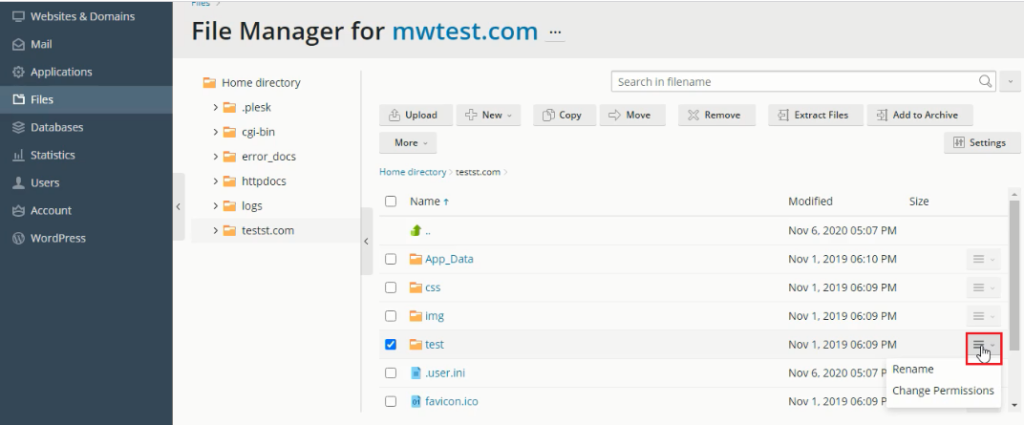
Once you select the permissions you want to assign, click OK.
You should see a message indicating the change was successful.
Conclusion
With Plesk File Manager, you can make sure your applications can run as needed while keeping sensitive information hidden from unauthorized users. As a good rule of thumb, it’s best to apply the “least privilege” principle and only allow write access when it’s absolutely necessary to keep your systems secure.
