How to Add a Customer in Reseller Plesk Panel?
As a reseller, your initial job will be to create individual accounts for each of your clients. When you add a customer in the Plesk Reseller Panel you can allocate resources, create separate logins, and manage subscriptions independently. This is the building block for your hosting business, as it provides the flexibility for you to create customized hosting solutions while keeping complete control over the ceiling resources of your server.
Below is a guide for adding a customer and creating their first subscription.
Login to Plesk.
On the left, under the Hosting Services section, click Customers.
Click on Add a Customer to create a new customer.
In the Contact Information section, fill in the fields with asterisks.
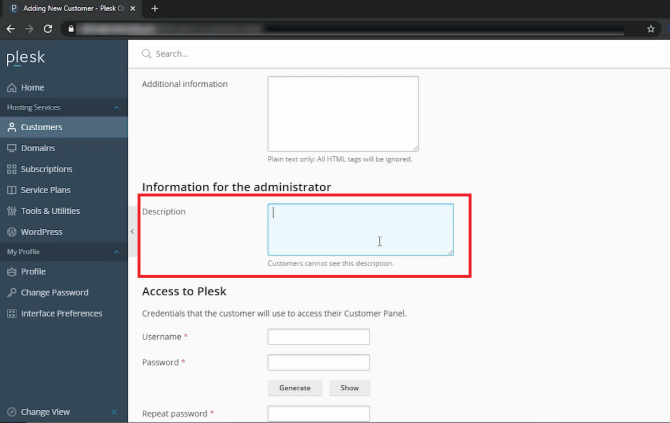
In the Information for the administrator section, you can add a note in the textbox. Customers cannot view this note.
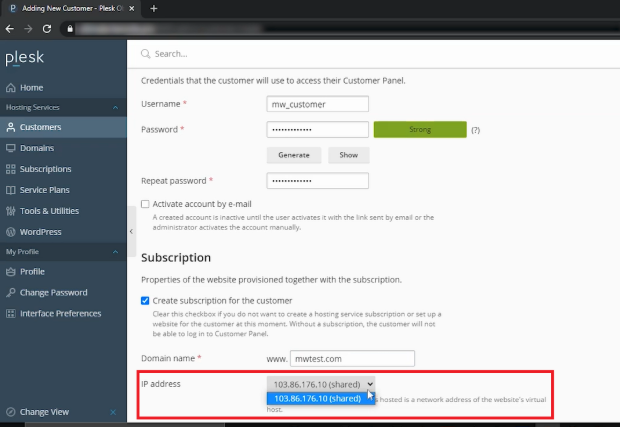
In the Access to Plesk section, create a username and enter a password in the password field, then in the Repeat password field, enter the same password again. The password must contain numbers and letters. If you prefer a password to be created for you then click on Generate. In this case, we put the password in manually.
These login credentials will allow the customer to access the Customer Panel.
If you wish to send an activation link to the customer via email, please check this box.
In the Subscription area, this box is checked by default. If you uncheck this option, the customer will be unable to log in to the Customer Panel.
Fill in the Domain name field with the customer’s domain.
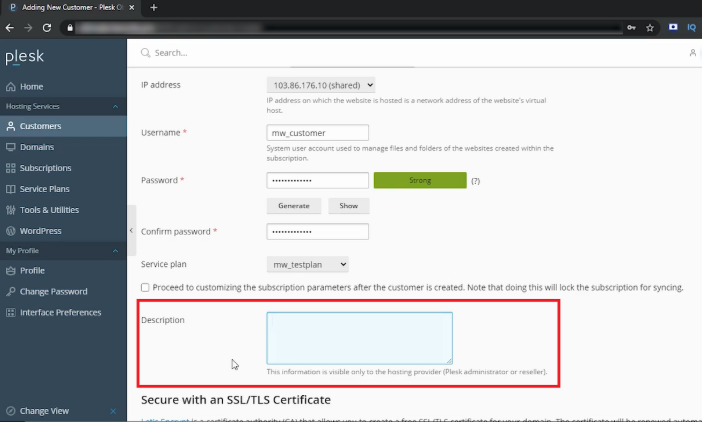
This section will show the default IP address.
Please enter the username and password provided in the Access to Plesk section, and re-enter the password in the Confirm password field. The password should be alphanumeric.
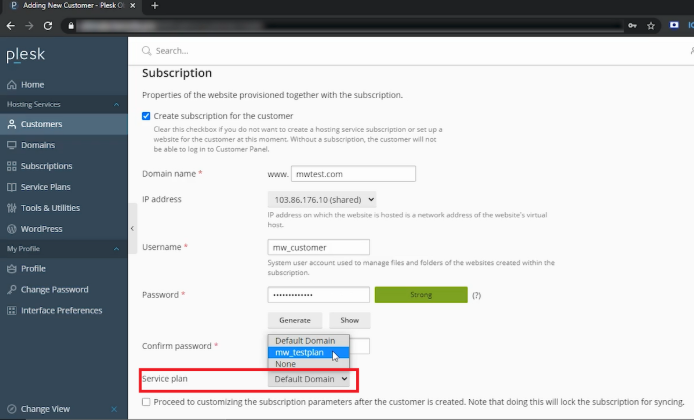
From this drop-down, select the Service plan. We have created this service plan, so we are selecting the same.
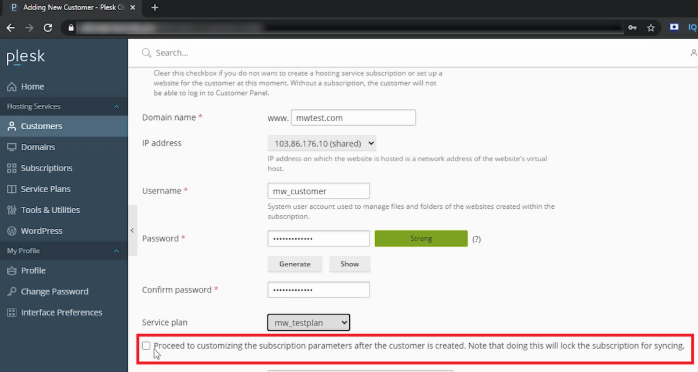
If you check this box, the subscription will be locked for syncing, so leave this box unchecked.
You may enter any details in this text box. This information is visible only to the Plesk admin or the reseller.
Select the checkbox to secure your domain with Let’s Encrypt SSL. Your domain should be pointed to a server. You can set up Let’s Encrypt SSL after adding the customer to Plesk.
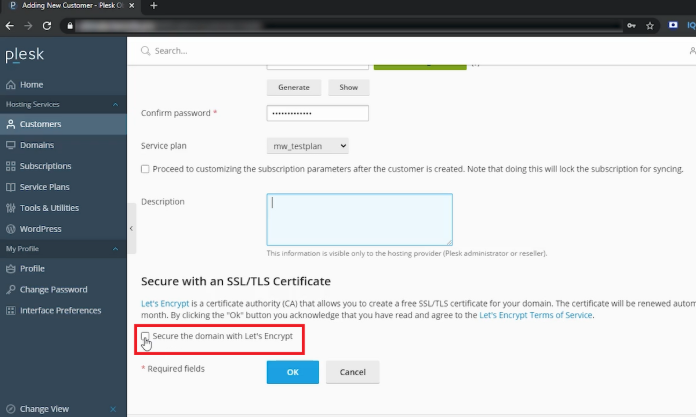
Click on OK.
Conclusion
The most secure and professional manner to operate a reseller hosting business is to distribute clients through separate customer accounts. You have provided your client with an isolated space to manage their website, and through this, their resources have been clearly defined. This will allow you to monitor their usage, upgrade their plans, and assist them with any tech activities from your Reseller dashboard.
