How to Access the Plesk Panel?
Plesk is a web-based tool designed to manage a website and related services such as domains, databases, email accounts, and server settings. The tool is typically accessed via a browser and provides users with an intuitive interface to manage their data. The tool can be used to deploy and manage existing web apps and sites. It generally takes less time to access the Plesk panel than it does to set up a website. The article outlines step-by-step methods for accessing the Plesk panel.
Steps to login to the Plesk Control Panel?
- Open the address bar on your browser and enter the Plesk control panel URL (it should look something like https://your.domain.com:8443)
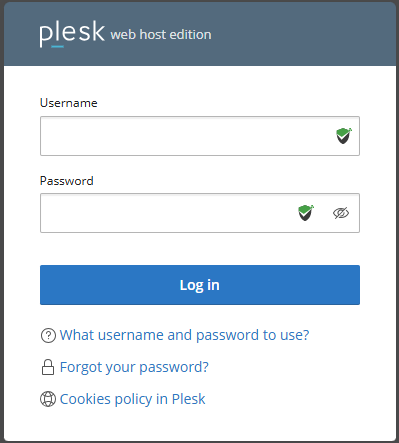
- Press enter to open the login page of the Plesk control panel.
- Enter the login details provided by your web hosting provider.
- First-time users have an option to choose their preferred language from the interface language dropdown list.
- Click Login.
You are now logged into Plesk Control.
Note: The exact steps or details might be different for different Plesk versions. Also, they might be changed by your hosting provider. If you have any problems while working with Plesk or can’t login to the Plesk control panel, please contact your hosting provider or system administrator.
Conclusion
After logging in, be sure to explore the side panels because Plesk has grouped together all the necessary hosting-related functions (mail, domains, backups, and others). So, regardless of your level of expertise, you will quickly find the tools you need.
