How to Fix a Slow WordPress Website?
Introduction
There are various factors that determine how fast your site opens. The process is usually slowed down due to large images and complicated scripts. Your hosting bandwidth and how your database stores information are also significant factors. The speed can even vary with the distance between your visitor and your server.
Tools to Measure Your Performance
To find the precise bottlenecks on your site, you should use professional tools.
1. Analyze with GTmetrix
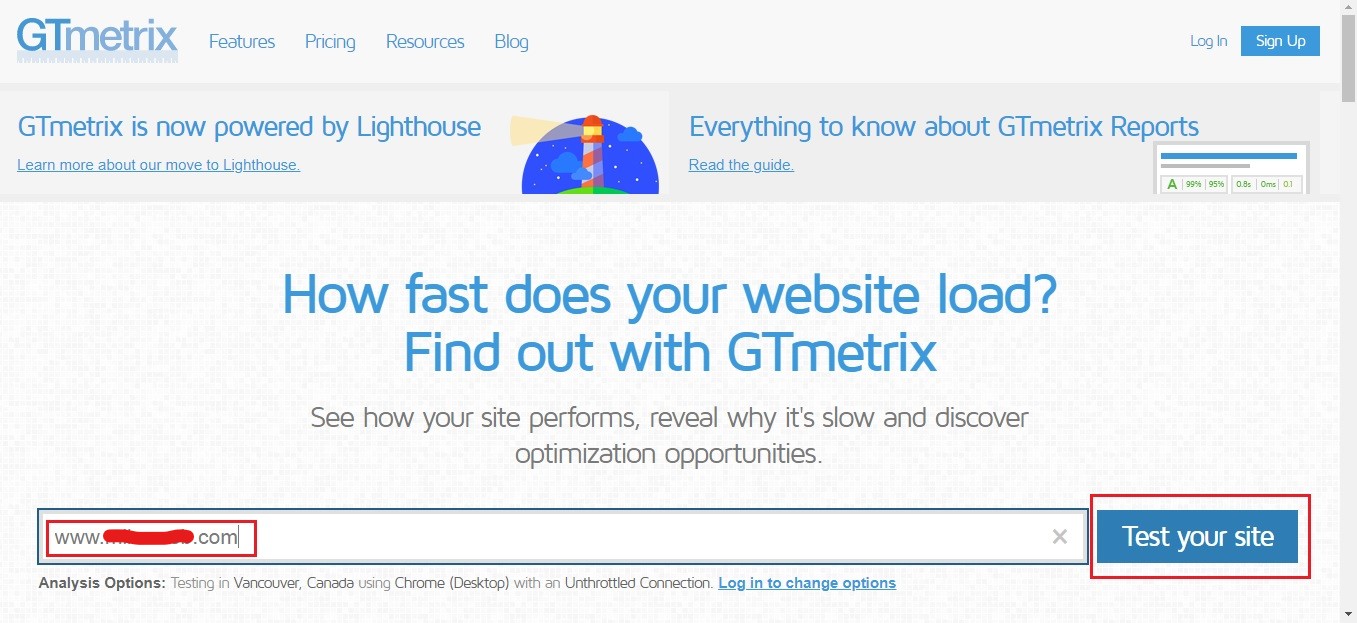
GTmetrix is a free application that analyzes your site and provides an in-depth report. It shows you which files are taking too long to load.
- Go to the GTmetrix site and type in your domain name.
- Allow the tool to complete the speed test.
- Read the list of tips in the report.
- View your site health over time through the performance graphs.
2. Monitor Resource Usage
There are certain CPU and memory limits in your hosting plan. When your site consumes excessive power, it will automatically become slow.
- You can view your resource statistics in your control panel.
- Check the CPU or RAM usage area to see whether it has any red marks.
- Determine whether a particular activity is generating an abrupt increase in data.
- Increase your plan in case you exceed these limits daily.
Technical Techniques to Accelerate Loading
These measures are used to make your server provide content at a higher speed.
1. Enable GZIP Compression
GZIP is a technology that compresses your website files before sending them to a visitor. It works like an internet’s zip file.
This technique can trim down your page size by almost 70 percent and saves much bandwidth for you and your visitors. Moreover, the browser automatically unzips the files when they come. This can be enabled in your hosting options or via a plug-in.
2. Leverage Browser Caching
Caching stores your site on the local computer of the visitor. This is to say that they do not need to download the same logo each time they open a new page in their browser.
- The browser saves the static files, such as the images and CSS.
- This will minimize the number of requests that are being made to your server.
- It is much quicker than the first visit to your site.
- You can set how long the browser should keep these files.
3. Increase PHP Memory Limit
WordPress must have sufficient memory to execute all your running scripts. When the limit is set too low, your site may crash or slow down.
- The simplest sites require at least 256MB of memory to be effective.
- This limit can be modified in your .htaccess file.
- An increased limit will enable your plugins to handle data without errors.
- This is quite useful on sites that have many features.
Best Practices of Site Maintenance
Maintenance will ensure that your site does not get heavy over time hence maintaining your site clean is as important as technical setup.
1. Uninstall Unused Themes and Plugins
Each active and inactive plugin adds code to your site. This additional code may slow down your database.
- Delete any theme that you are not using.
- Turn off and remove unnecessary plugins.
- See what plugins consume the most CPU power.
- Make sure your remaining tools are up to date.
2. Optimize Your Images
The largest contributor to slow pages is high-resolution photos. It is always important to compress your images before uploading.
- Install tools such as WP Smush or EWWW Optimizer.
- These extensions reduce the size of the file without compromising on quality.
- Smaller pictures make your pages load immediately on cell phones.
- Request your developer to establish a limit on the size of uploads.
3. Clean Your Database
All your comments and revisions are stored in your database. With time, such data becomes messy and slows down your queries.
- Install a plug-in to remove old revisions of posts and spam comments.
- Optimize MySQL tables to recover unused space.
- Clean up the database weekly to maintain a small database.
- This also makes your website backups a lot quicker.
Cantech Speed Features
Cantech has optimized hosting environments to offer maximum speed. LiteSpeed technology and SSD storage provide data in real time. On all plans, we offer in-built caching solutions and Cloudflare integration. The technical team checks the health of the servers to make sure that your site remains fast even when there is a lot of traffic.
Conclusion
Fast loading speeds are vital for a good user experience. Technical solutions such as GZIP should be mixed with common practices such as image optimization. A CDN such as Cloudflare will also help make sure that visitors worldwide will be able to view your site fast. Begin with a speed test now and proceed with the above steps to ensure that your audience remains happy.
Frequently Asked Questions (FAQ’s)
1. Does a fast site help with Google rankings?
Yes, search engines favor websites that take less time to load. A faster site will assist you in ranking better in search results. It also minimizes the number of individuals who leave your site instantly.
2. What is the best caching plugin?
WP Rocket is highly recommended for beginners due to the ease of installation. W3 Total Cache provides enhanced features to professionals. You must select one that suits your level of technical skill.
3. What is a CDN?
A Content Delivery Network stores copies of your site in various countries. When a user visits your site, the CDN serves files from the nearest location. This significantly reduces the time it takes for data to travel.
4. What is the frequency of cleaning my database?
A monthly cleanup is usually enough for most small websites. A weekly schedule is preferable in case you have a busy blog and lots of comments. It is always better to take a complete backup before you start a database cleanup.
5. Can too many plugins break my site?
Yes, excessive number of plugins may lead to code conflict and excessive resource consumption. Only necessary plugins should be used on your site. Always verify the compatibility of your plugins before installing something new.
