How to Disable Username Prefix in WHM for Databases?
The names and usernames of databases in cPanel are prefixed with the username of the account. You can disable the default WHM setting of adding username prefixes.
To Disable Username Prefix for Databases and Database Users
1. Access your root account’s WHM panel.
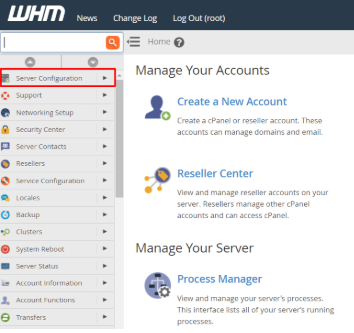
2. From the navigation menu, select Server Configuration.
3. Click on Tweak Settings.
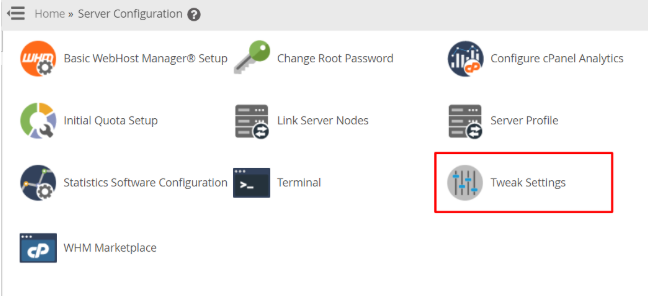
You will see a panel with many configuration options.
4. Choose the SQL tab.
You can manage SQL-related settings here.
5. Click Off on the Require a username prefix on names of new databases and database users option.
6. Press the Save button.
The WHM panel will save the settings and disable the username prefixes for new databases and users.
